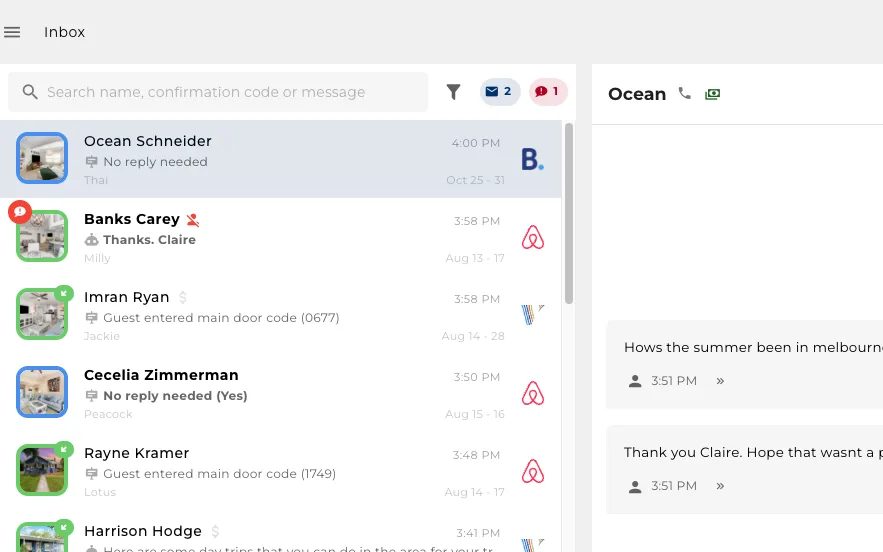
One inbox for all platforms
Every guest thread from every booking site in one place, with the assistant already answering.
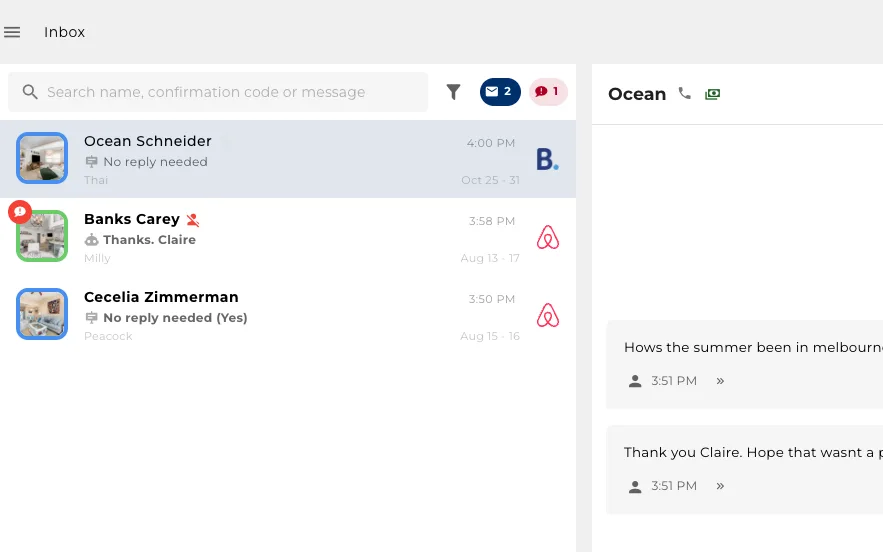
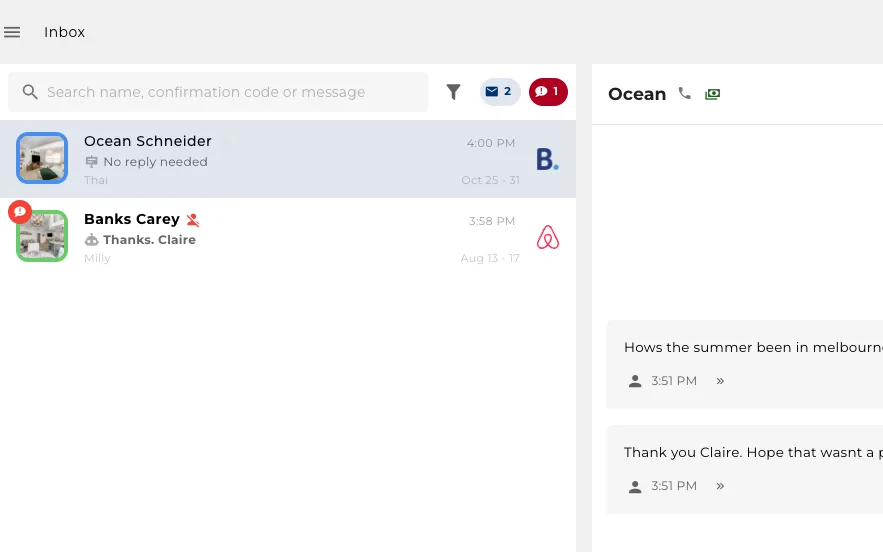
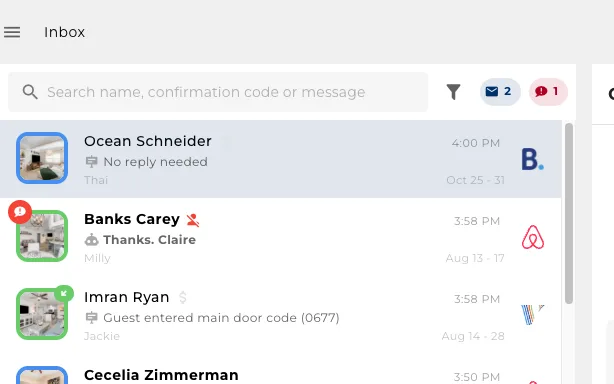
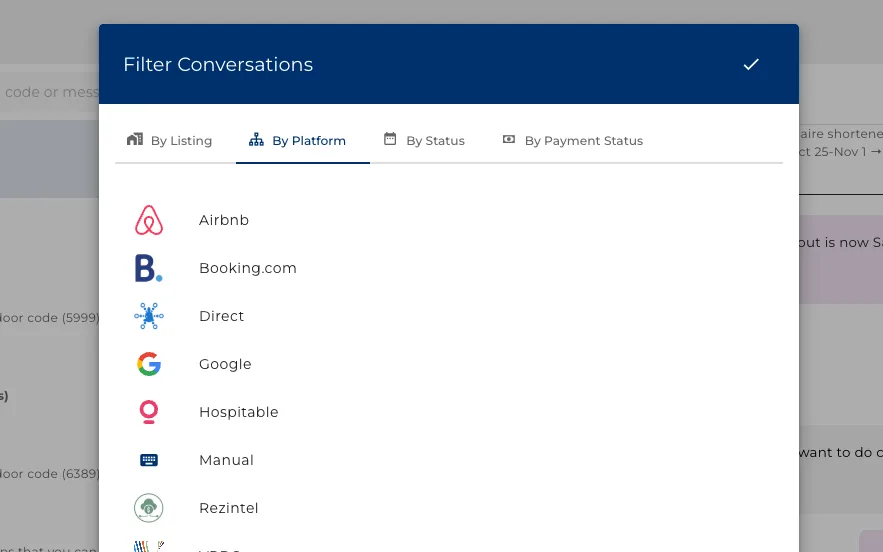
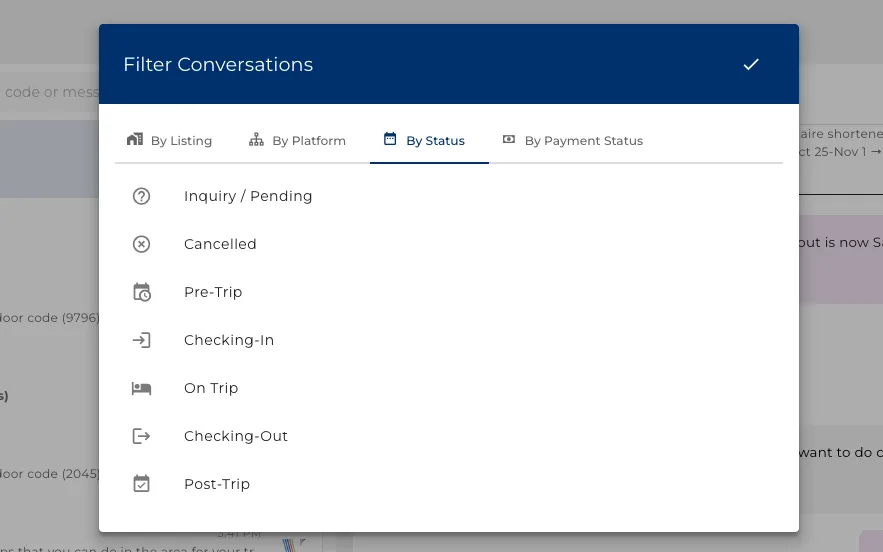
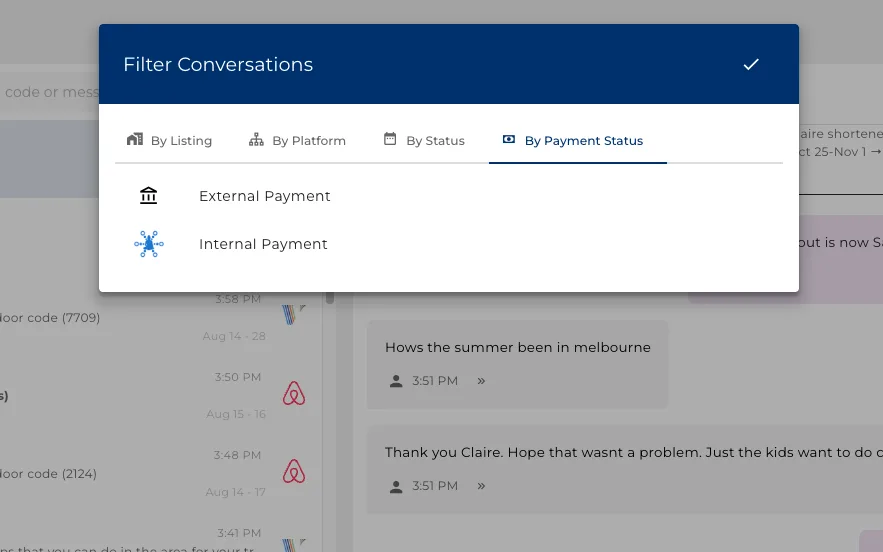
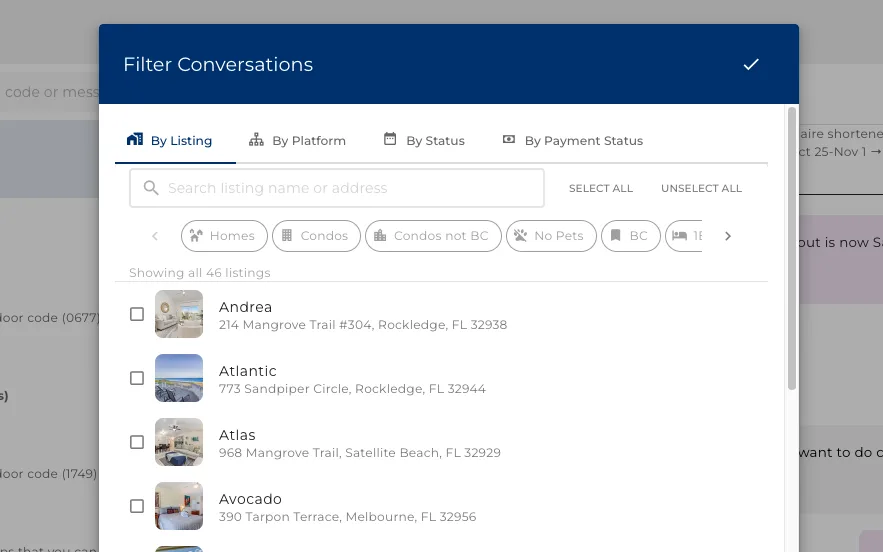
Search and filter to the thread you want
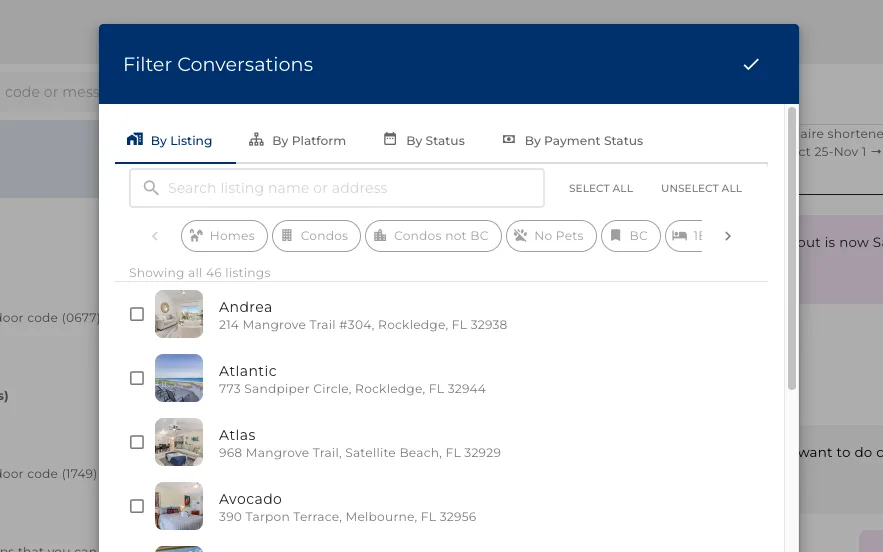
Search by name or confirmation code, or filter the list four ways.
- Filter by property, by booking site, by where the booking stands, or by whether it is paid.
- Search a guest name or a confirmation code to go straight to one thread.
- The filters stack: one property, on one site, unpaid, is a couple of clicks.
All features one click away
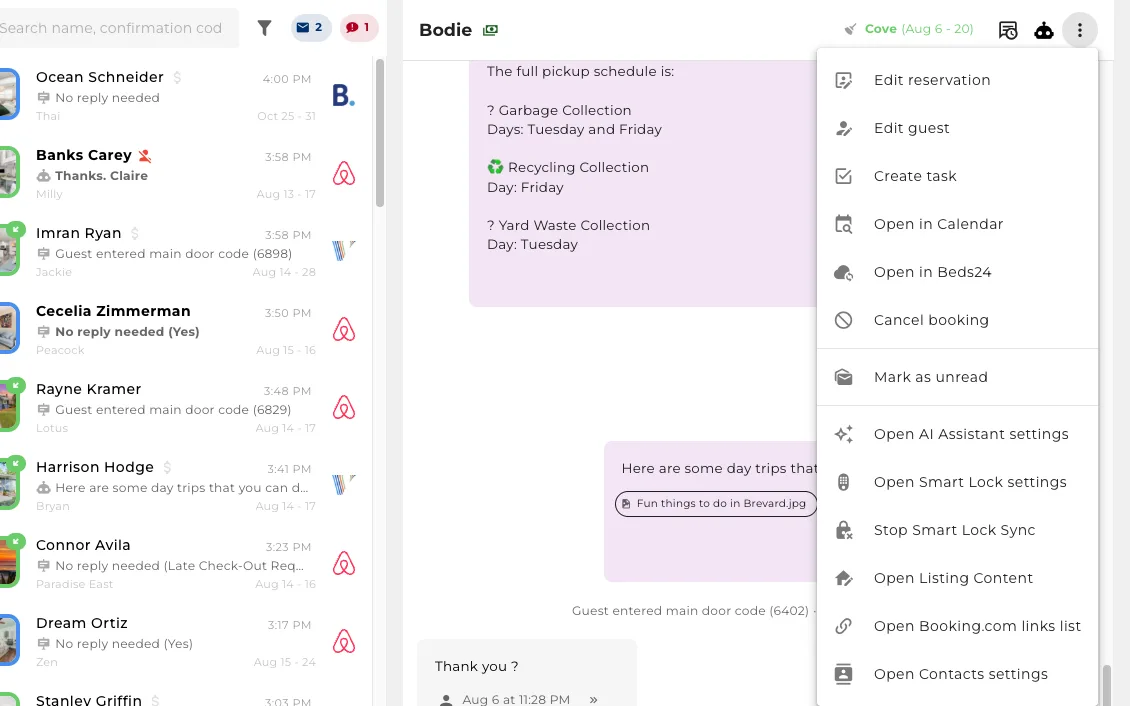
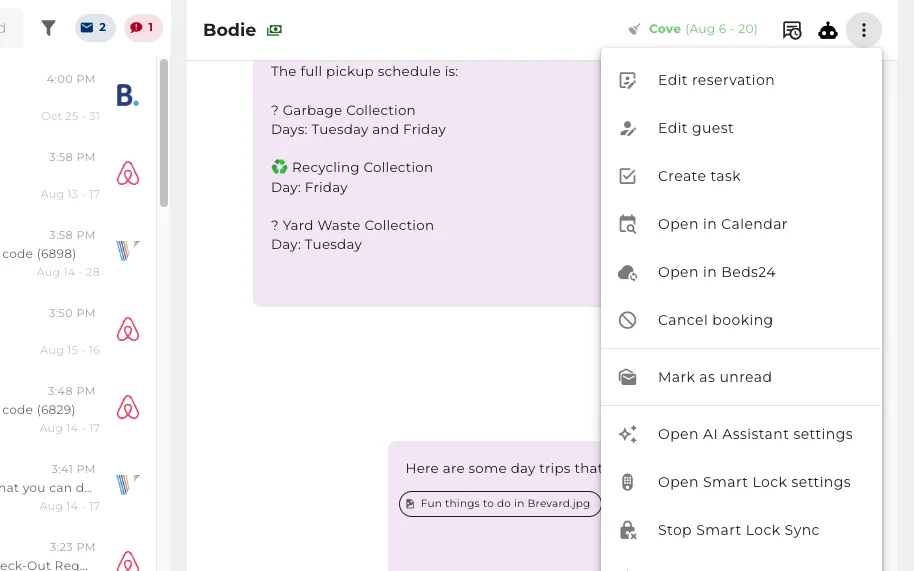
Everything you do to a booking mid-conversation, without leaving it.
- The booking site's own icon opens the reservation there, and the phone icon calls the guest.
Messages scheduled to the steps of the stay
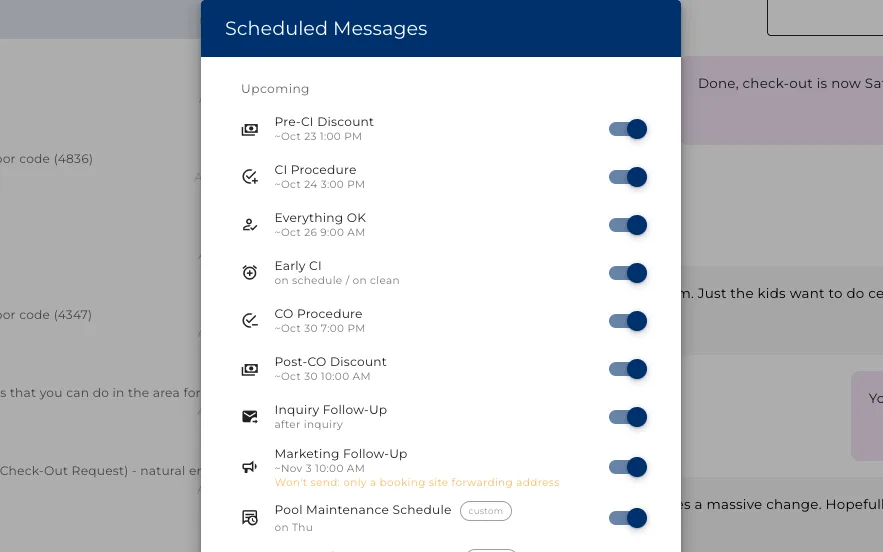
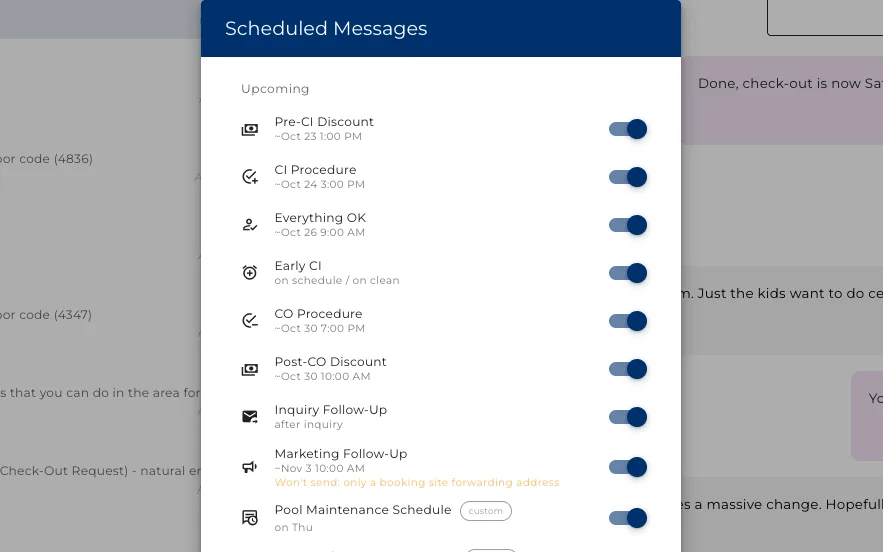
Set what goes out before arrival, at check-in, during the stay and after checkout, then see the whole queue for this booking.
- Every timed message for this booking, in the order it will send.
- Switch one off for this booking alone, without touching the template.
- A stay that went badly can have its review request held back.
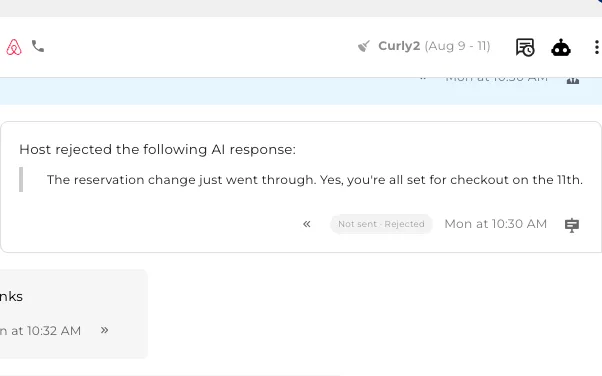
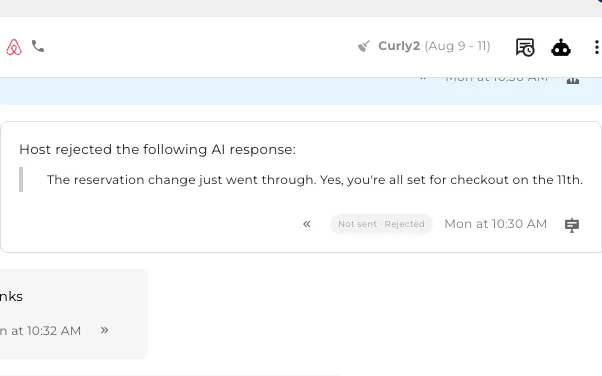
See the replies that were never sent
When a reply is held back you can still read it, and see the reason it did not go out.
- Marked Not sent, with the reason beside it.
The AI assistant also answers your questions
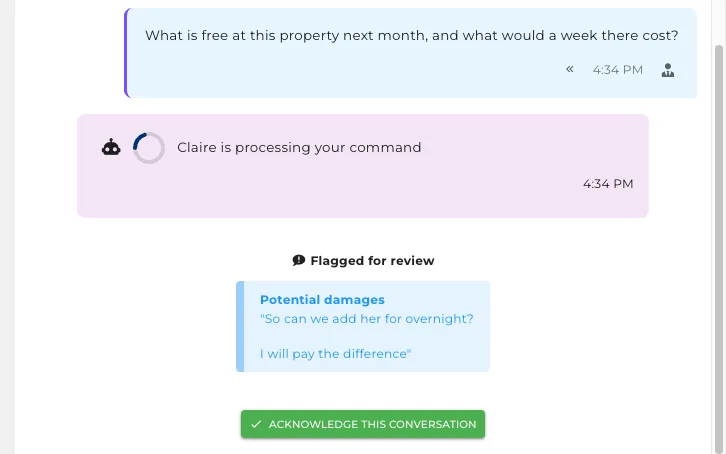
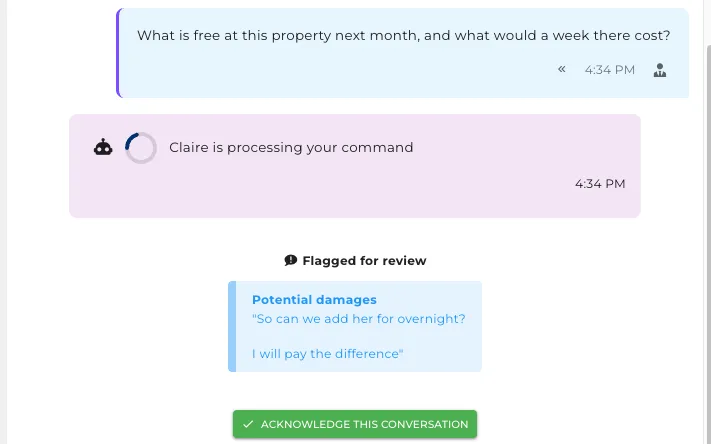
Talk to the AI assistant where the conversation already is. The guest sees none of it.
- Ask what is free next month or what a longer stay would cost, without leaving the thread.
- It answers from the calendar and your own rates, not from a script.
- Tell it to change something and it does the work, then shows you what it did.
- Everything you say to it stays private to your team.
It answers the awkward questions
Four unrelated questions in one message, each answered from this property.
- The walk to the beach, the cot in the cupboard, how many cars fit, whether the pool is heated.
- It knows all of that because you filled it in once, not because someone wrote a template for it.
- Most guest questions need nothing but a good answer, and that is most of the job.
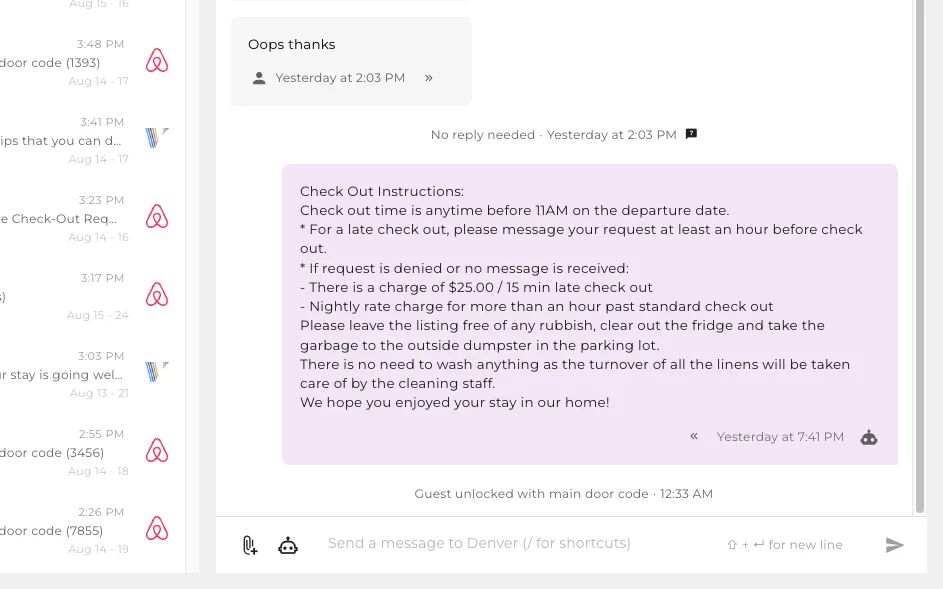
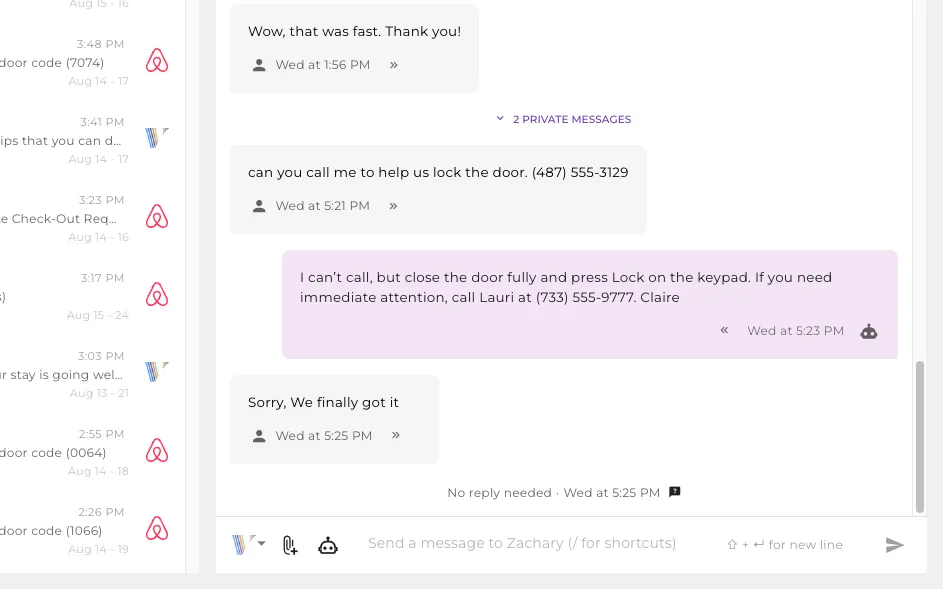
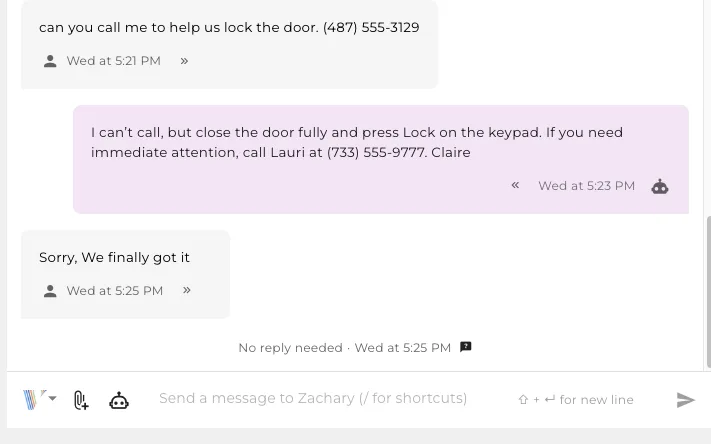
It opens the door
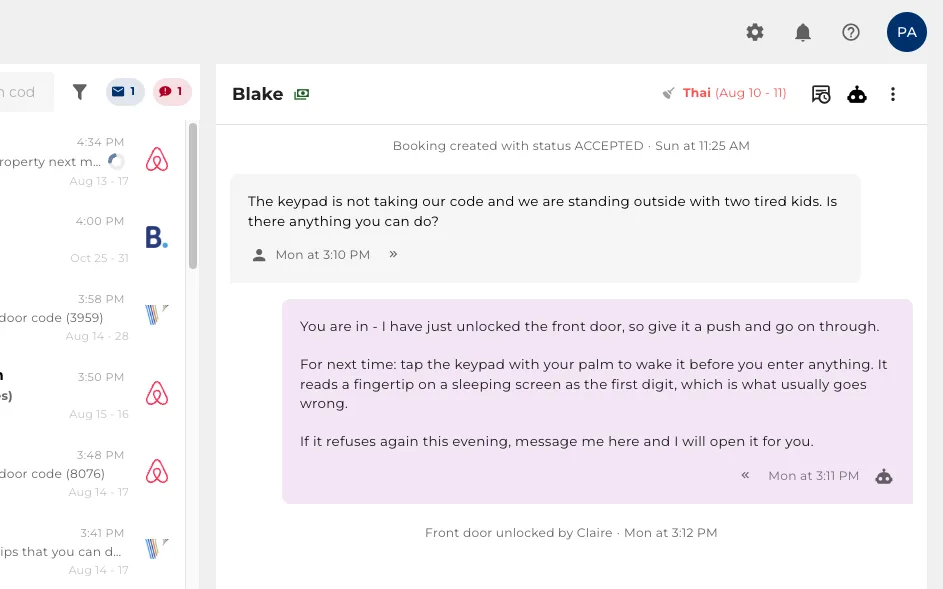
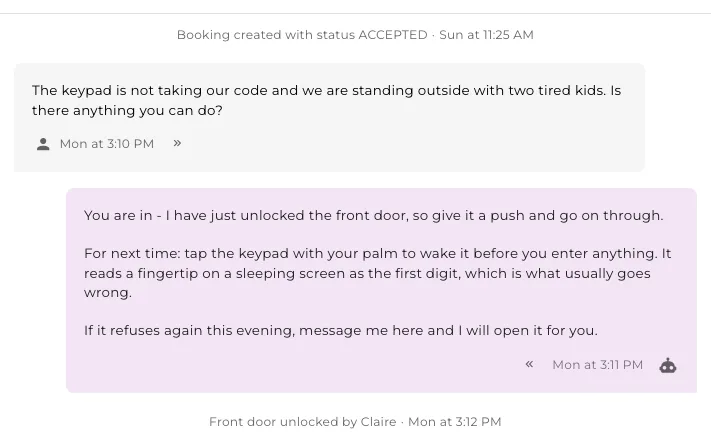
A guest stuck outside at 9pm does not want an explanation. They want the door open.
- It unlocks the door itself, in the thread, without waking anyone up.
- Only for the guest whose stay is running, and only between check-in and checkout.
- The thread keeps a line saying it happened, and who opened it.
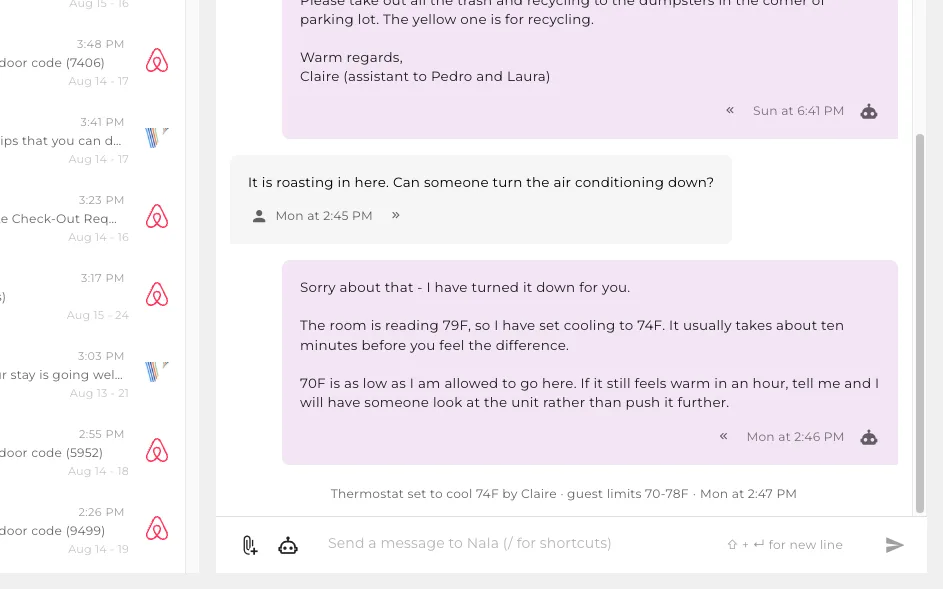
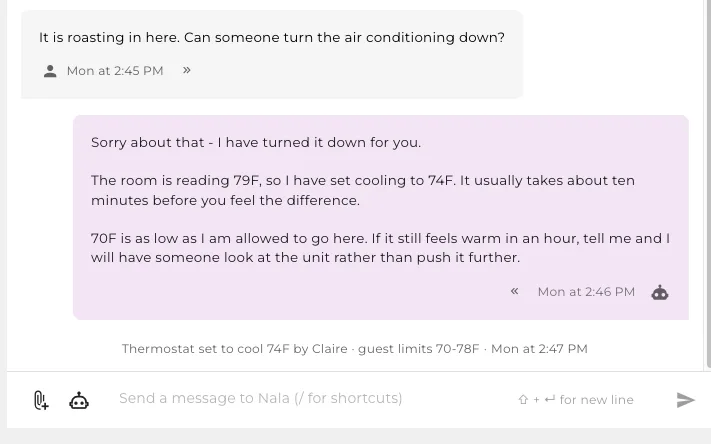
It turns the heat down
Comfort complaints are the cheapest problem to fix and the easiest one to leave sitting.
- It reads the room, moves the setpoint and tells the guest what to expect.
- You set the range it can use. It will not go past it, whatever the guest asks for.
- Someone is only sent out when setting the temperature is not enough.
It sells the extra night
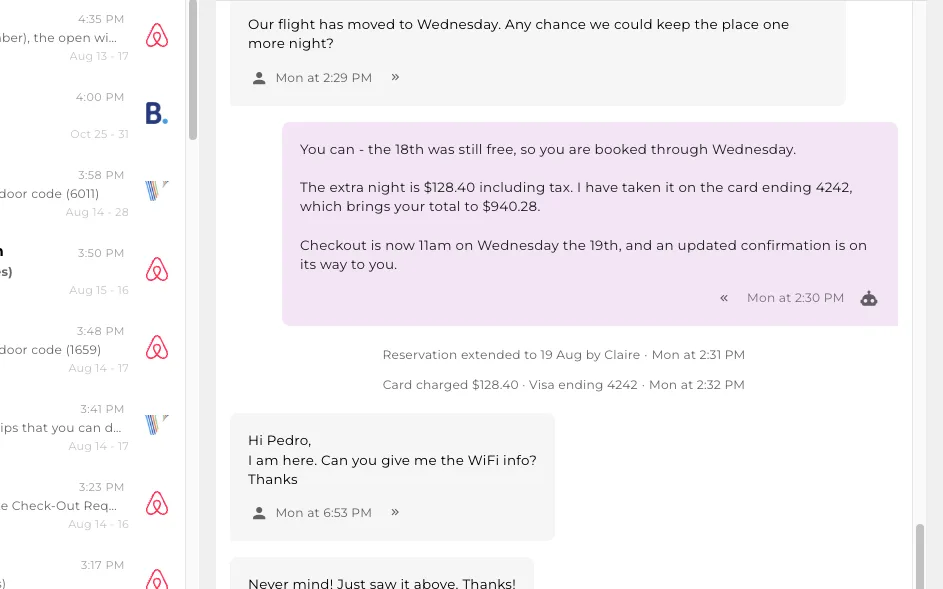
The request that makes you money arrives at 11pm and goes cold by morning.
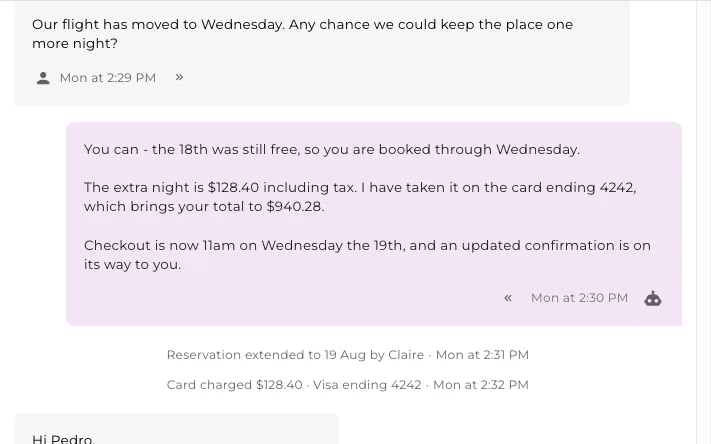
- It checks the night is free, prices it and books it while the guest is still asking.
- Payment is taken on the card already on file.
- The calendar, the total and the confirmation all move together.
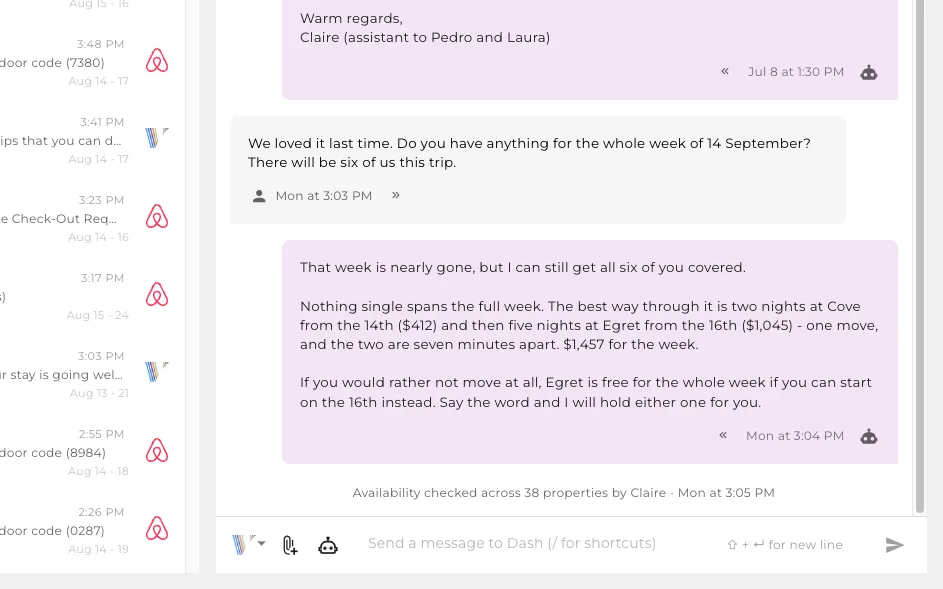
It finds a room you did not know was available
One property being full is not the same as being full, if somebody checks the rest.
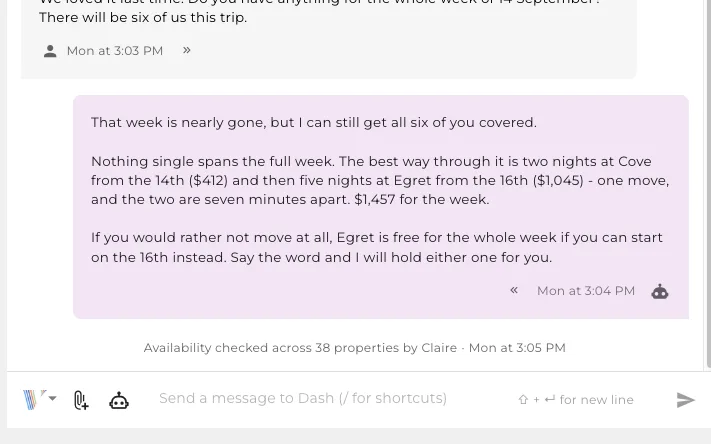
- When one place cannot cover the dates, it looks across every property you run.
- It can plan a stay across two properties with one move, and price the whole thing.
- The booking you would have lost gets an answer instead of an apology.
It handles a complicated message
A guest raises several problems at once, and it deals with each of them before anybody reads it.
- This guest asked to stay an extra night, said the living room was freezing, and could not get in.
- It booked the night, charged the card on file, turned the heating up and opened the door.
- Each action writes its own line into the thread, so you can see what it did without asking.
You choose what it can do
Every action on the slides before this one is a switch here, off until you turn it on.
- Unlocking a door, moving a thermostat, taking a payment, changing a booking.
- Per property, so a new one starts cautious and an established one does more.
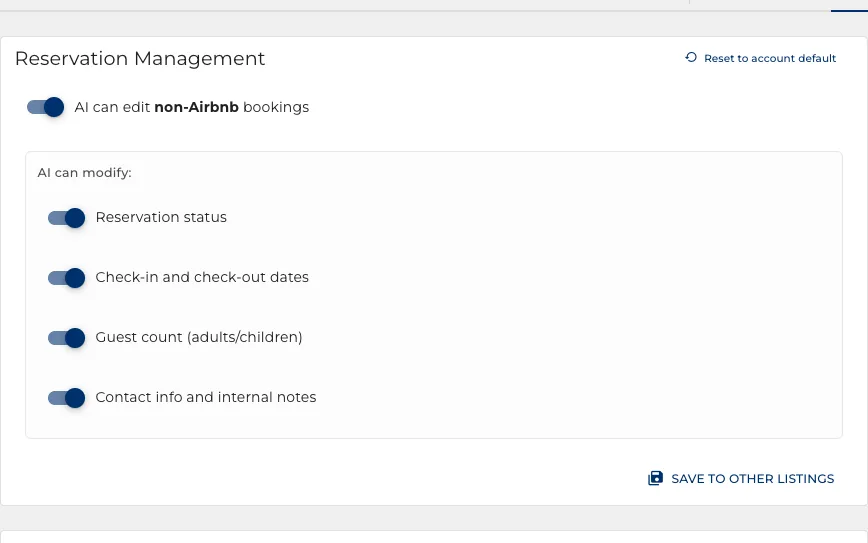
- What it can change on a booking is itemised one by one.
A library, not a script
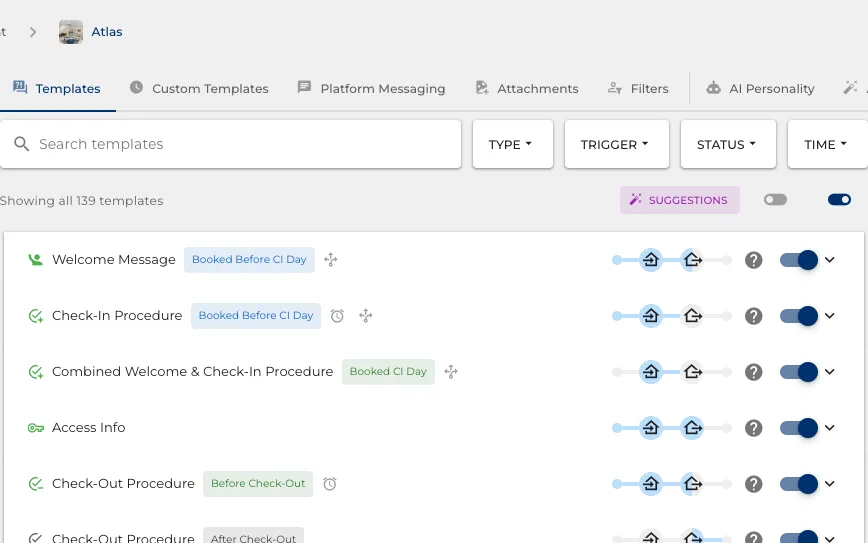
Every situation a guest can raise, with your answer to it, grouped by what sets it off.
- Every question and problem a guest commonly raises is catalogued, each with its own template saying what to tell them and what to hold back.
- Triggered by a question, by a time relative to the stay, or by a change to the booking.
- The bar along the top shows when each one fires across the stay.
- Search a hundred and forty of them, or filter to the ones that are on.
You write the instruction
Not the sentence it sends. What you want said, and the assistant composes it per guest.
- Write it the way you would brief a new employee, in your own words.
- Or mark it verbatim, and it goes out exactly as typed.
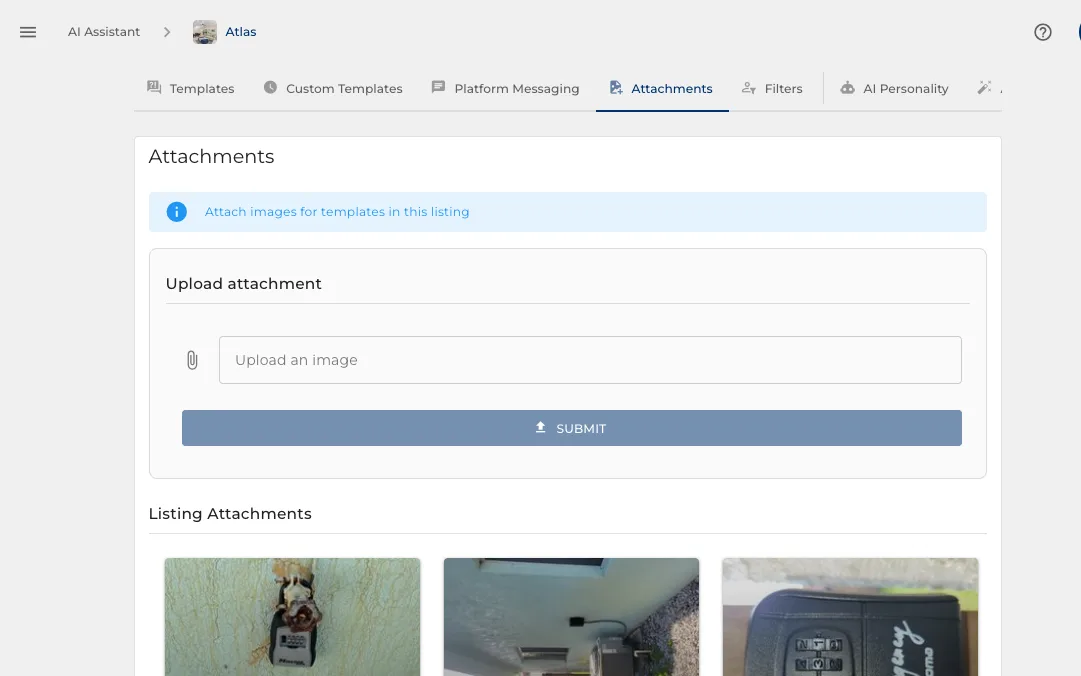
- Attachments ride along: a parking map, a welcome guide, a photo of where the keys are.
It fills in the details itself
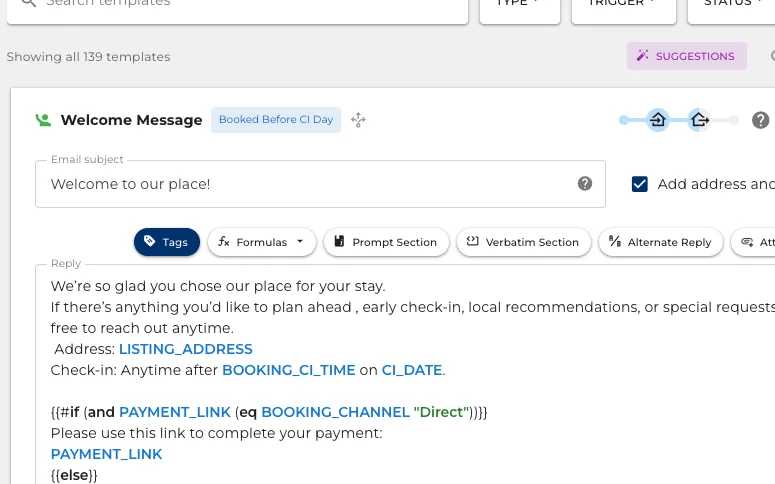
Drop in the door code, the wifi, the address, the checkout time. It resolves per booking.
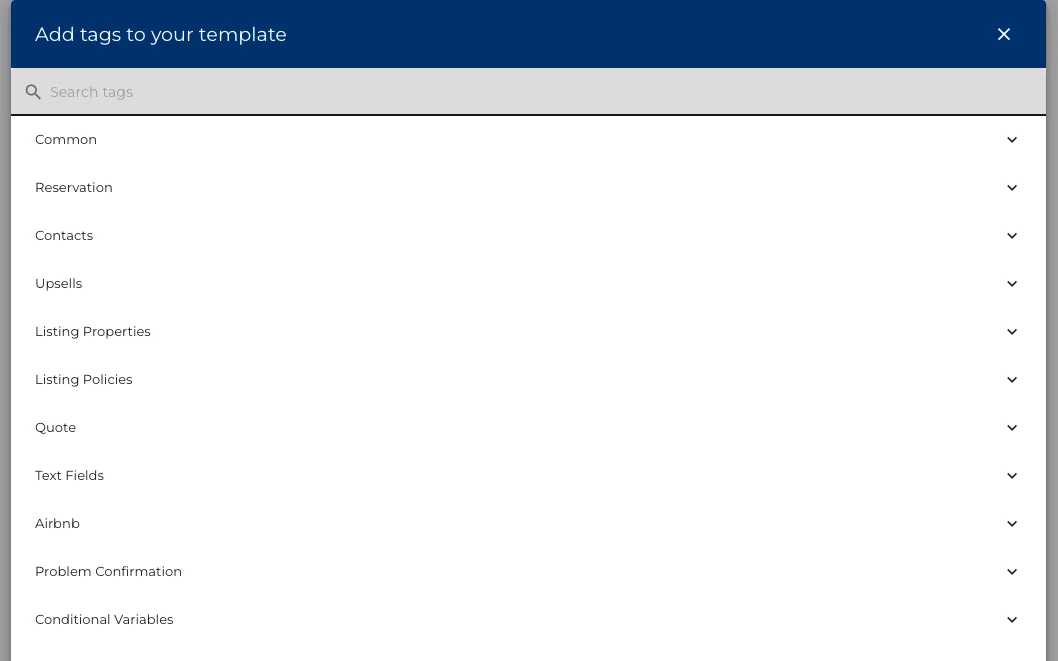
- A few hundred details you can drop into a sentence: the guest, the stay, the property and the money.
- One template serves every property, because nothing is typed in by hand.
- Nothing invented: a detail with no value leaves the sentence out rather than guessing.
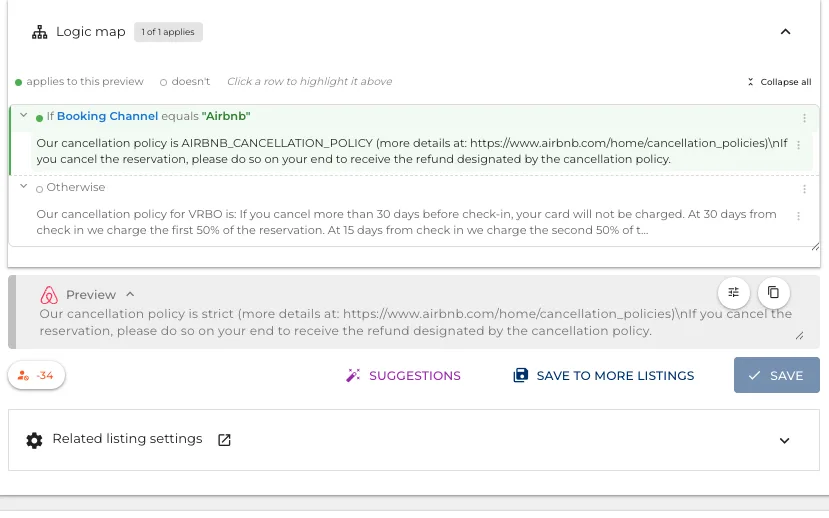
A condition, written out in words
A template can say different things to different guests, and every choice it makes is spelled out as a sentence.
- One condition here: the answer changes depending on which booking site the guest arrived from.
- Green marks the branch that applies to the booking being previewed.
- Press a row and it highlights the matching part of the message above it.
How far the logic can go
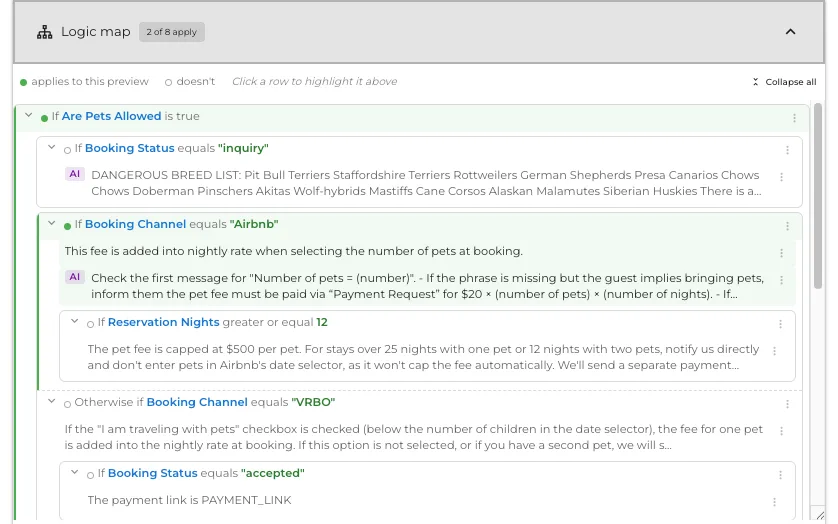
The same view on a template whose conditions sit inside conditions, so one template covers every combination.
- Conditions nest, and one template answers every version of the question.
- The same green marking however deep it goes, so you can still see which answer this guest gets.
- A template nobody could follow as code is readable as a tree.
Preview the exact message a guest will get
The preview renders the real message, every tag and condition worked out.
- Flip a variable and watch which paragraph appears or disappears.
- Set the property, the booking and each variable, so it renders against a real stay rather than an imagined one.
- Values it takes from the listing say so, and change when you change the listing.
- What you read here is what the guest reads.
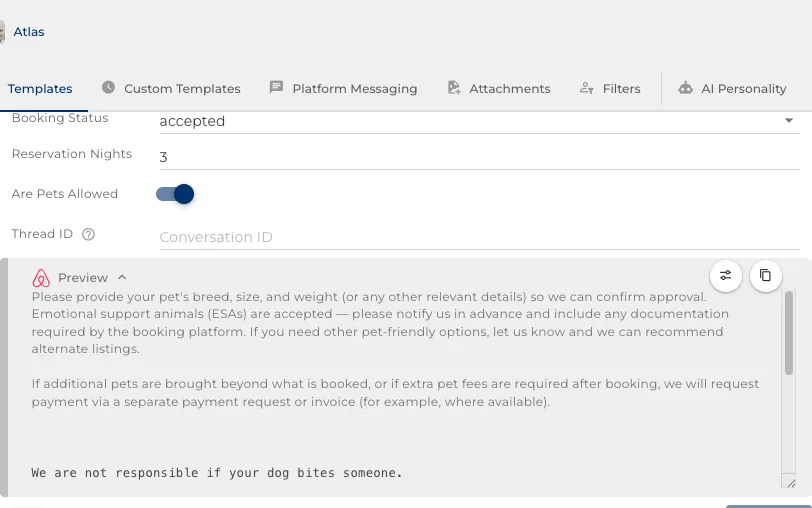
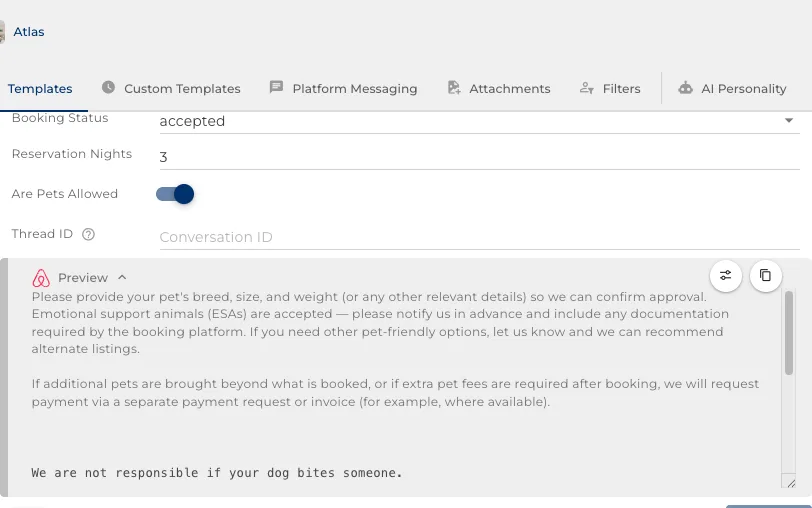
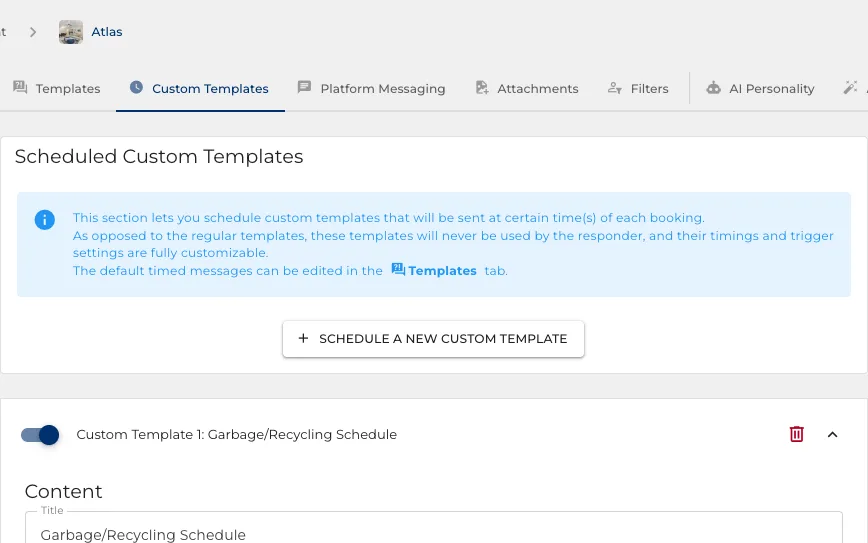
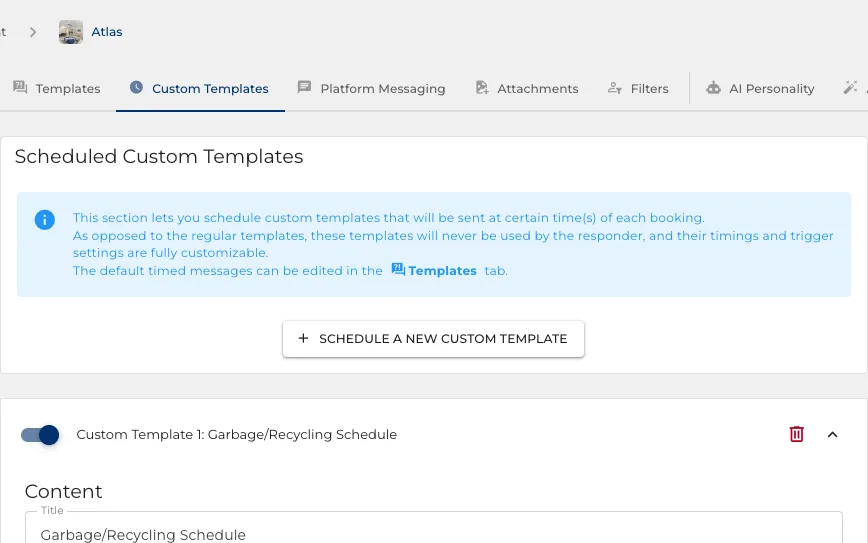
Messages on your own schedule
A mid-stay check-in, a review reminder, a winter reminder about the pipes.
- Send on a day of the week, or a number of days either side of check-in or checkout.
- The assistant never rewrites these: they go out as you typed them.
- Copy one, or just its timing, to every other property at once.
Files it can hand over
A parking map, a welcome guide, a photo of the lockbox. Captioned so it picks the right one.
- Images and PDFs, uploaded once and used by any template.
- The caption is how the assistant decides which file answers the question.
- Set per template: always sent, or only when it fits.
Give it a name and a job
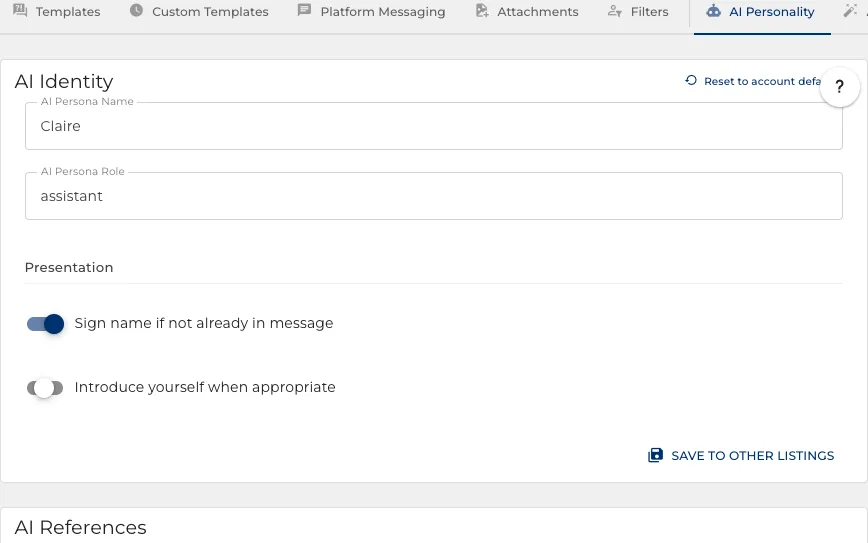
It answers as a member of your team, not as a generic robot.
- A name and a role: Claire, assistant. Guests see that name on every reply.
- Sliders for how warm and how chatty, and the sign-off your business uses.
- It can study your own replies and propose sharper templates, if you let it.
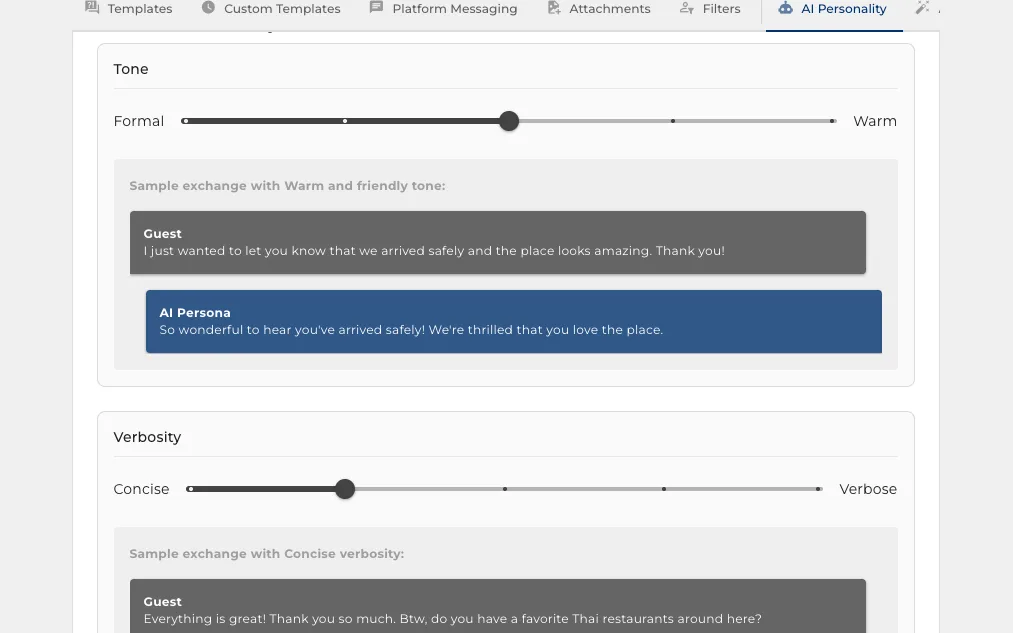
Decide how it sounds
Two sliders and a row of switches, and the replies read the way your business talks.
- How warm it is, and how much it says, moved until it sounds like you.
- Emojis, humour and formal address are each their own switch.
- It can tell a conversation has finished and stay quiet rather than answer a thank you.
It gets better from your own replies
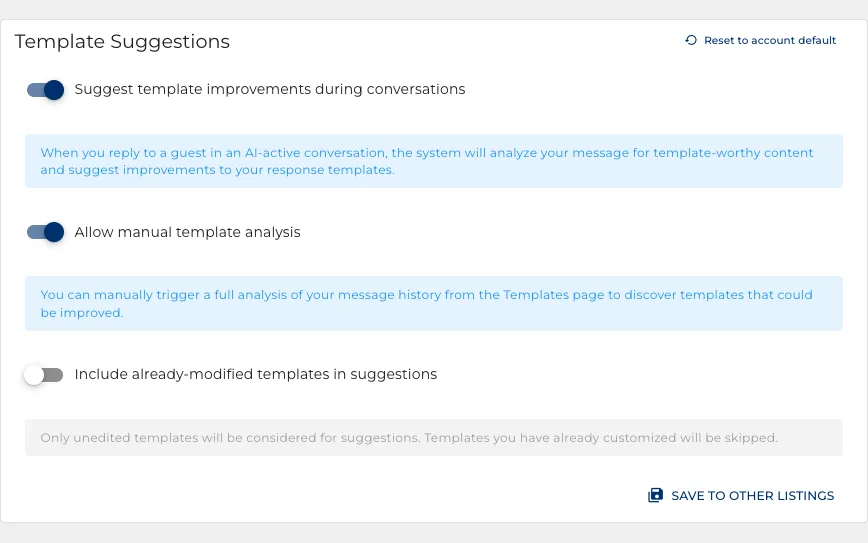
When you answer something better than the template did, it offers to fix the template.
- It reads the replies you wrote by hand and proposes sharper wording.
- Every change waits for you to approve it. Nothing is rewritten behind your back.
- Templates you have already edited are left alone unless you ask for them.
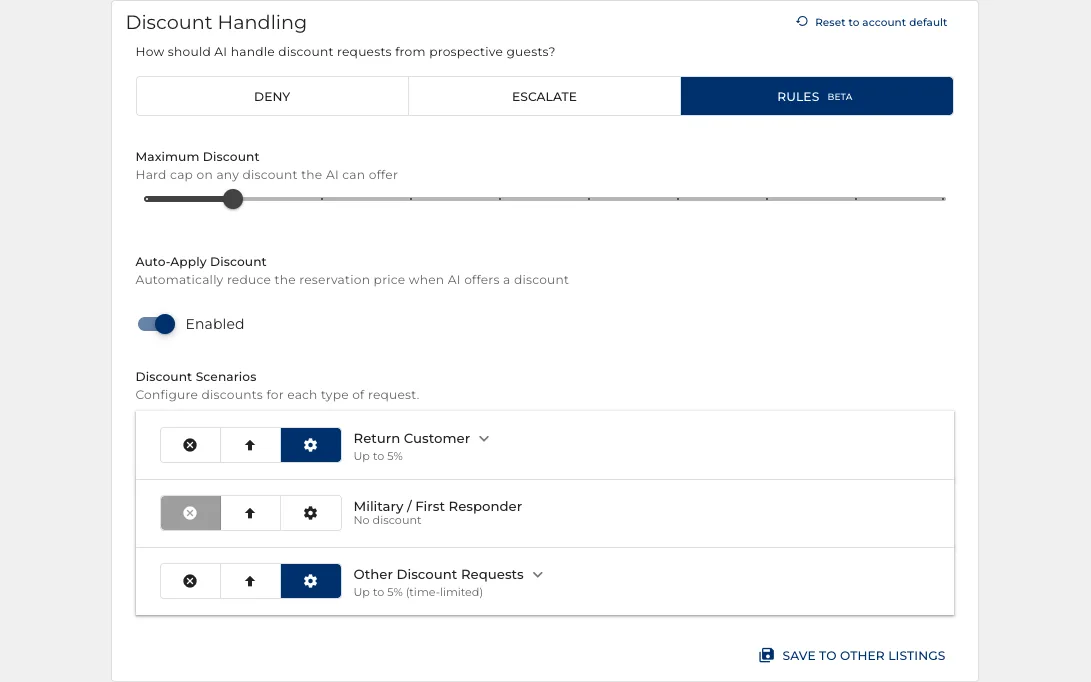
What it may give away
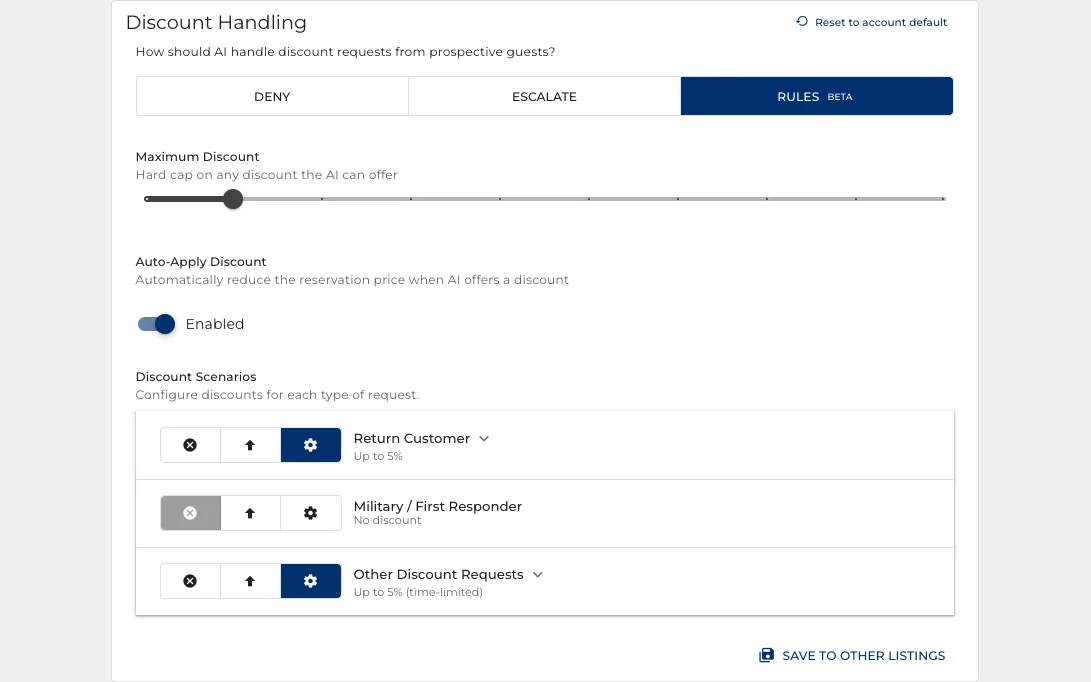
Three settings, and the first two are refusals: deny, escalate to you, or follow rules you wrote.
- A hard cap on any discount it can offer, and different limits per kind of request.
- Refunds and concessions handled separately from discounts.
- Start on deny while you build trust, then move to rules once the limits match your policy.
The guests it should leave alone
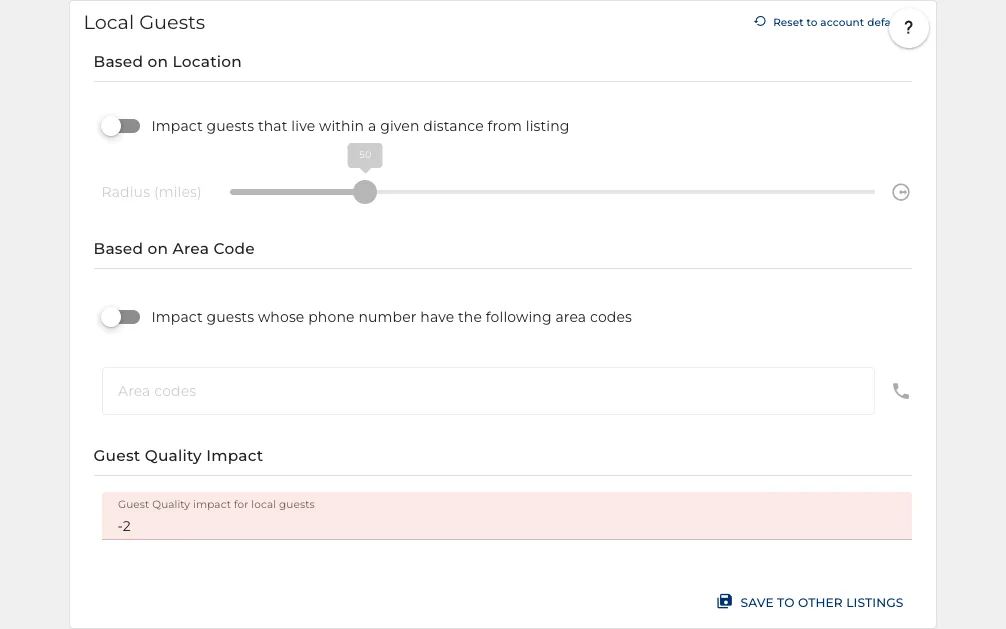
Every incoming guest is scored, and a low score means a person answers instead.
- A minimum star rating or review count, before the assistant ever engages.
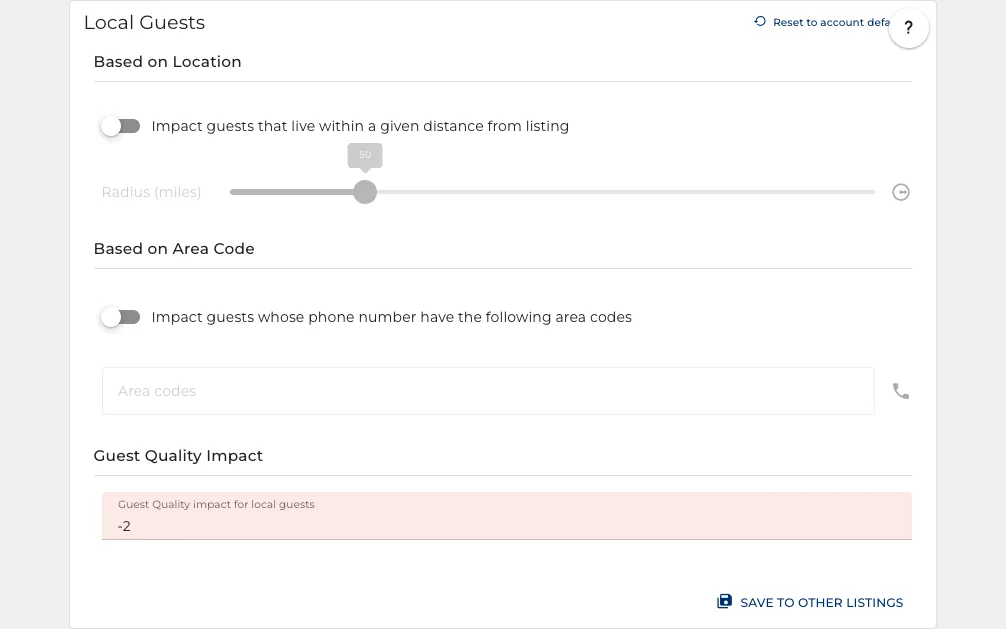
- Local guests and booking red flags each move the score.
- You set the line: below it, the conversation is handed to you.
Which way it reaches them
Per booking site, and in the order you choose when a guest can be reached more than one way.
- Rules per platform: what it may send, and where.
- Drag the channels into the order to try: text, then the booking site, then email.
- A reply always goes back on whatever the guest wrote on.
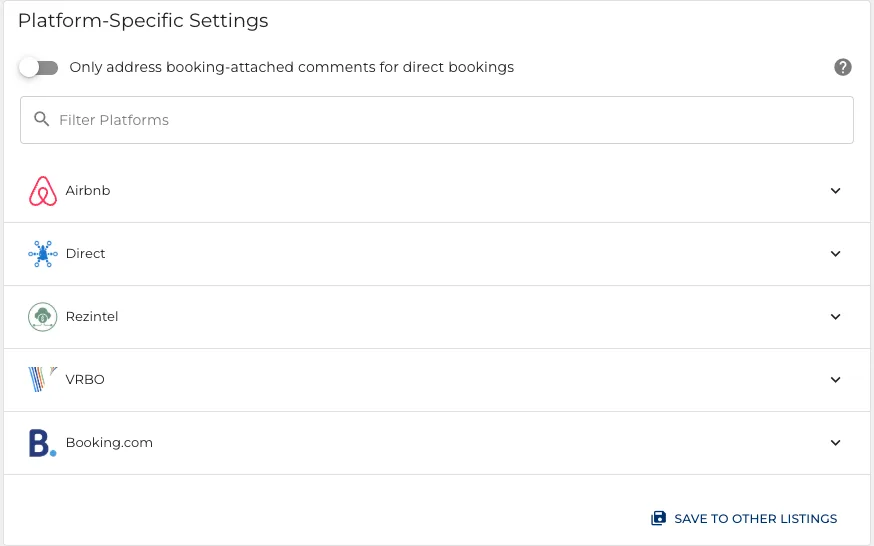
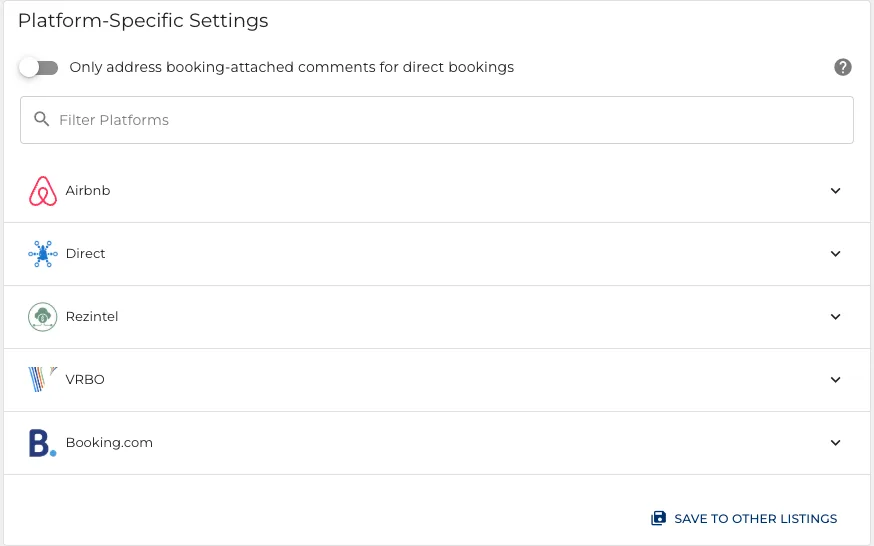
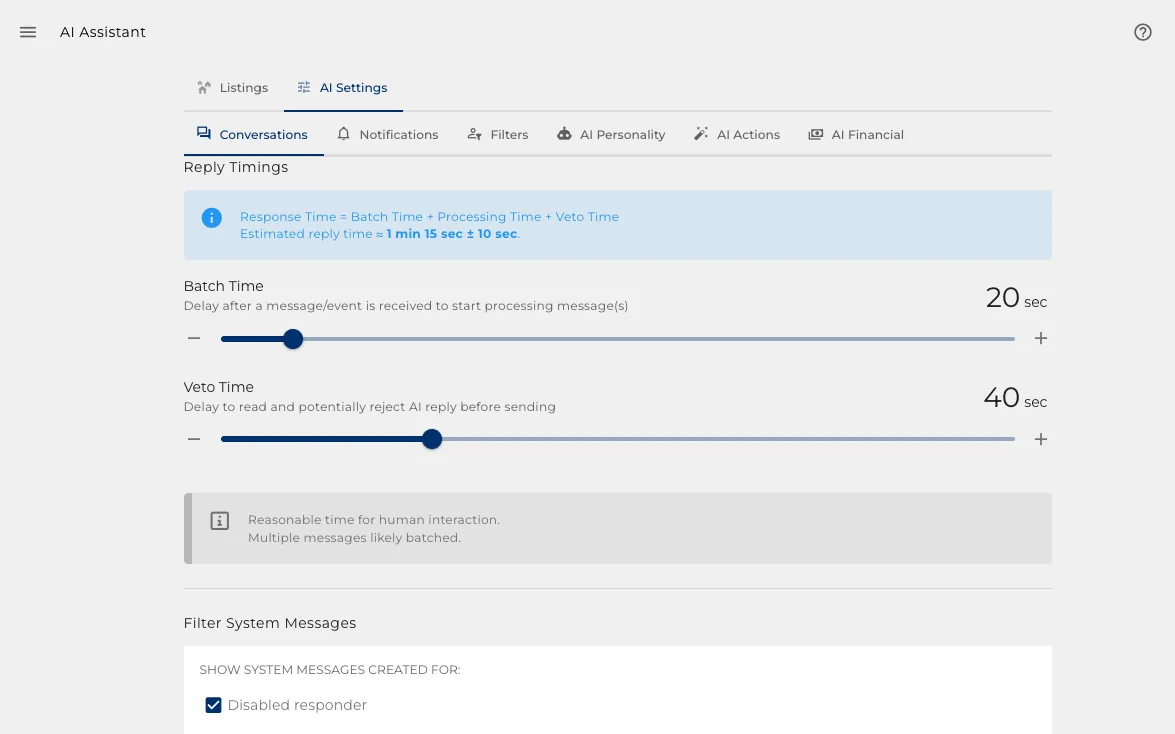
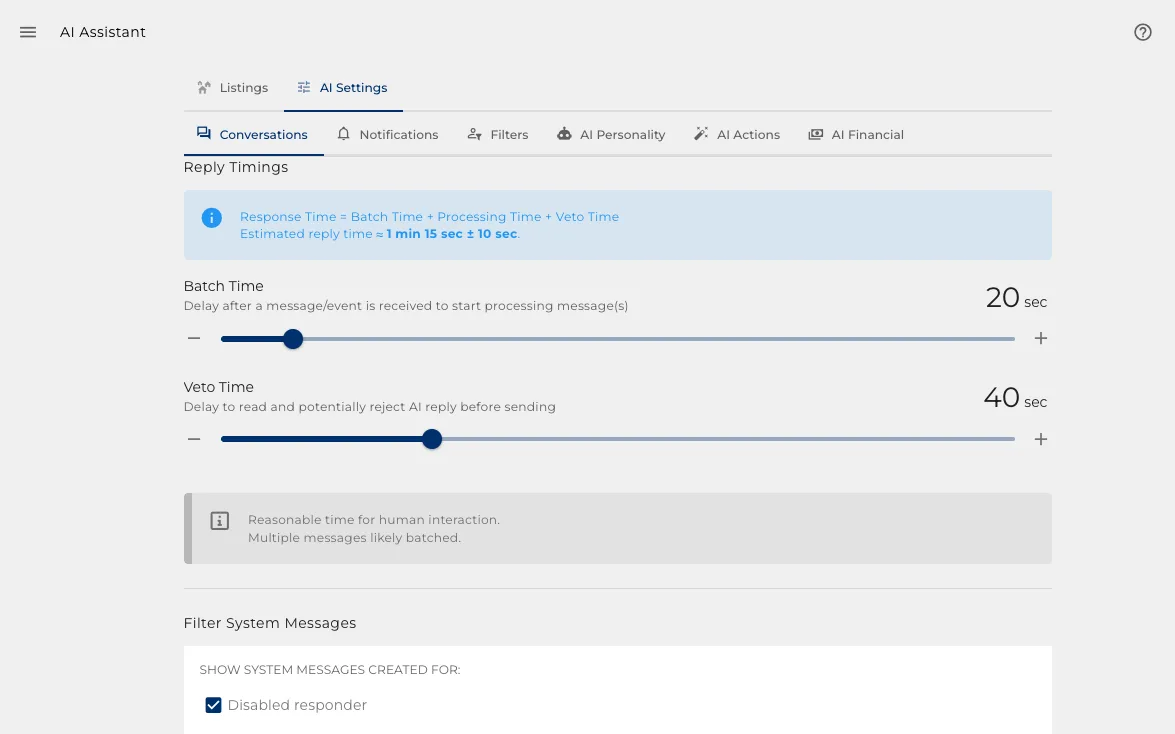
Set it once, override the exceptions
Account defaults every property starts from, so the common case lives in one place.
- Change a default and it applies across the portfolio.
- Override only the properties that genuinely differ.
- Adding a property inherits everything rather than starting empty.
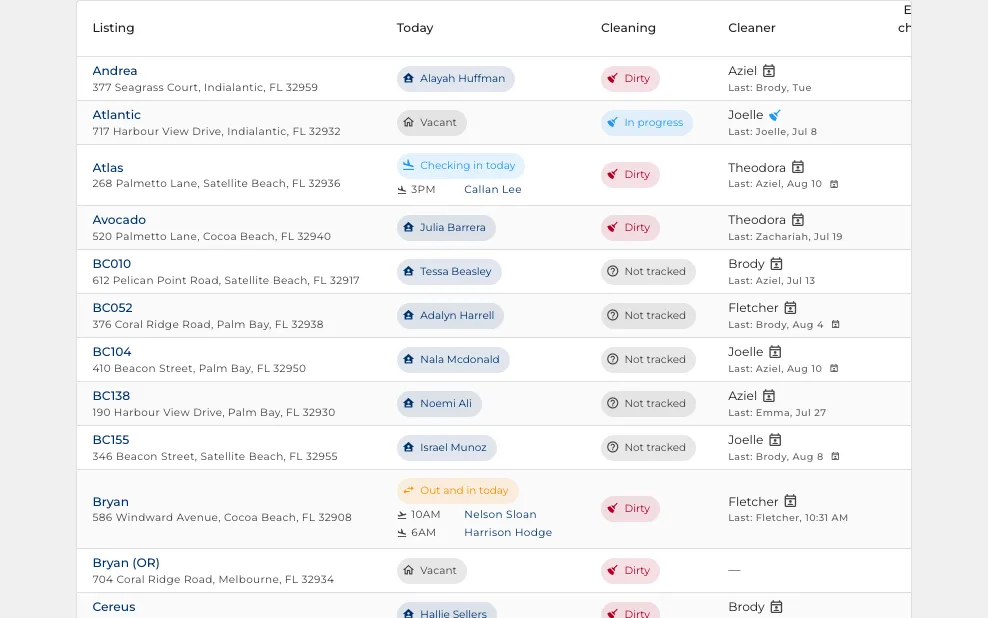
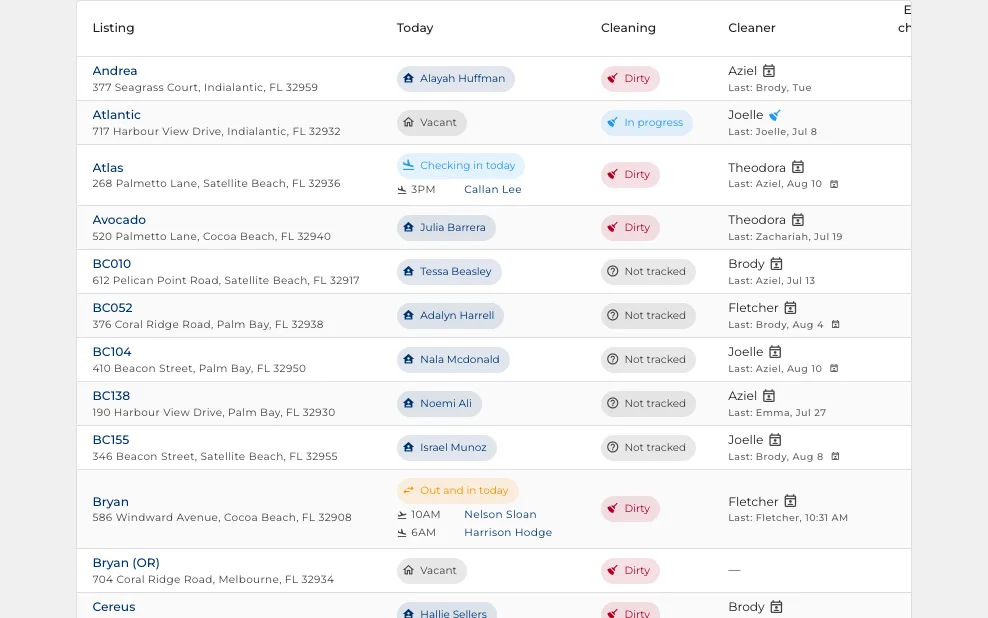
The whole portfolio, one screen
Open this first thing and you know what today looks like without opening a single conversation.
- The door code that works right now, and the batteries running low.
Ask it in plain English
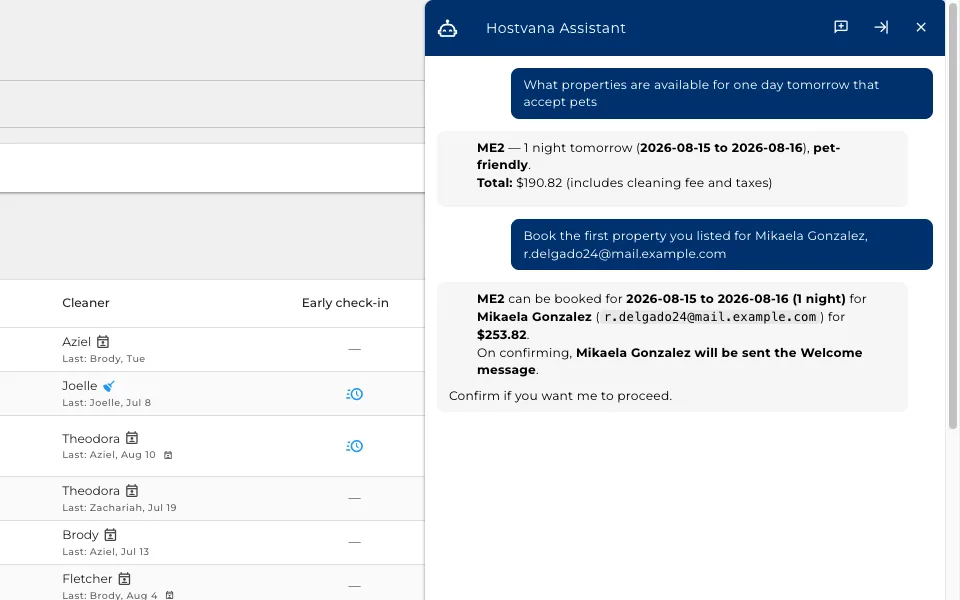
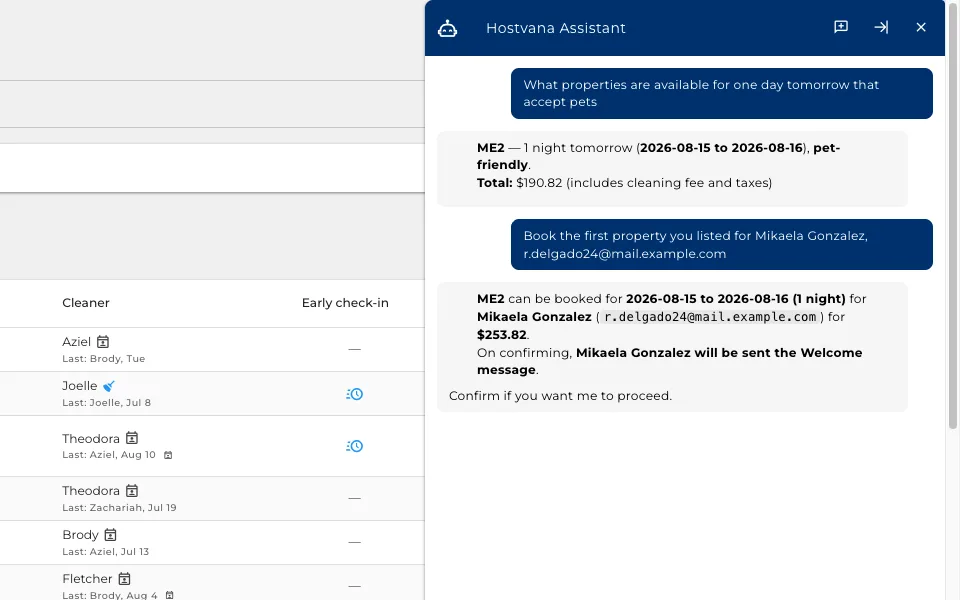
A box above the board that answers questions about your own properties, and then does things.
- "What is available for one day tomorrow that accepts pets" answers from your own calendar.
- Then tell it to book one, and it works out the dates, the guest and the price.
- It shows you what it is about to do, down to who would be messaged.
- Nothing that costs money or moves a booking happens until you confirm.
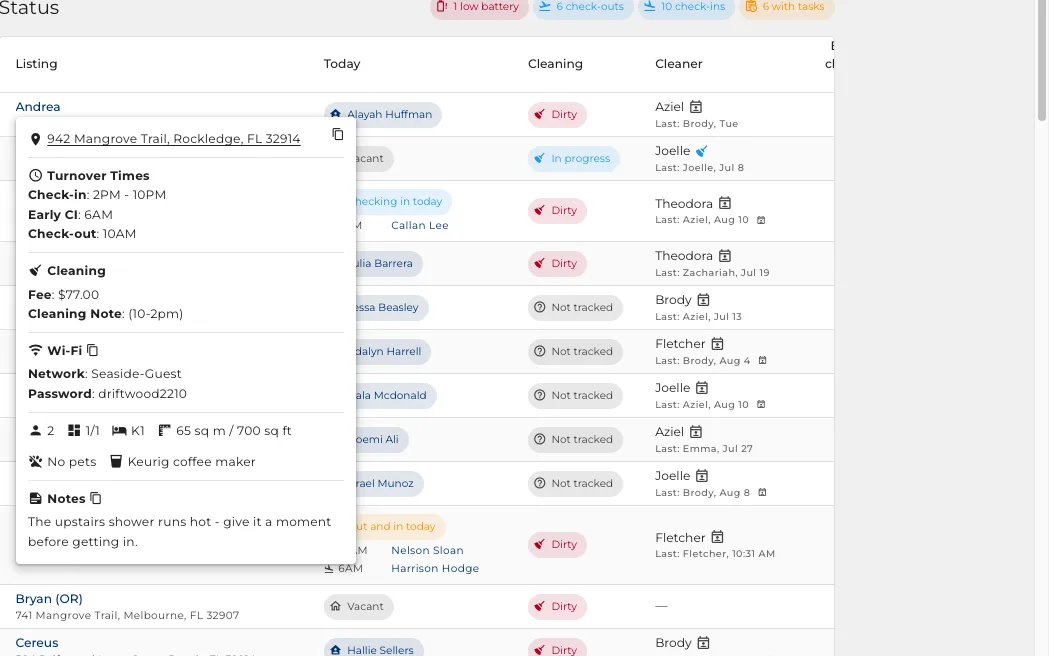
One click into the property
The property name opens everything you need to answer a guest or brief a cleaner.
- Address, check-in and check-out times, the cleaning fee and the wifi, copied with one button.
- Grant an early check-in or a late checkout from the same card.
- The guest name opens the booking itself.
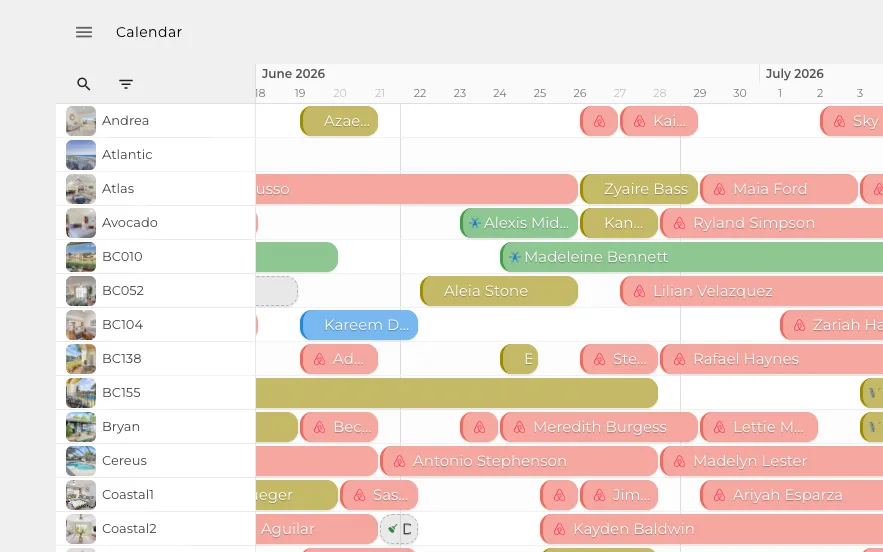

Every booking on one timeline
See what is free, what is sold and what is being cleaned, across every property at once.
- Every property is a row, every day a column.
- Colour tells you the booking site, and a bar tells you the stay.
- Zoom out to a year, or in to a fortnight.
Drag to book, drag to move
The grid is not a report. You change the calendar on it.
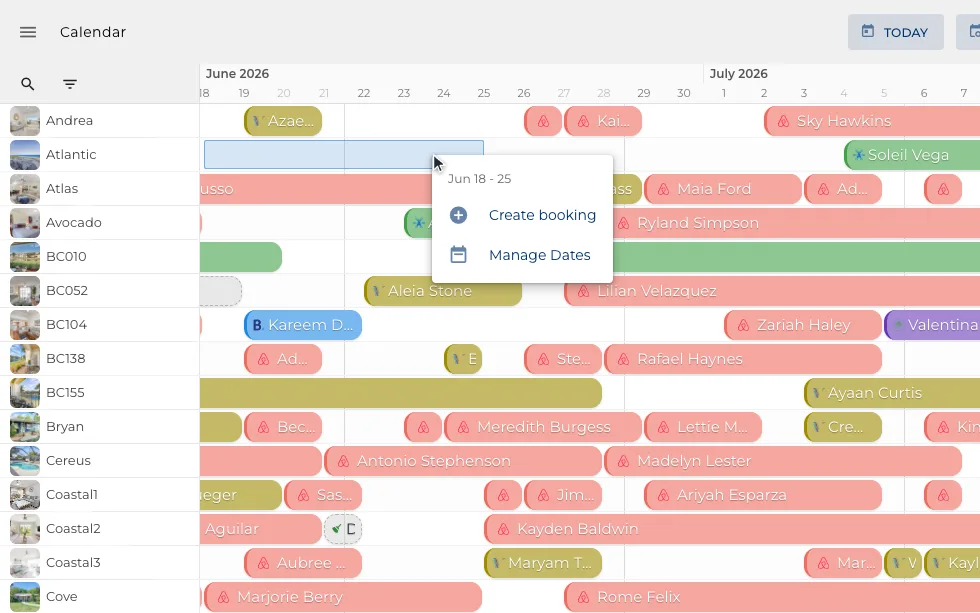
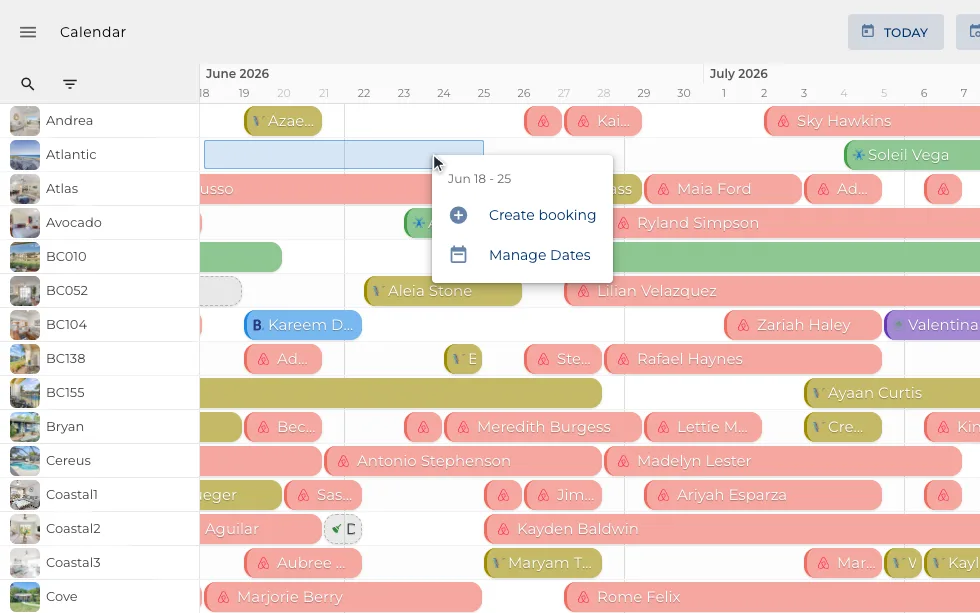
- Drag across empty days to create a booking.
- Drag an edge to move a checkout, and the change goes back where the site accepts it.
- Block a stretch off, or pin a note on it like an owner stay.
The booking, end to end
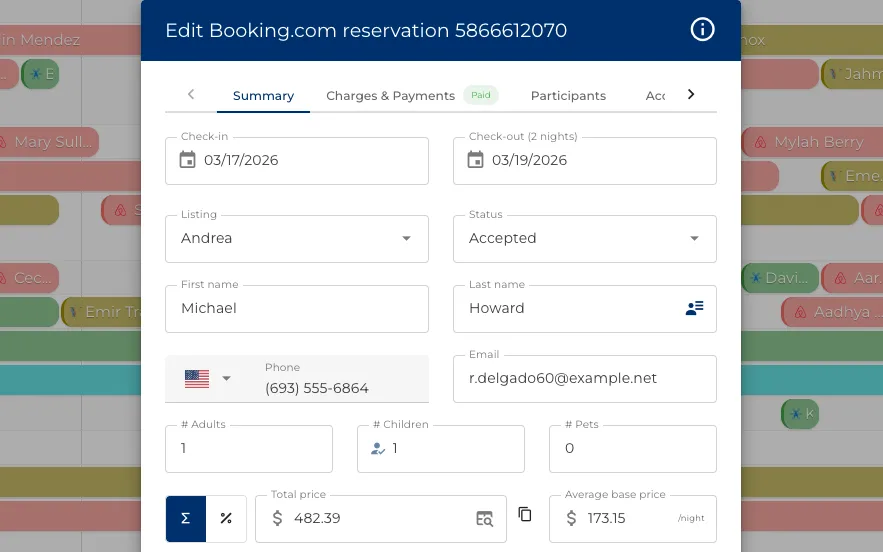
Open a stay from anywhere and everything about it is on one set of tabs.
- Change the dates or the party size, and where the site accepts it, the change goes back.
- Every charge and payment, and where you refund a guest.
- The door code for this stay, with backups if it ever fails.
Who else is on the booking
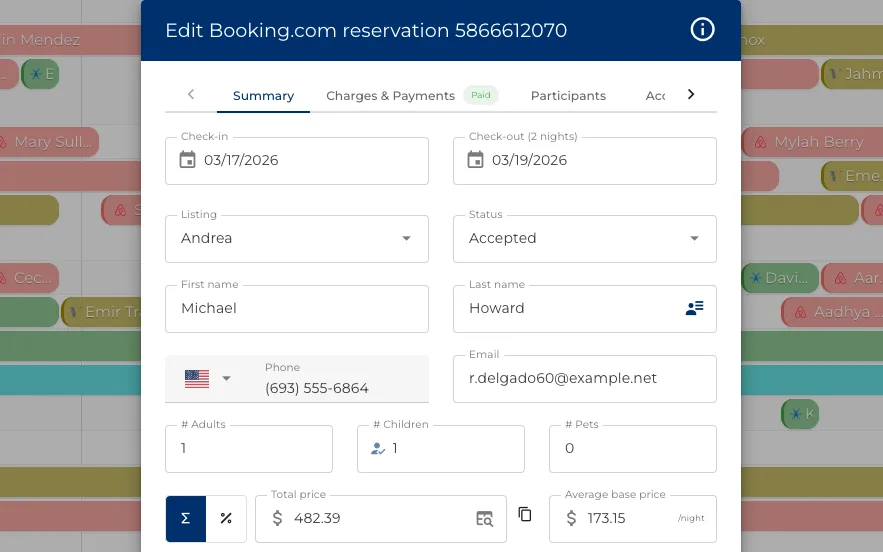
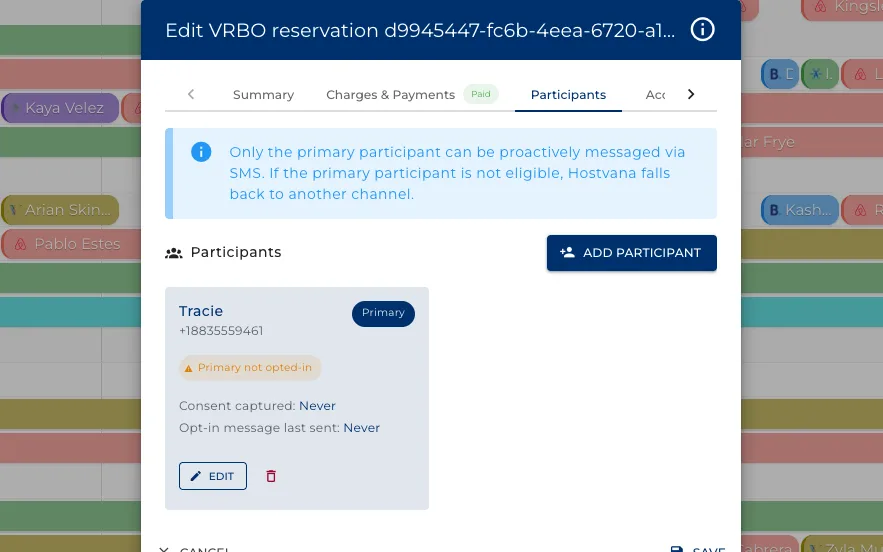
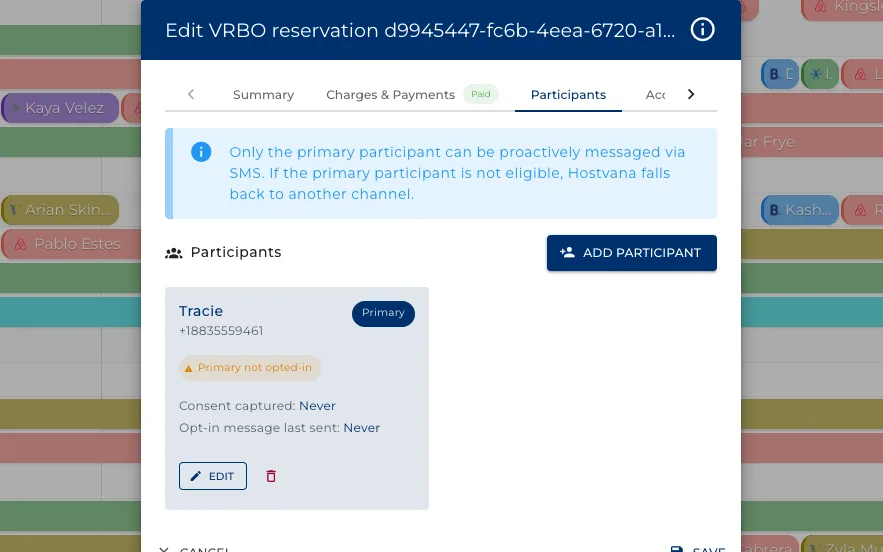
The booker is not always the guest who arrives, and the phone you text is not always theirs.
- Add the people actually staying, with their own contact details.
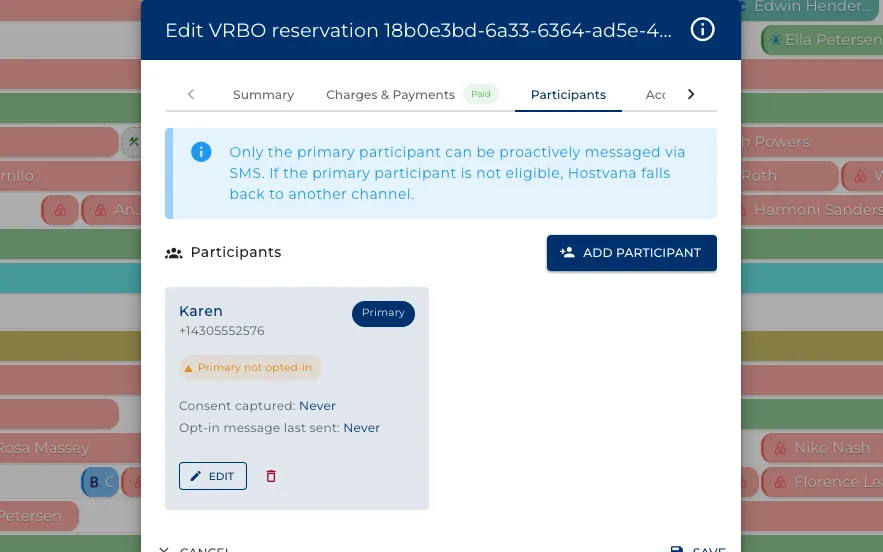
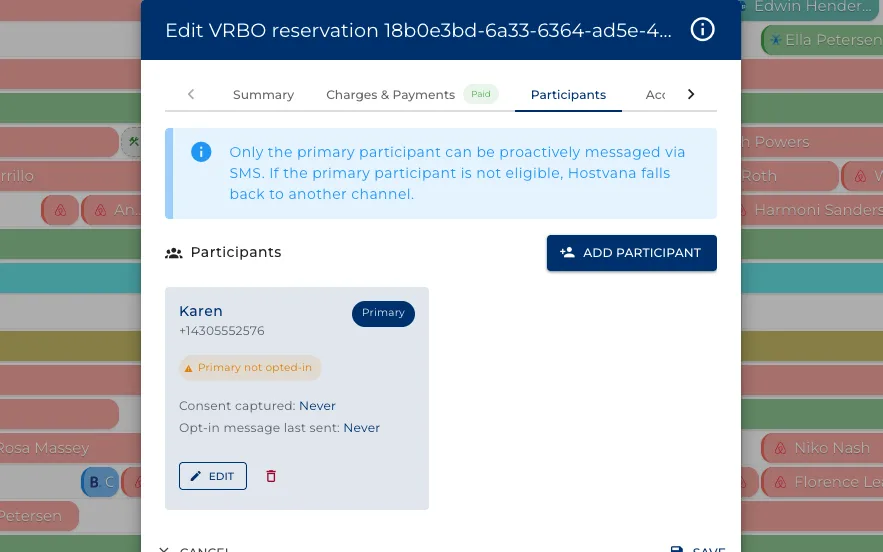
- Only the primary participant can be messaged proactively.
- Consent is recorded per person, not per booking.
Your cleaners get the schedule themselves
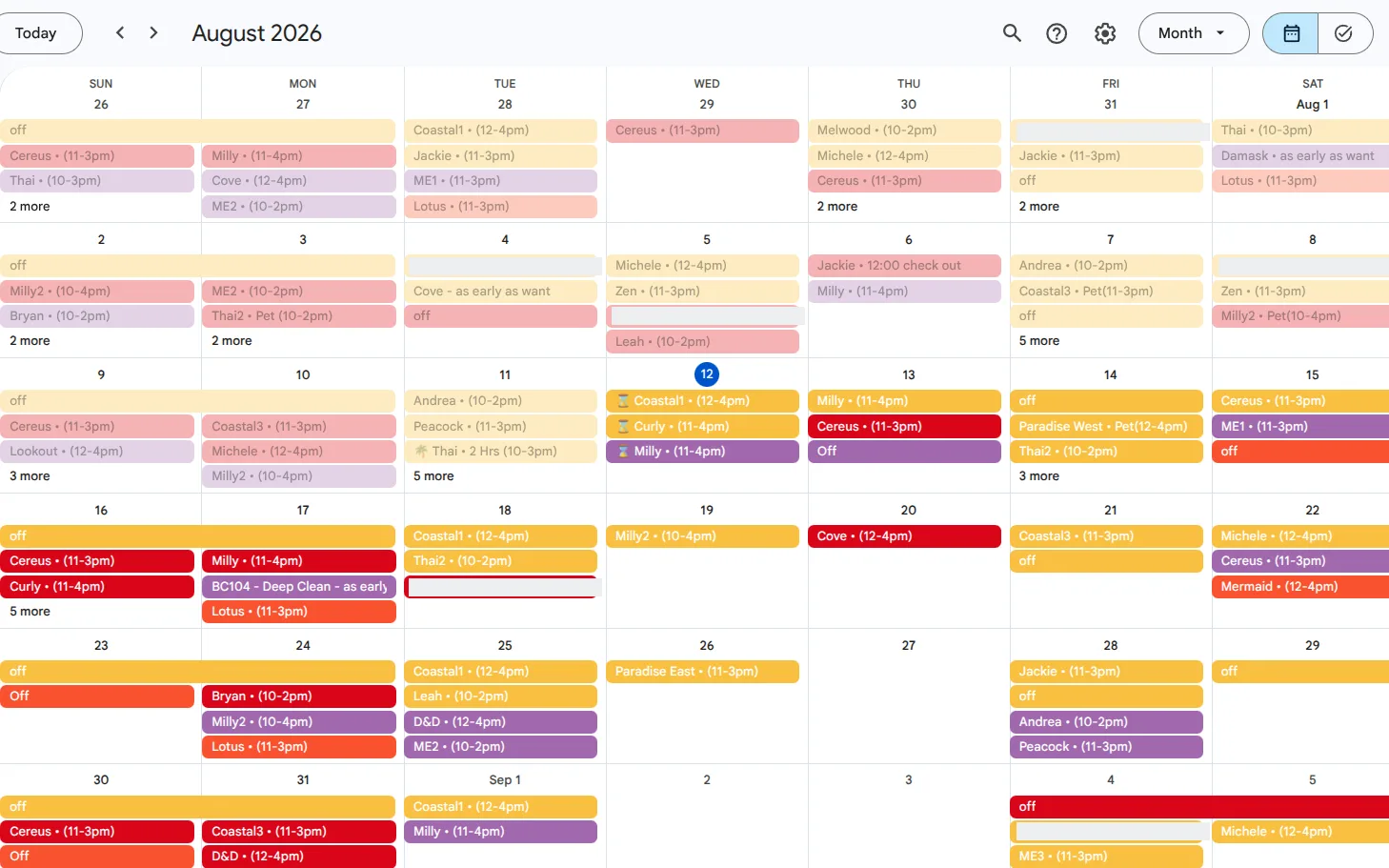
Every clean lands in the calendar your team already lives in, named and timed.
- Share a property's stays and its cleans out to Google or iCal.
- A cleaner subscribes once and their own schedule stays current on their phone.
- Nobody is retyping dates into a spreadsheet on a Sunday night.
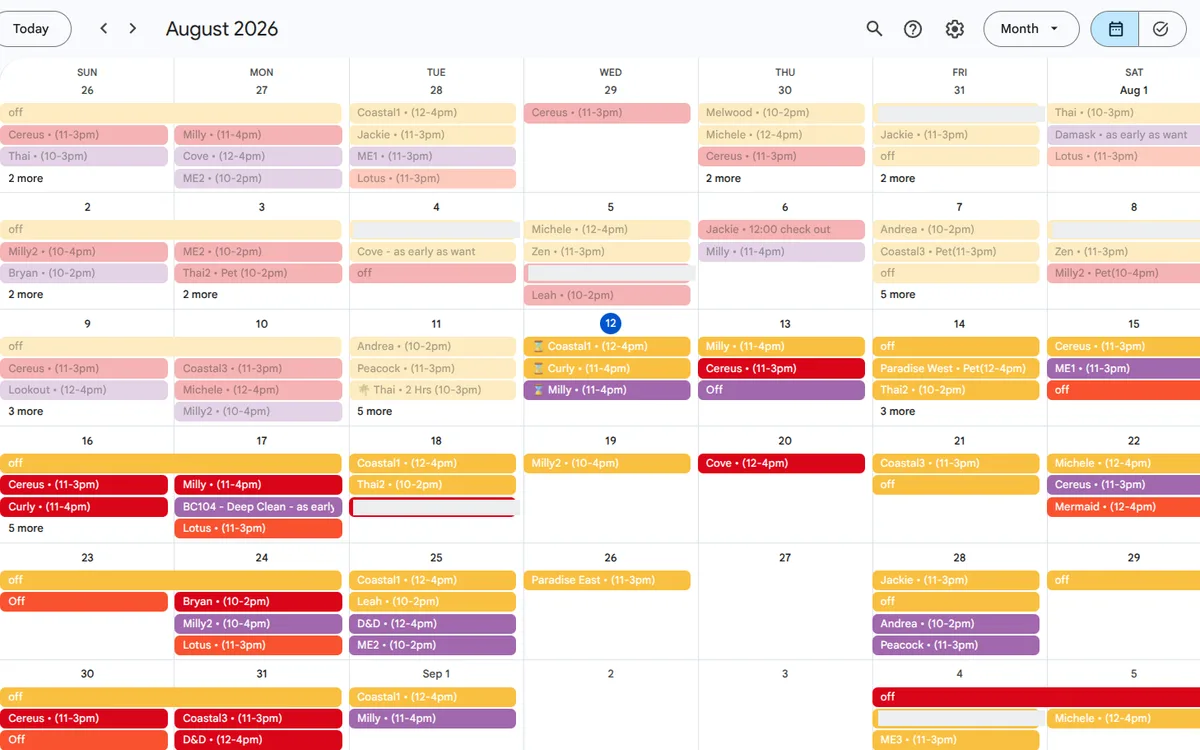
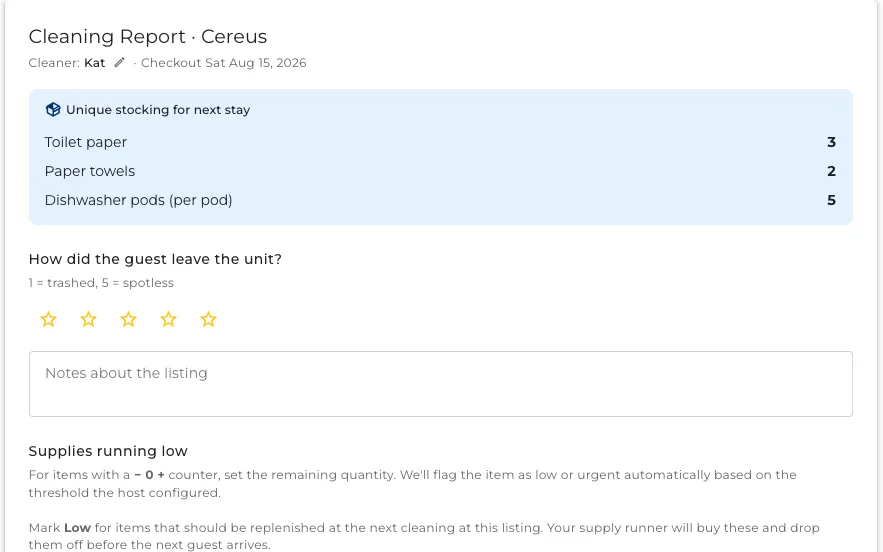
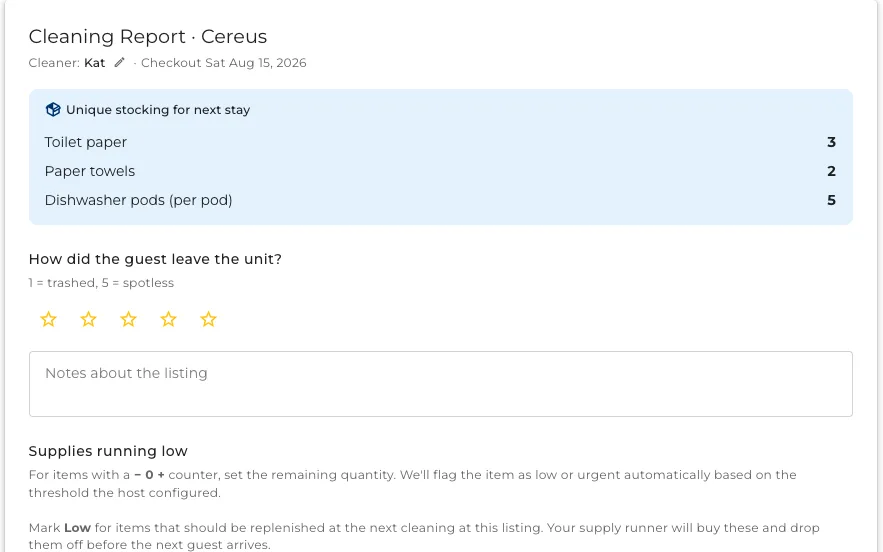
What the cleaner is asked to do
This is the form itself, on a link that works on any phone. No app, no login, no training.
- A checklist they tick as they work, with photos where you asked for them.
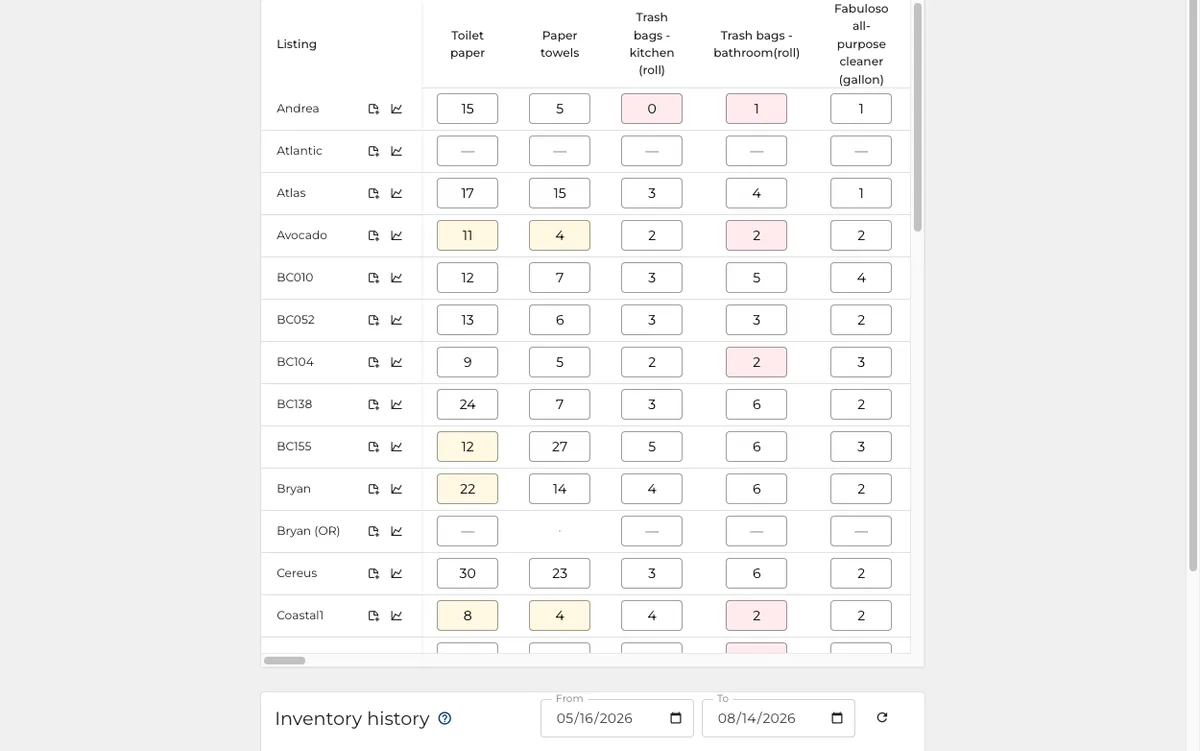
- A count of what is running low, which is what reorders the supplies.
- A rating of the state the guest left it in.
And what the inspector fills in
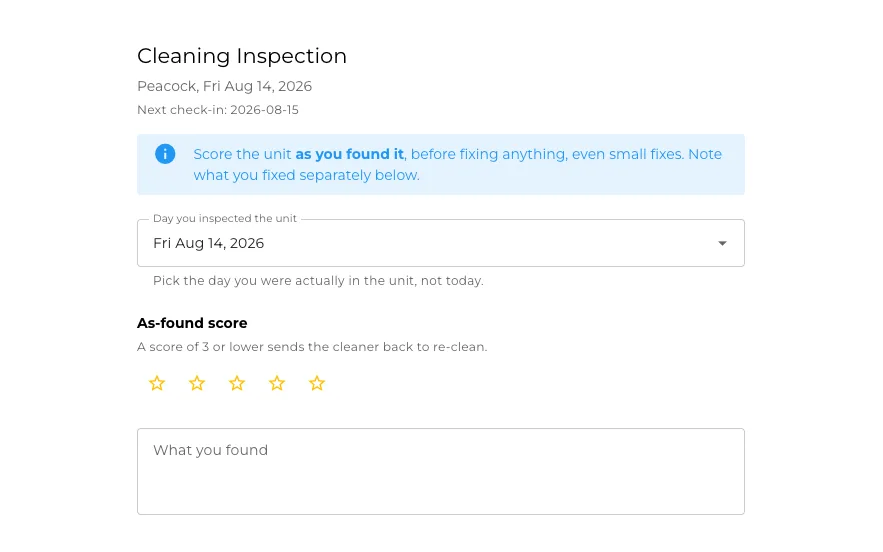
The same idea one level up: someone checks the clean, on the same kind of link.
- Room by room, scored rather than described.
- A photo where the score is low, so the cleaner can see what you saw.
- The result lands on the cleaner record without anyone retyping it.
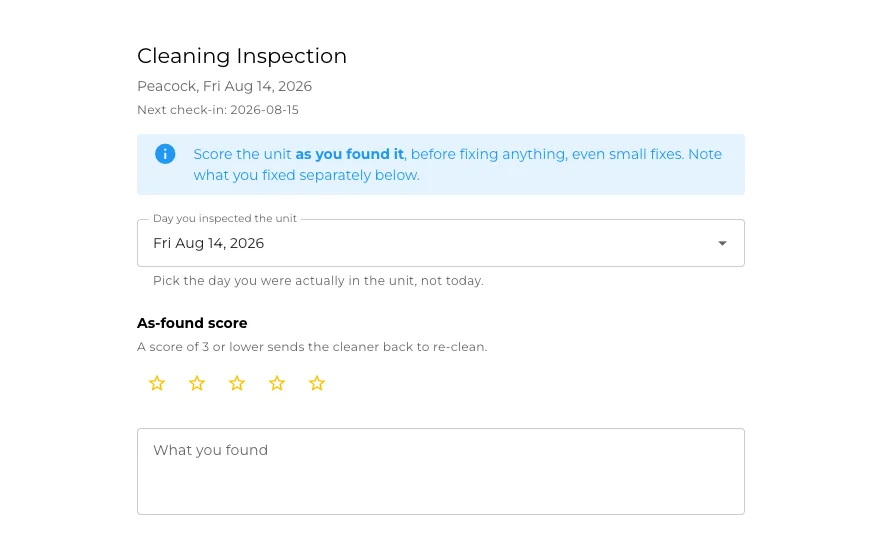
Check the work, not every clean
Nobody can check every turnover. This decides which ones are worth checking.
- Each week it ranks your turnovers by how likely they are to have a problem.
- A low score emails the cleaner and your team. A worse one sends them back.
- No property goes too long without a look.
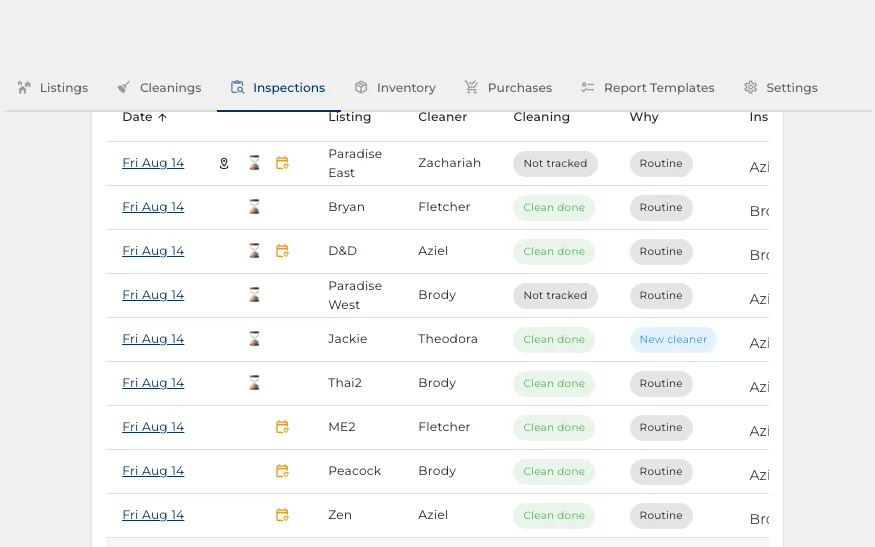
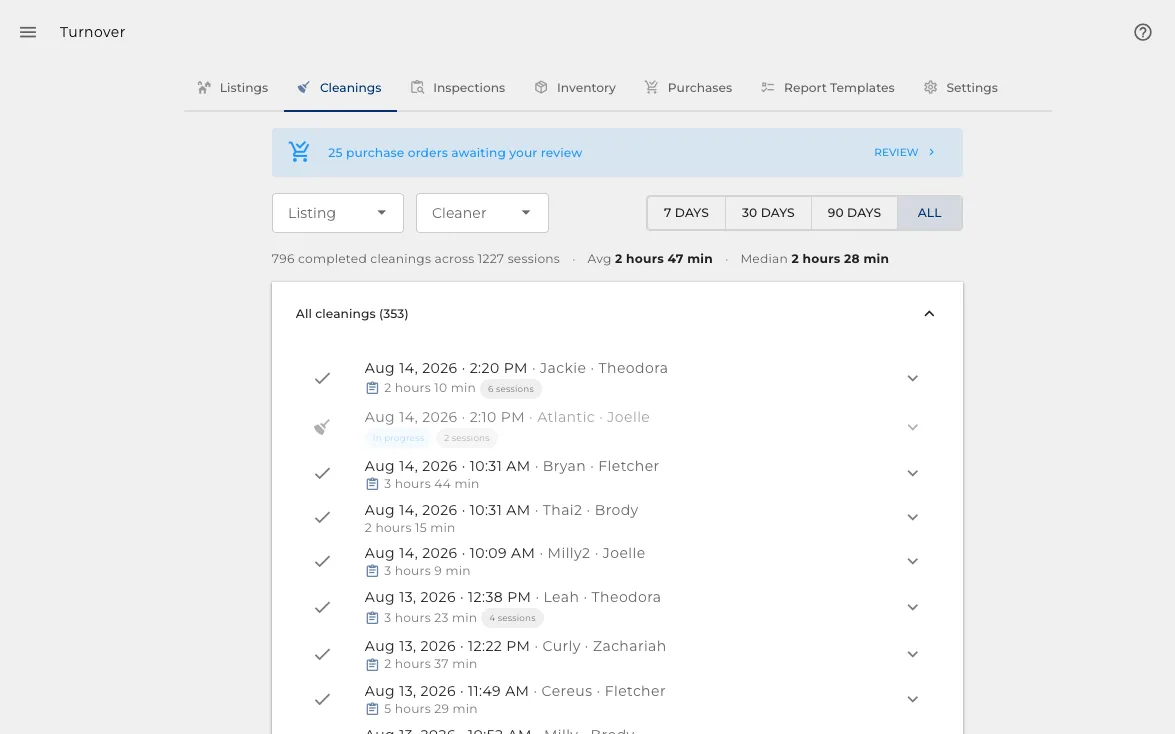
Every clean, on the record
What was cleaned, by whom, how long it took, and what they said about it.
- One row per turnover, across the whole portfolio.
- The report behind each one, if you want to read it.
- How long a clean actually takes, which is what payroll is built on.
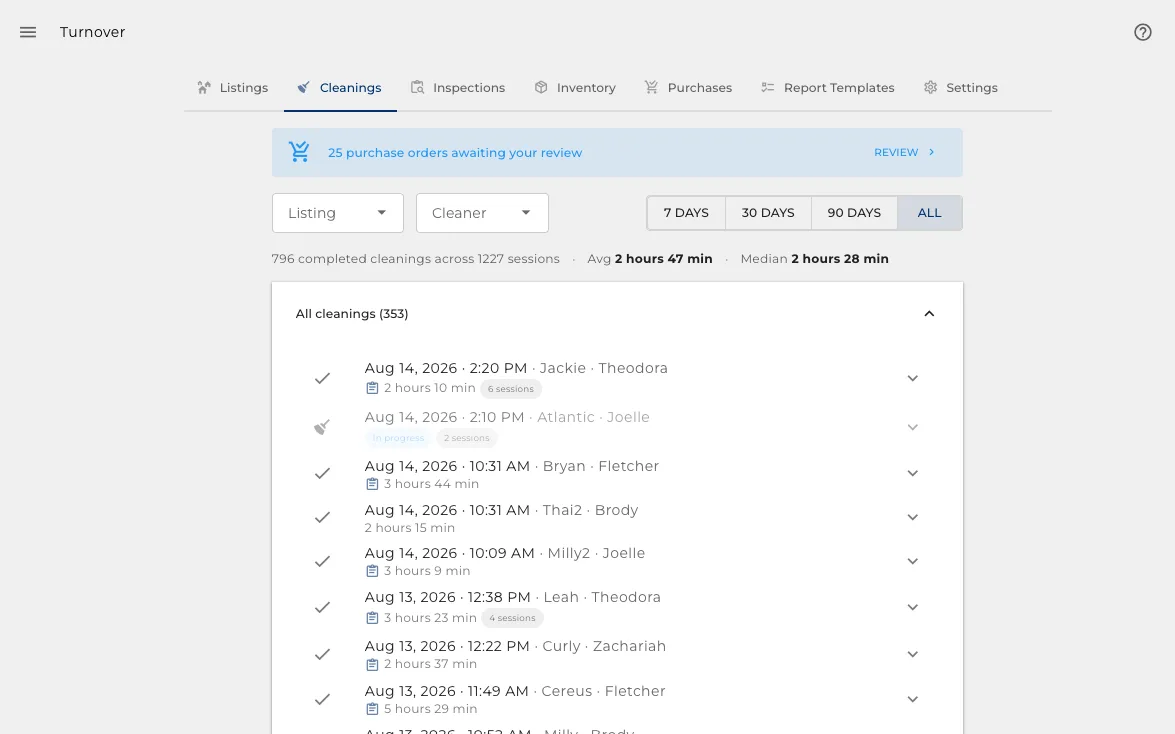
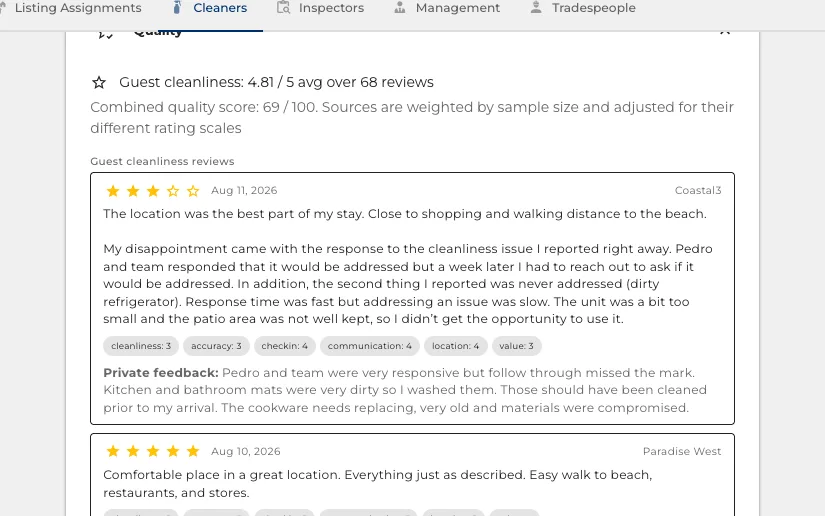
See how a cleaner is doing
Every report and every score adds up to a record, without anyone keeping one.
- A running quality score, built from what your inspectors found.
- How many cleans they have done, and how guests rated the place after them.
- Enough to have a conversation about, or to decide who gets the next property.
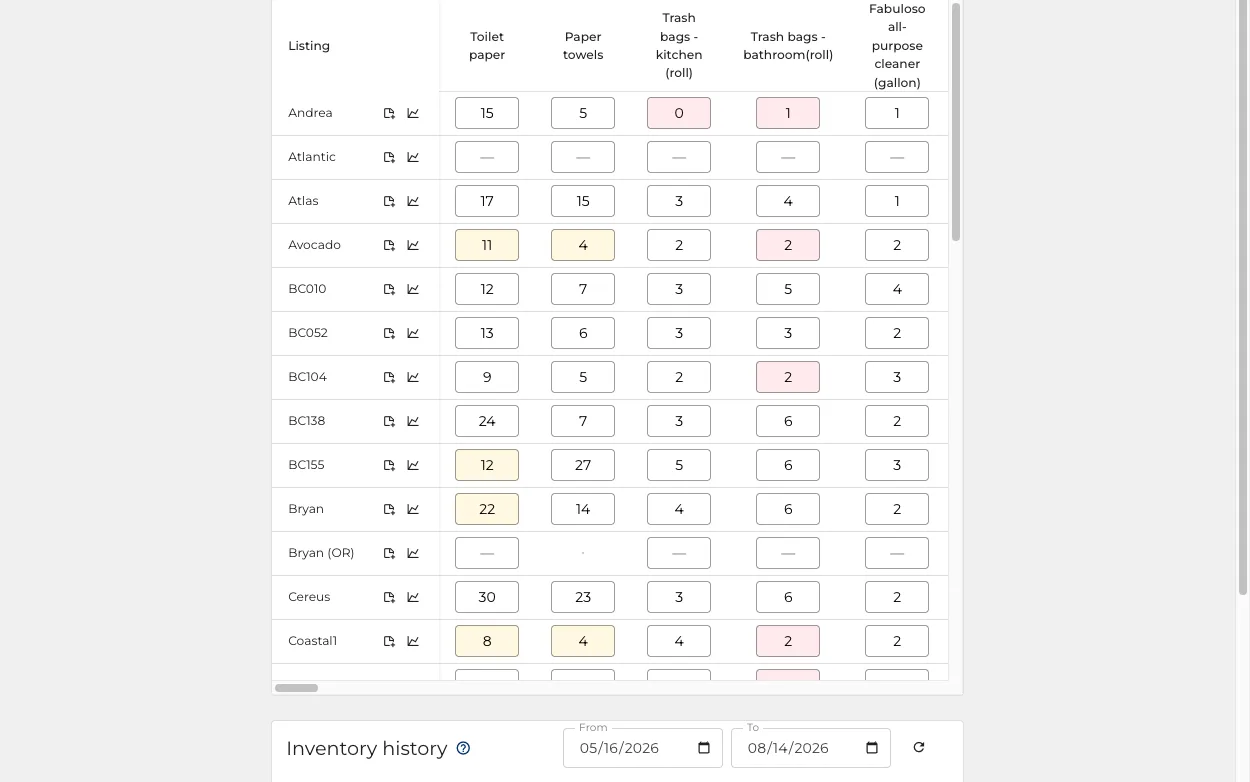
Supplies reorder themselves
The count comes off the cleaner report, and the order is raised before you run out.
- A live count per property, with the history under each item.
- Purchase orders raised at the thresholds you set, for someone to approve.
- A ledger of who is going over the allowance, so overuse is visible.
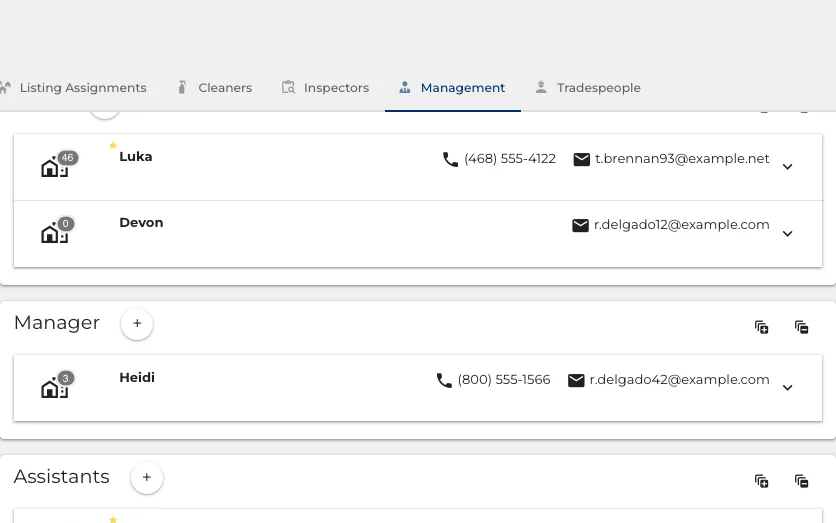
Who runs the account
Hosts, managers and assistants, grouped by what they do rather than listed alphabetically.
- Add someone to a role and they inherit what that role can reach.
- Each person carries their own contact details, used when the system needs to reach them.
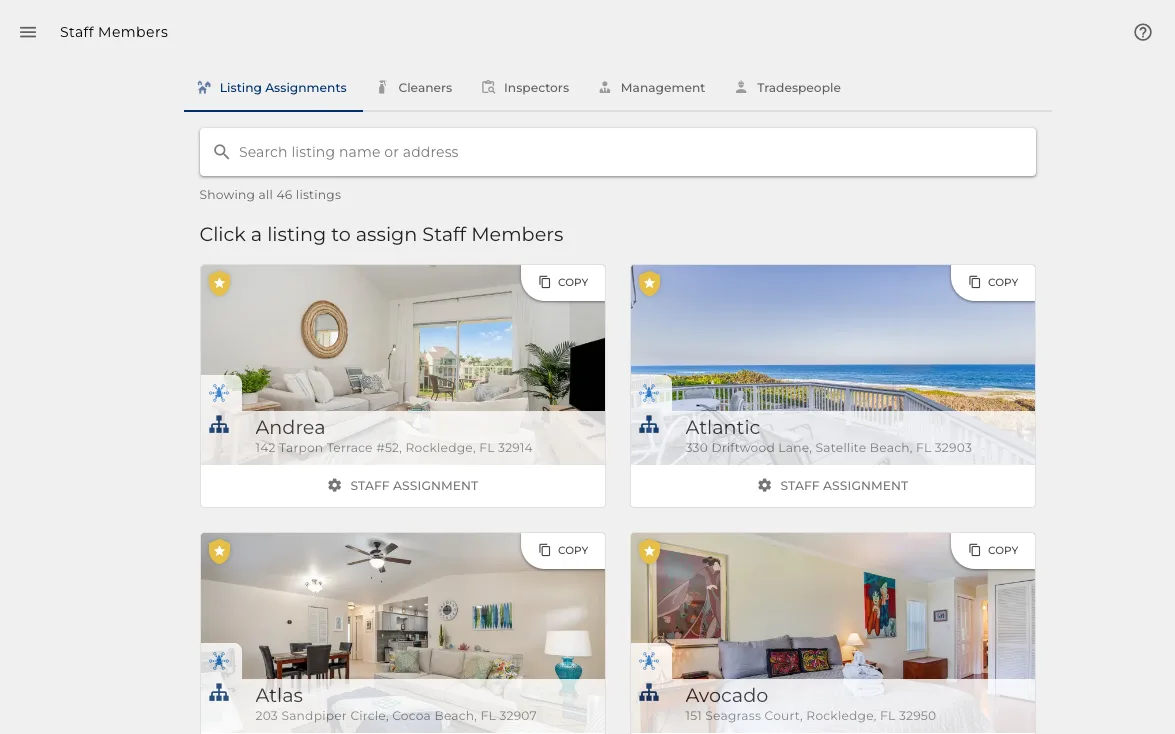
- Cleaners and inspectors live in Turnover, next to the work they do.
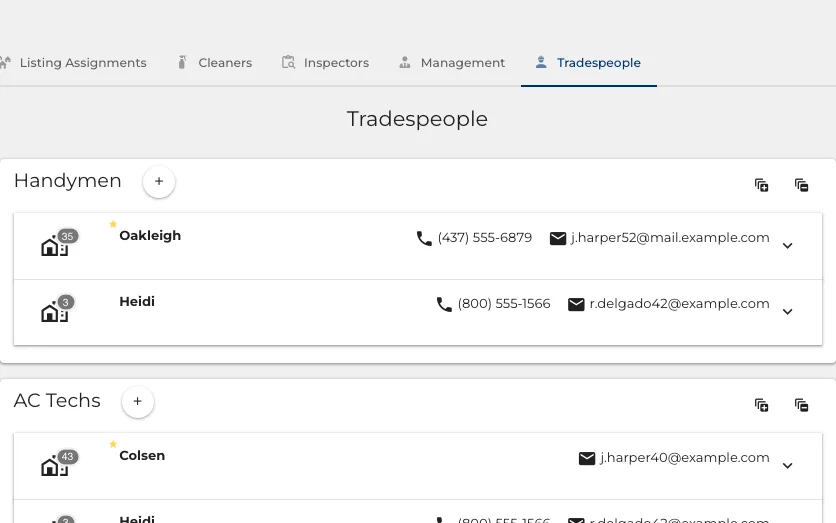
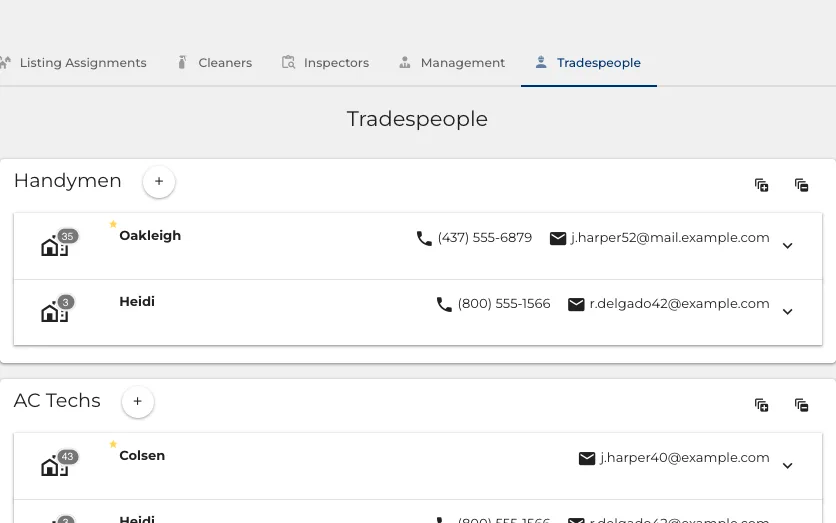
And who you call when something breaks
Plumbers, electricians and handymen kept where the properties are, not in your phone.
- Each trade assigned to the properties they cover.
- A job becomes a task on their board, not a phone call you have to remember to make.
- They see the work and the property, and nothing else about your business.
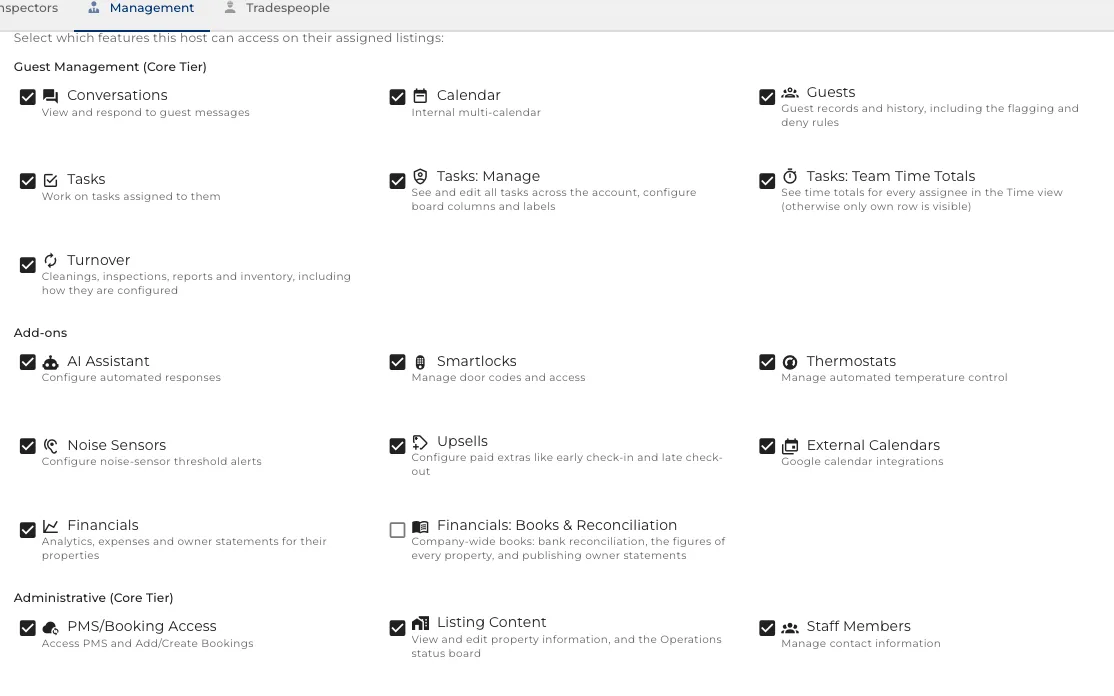
A login each, not a shared password
Everyone signs in as themselves, and sees the part of the business that is theirs.
- Pick the sections a person can reach when you invite them.
- Scope them to the properties they handle, and the rest of the portfolio stays invisible.
- An owner lands on their own statement. A cleaner lands on their own list of cleans.
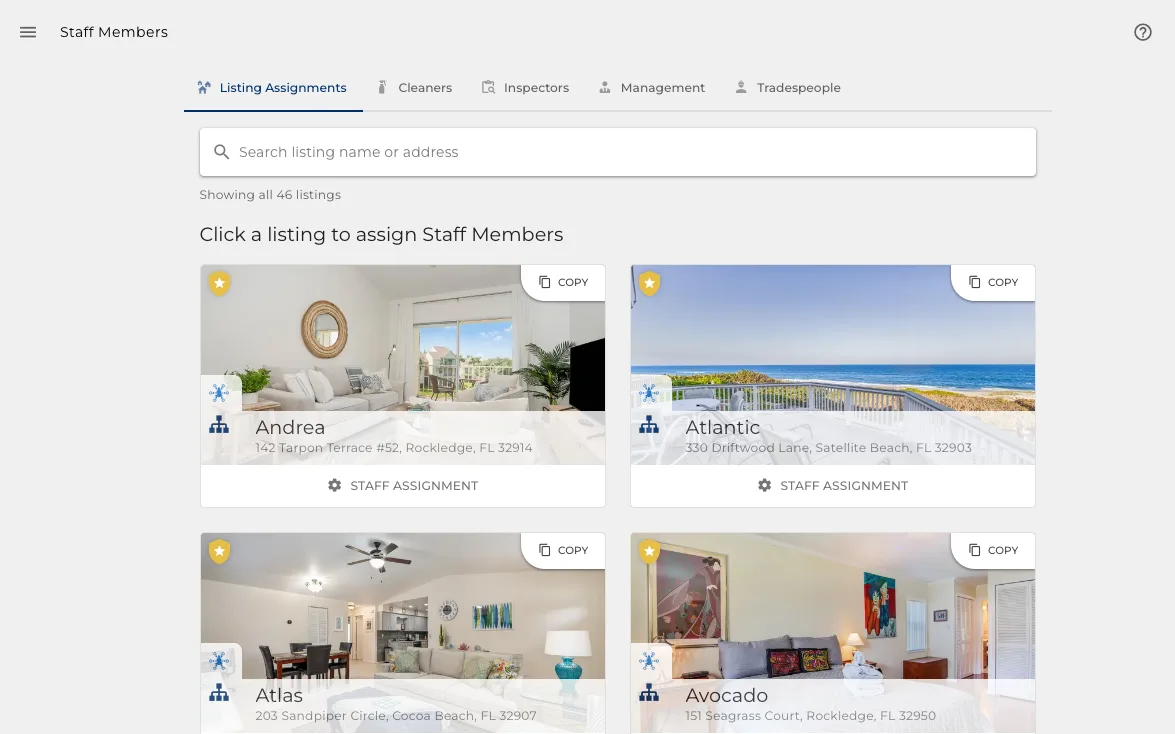
Assigned to properties, not to everything
The scope that makes the logins safe: a person sees the properties they were given.
- Assign a cleaner to six properties and the other forty do not exist for them.
- A manager can hold a region, an owner holds their own.
- Change an assignment and access follows immediately.
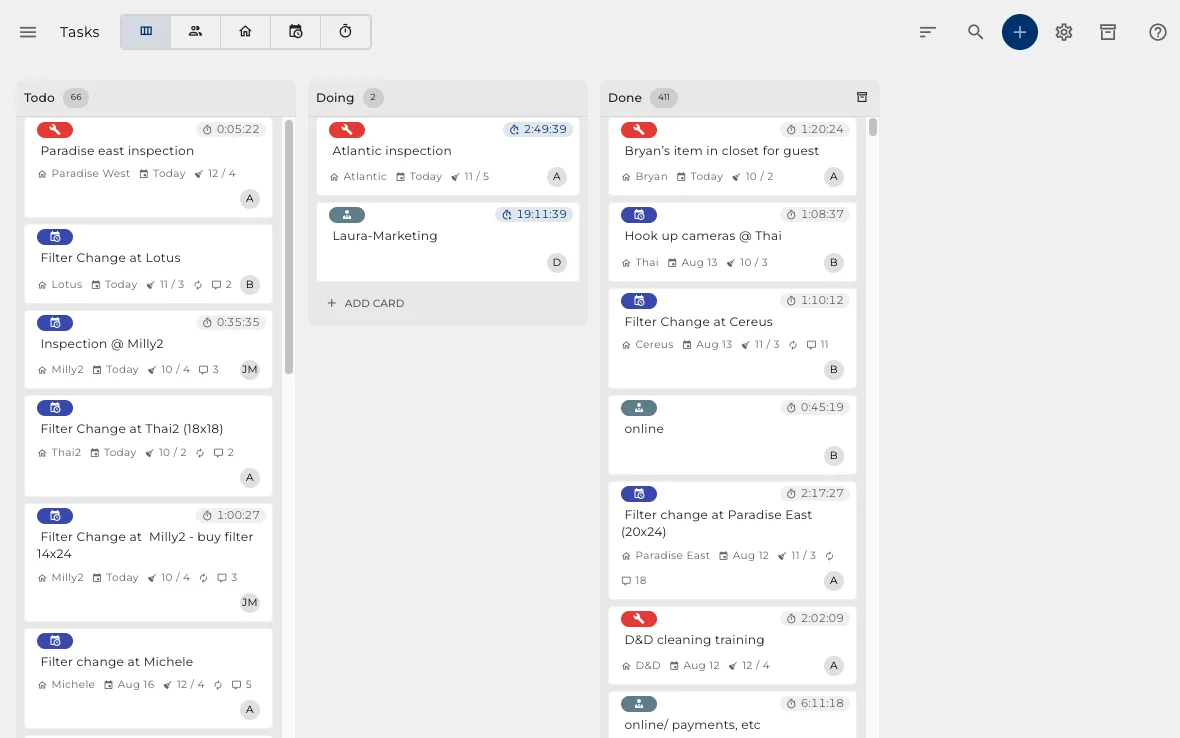
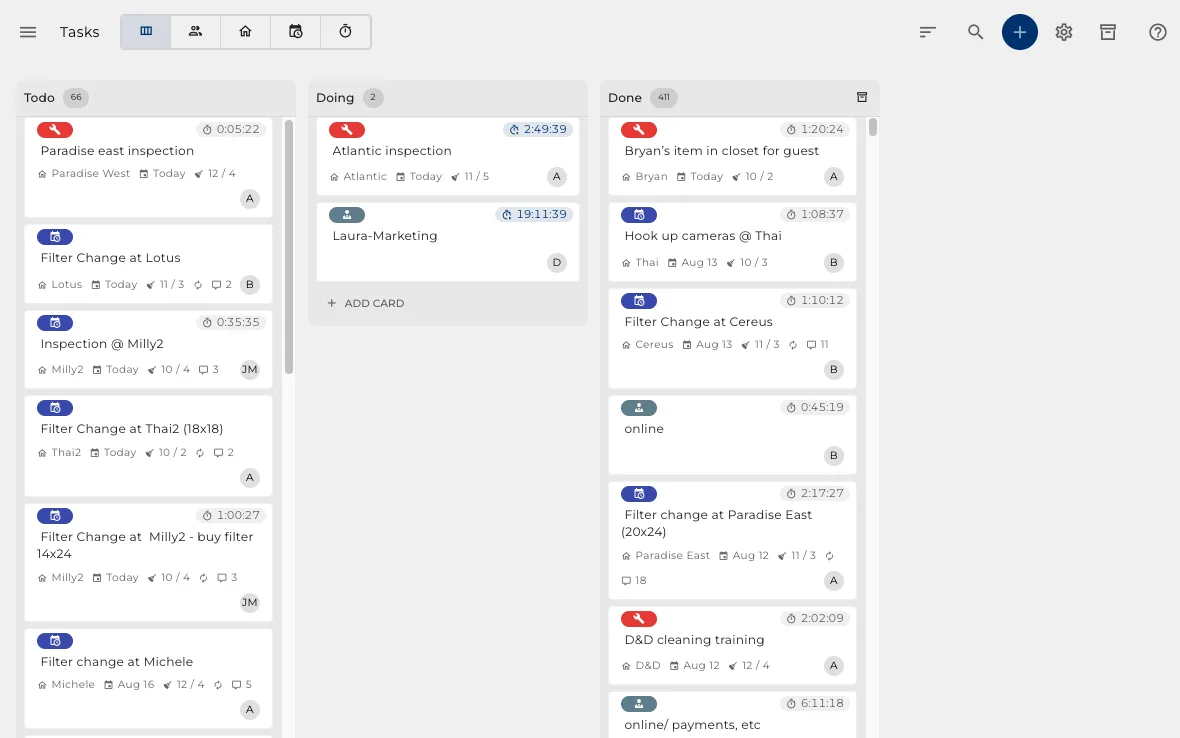
One board for the team
Cards you drag between columns you name yourself, assigned to a person or a property.
- Type a property name into the title and the card attaches itself to it.
- Filter to the next few days so today stays readable.
- The same work, read five different ways, on the tabs at the top.
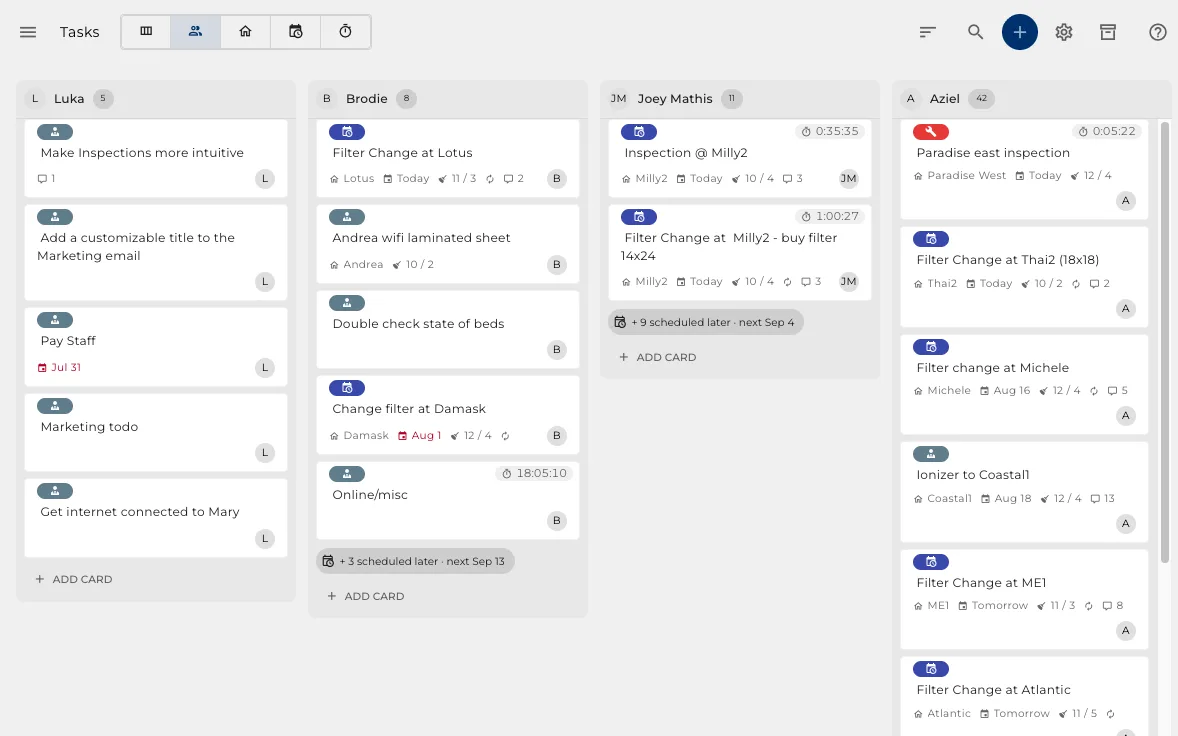
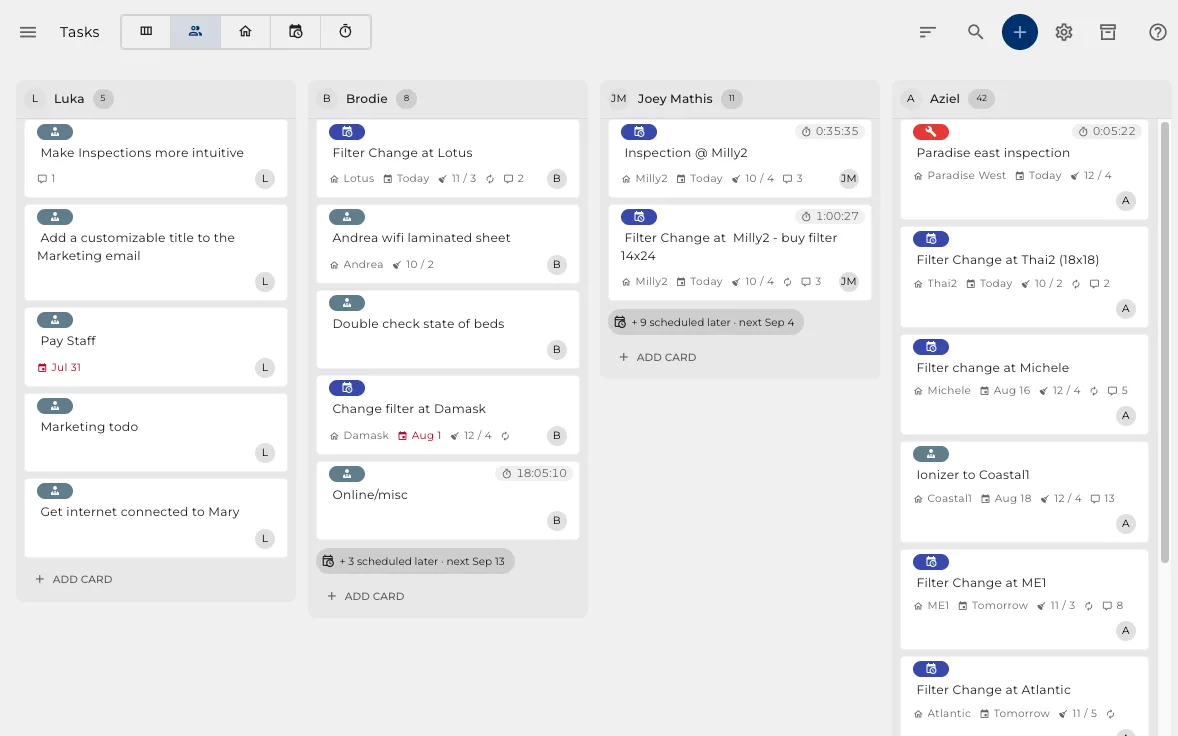
By person, when you are staffing
Who is carrying what, in one column each, so an overloaded person is obvious.
- Every open card grouped under the person holding it.
- Move work between people by dragging it.
- What is unassigned is a column too, rather than something you have to go looking for.
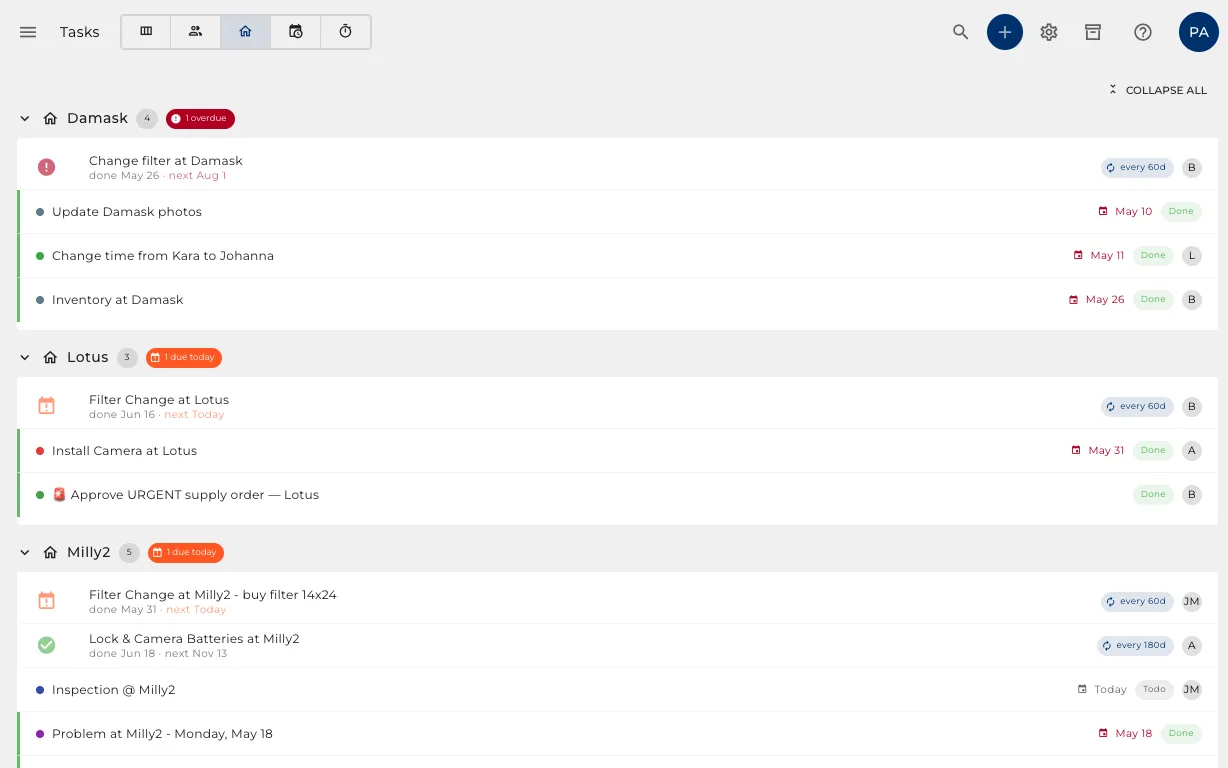
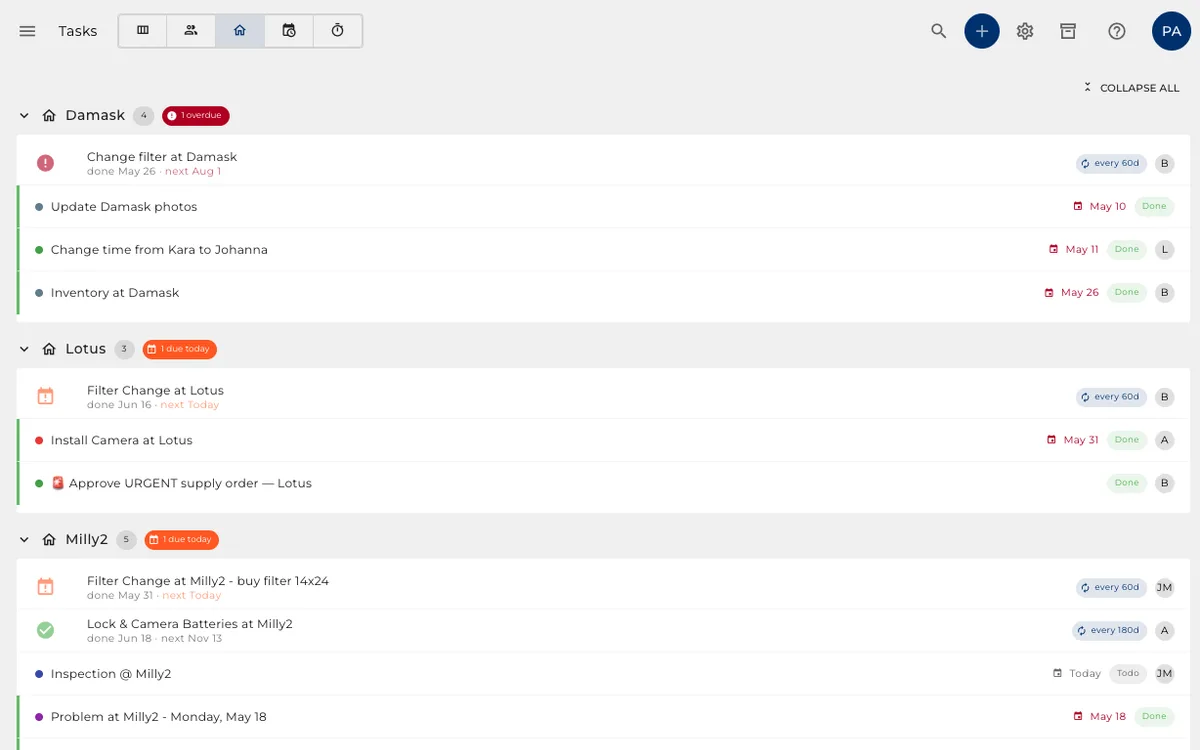
By property, when you are visiting one
Everything outstanding at a property, so one trip clears the list rather than half of it.
- Every open job on a property, together.
- Useful the moment somebody is already there with a toolbox.
- What is not tied to a property stays out of the way.

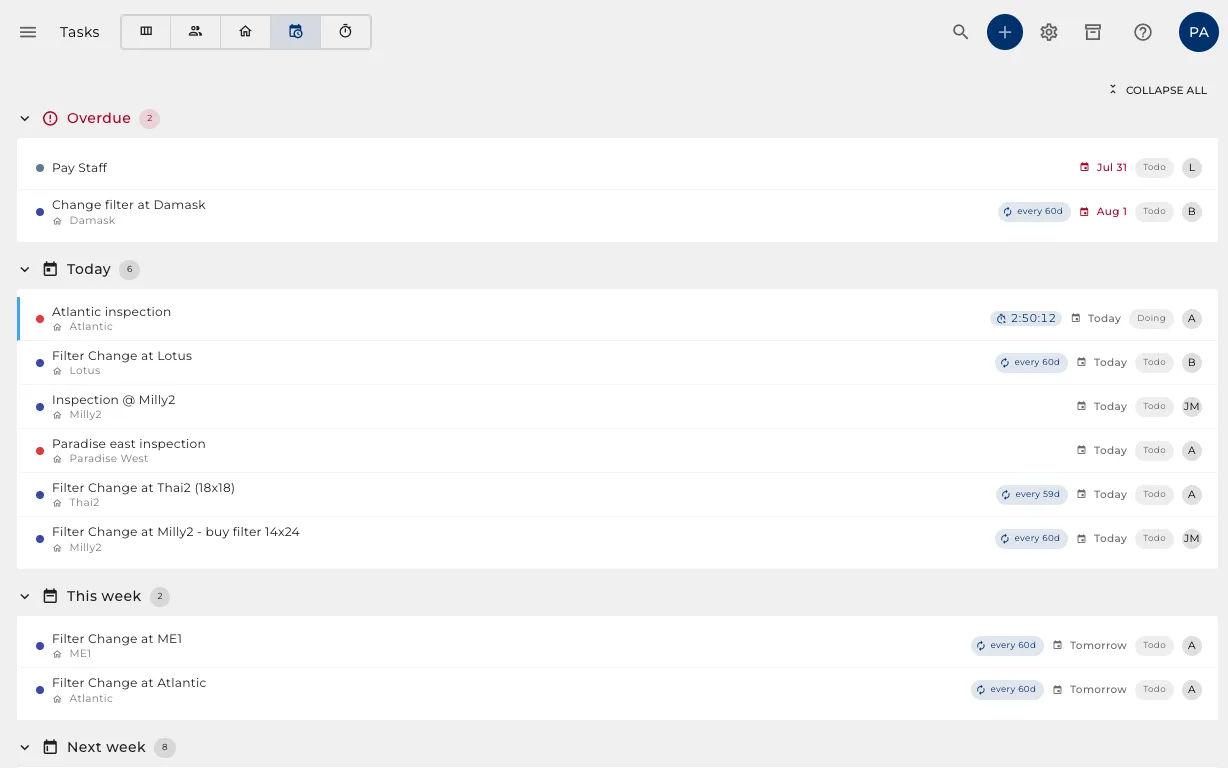
Scheduled around your guests
A job on a property waits for the gap between stays. Nobody picks the date.
- Work tied to a property is booked for its next changeover.
- If that changeover passes, it moves itself to the next one and says so on the card.
- Something quarterly finds the changeover closest to when it is actually due.
Hours in, payroll out
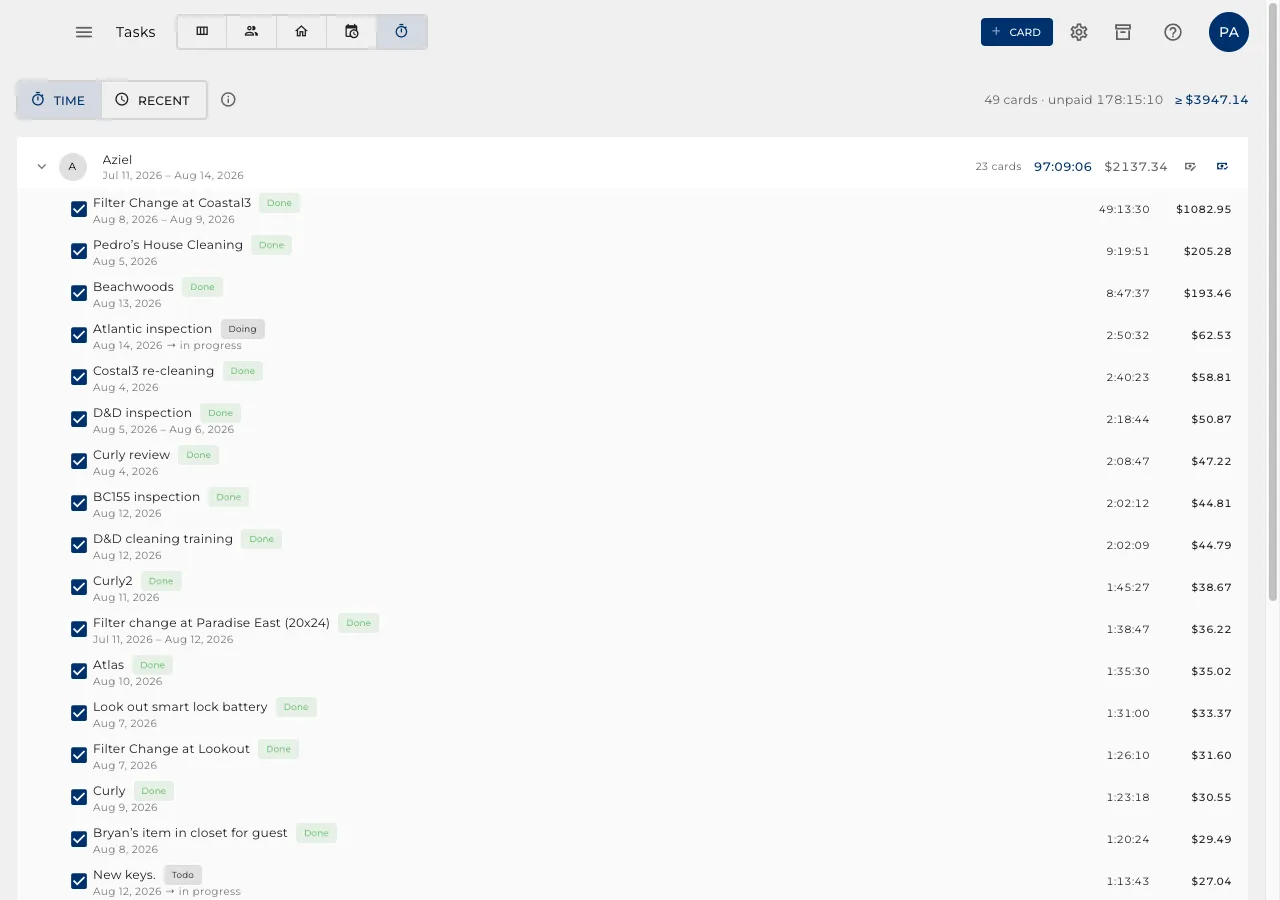
Time is counted while a card sits in a working column, and paid off in one click.
- Each person's unpaid hours, and what that costs at their rate.
- Mark Paid records the run. Time logged afterwards becomes the next amount owed.
- Tidying a finished card away never loses the hours on it.
Everything you know about them
Their standing, their history, their reviews and your private notes, in one place.
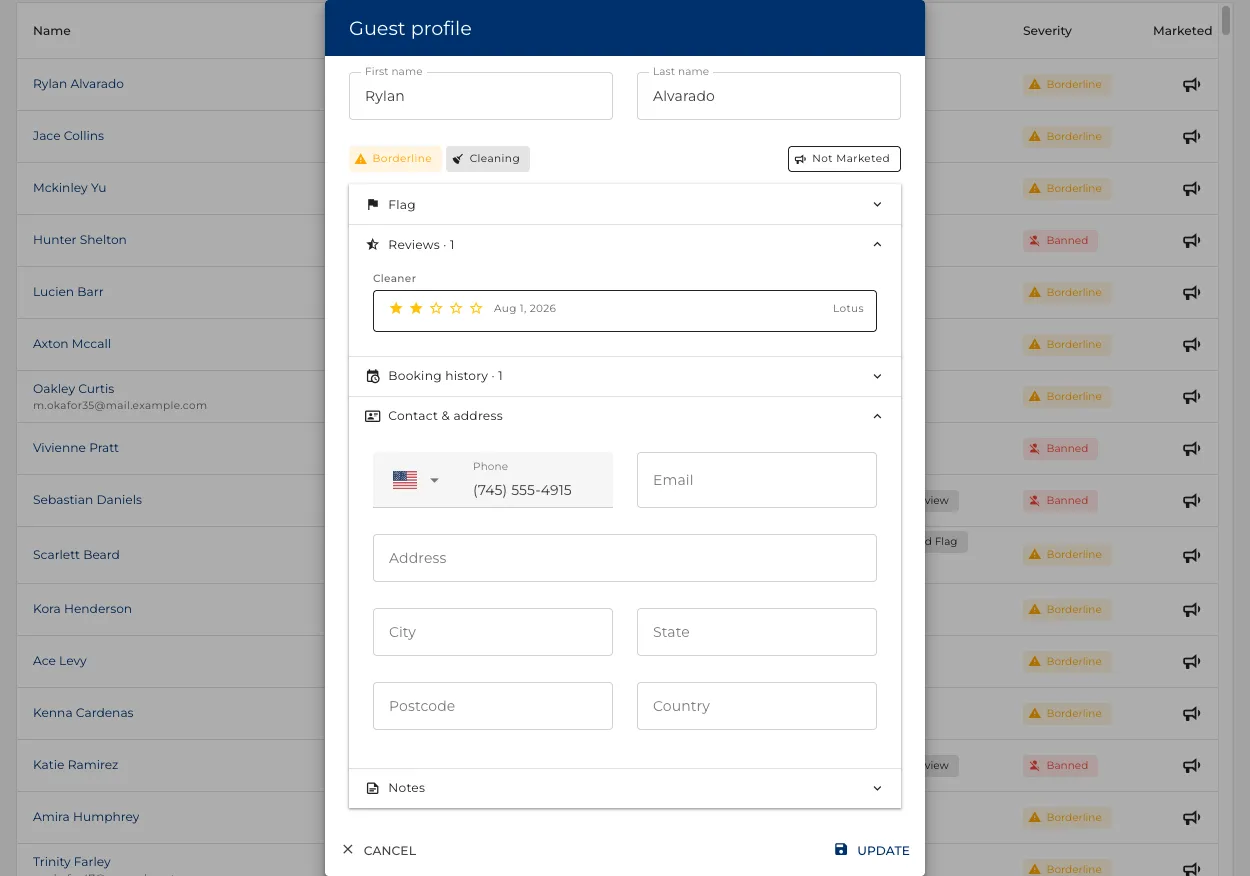
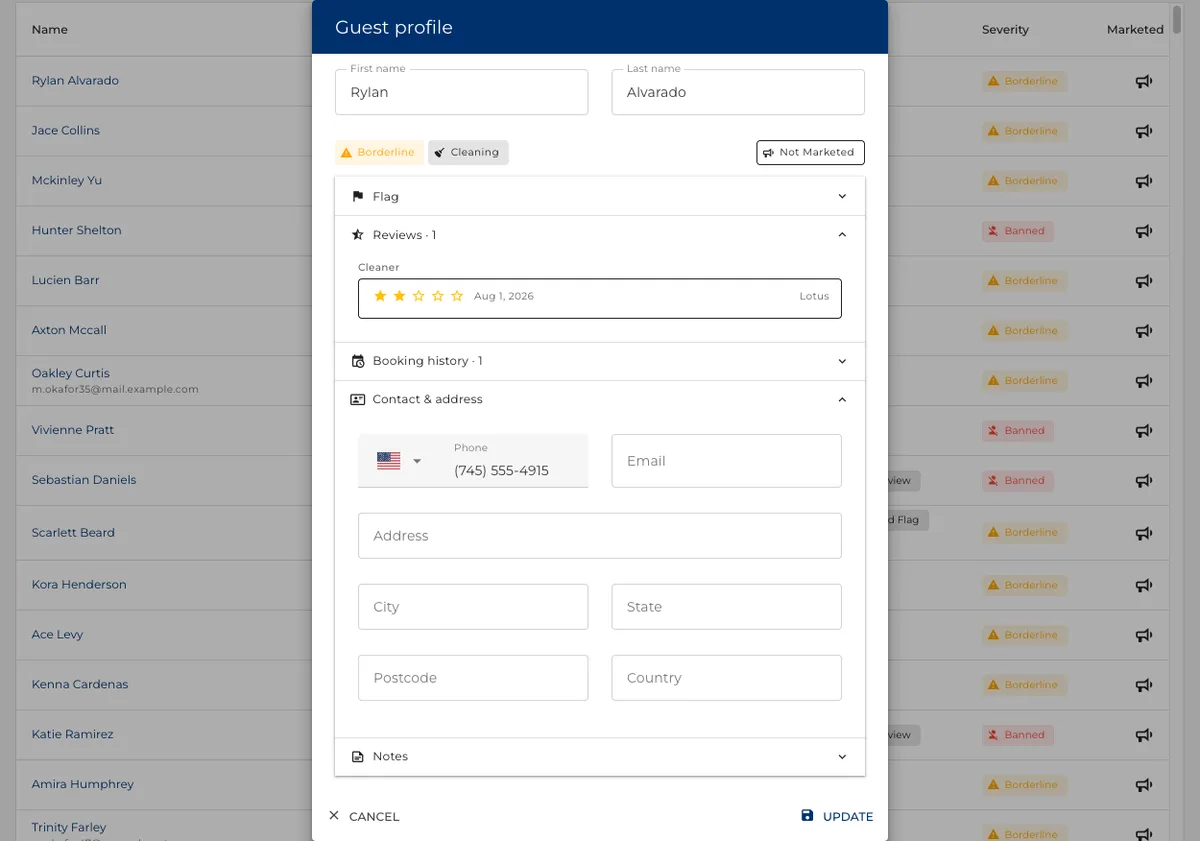
A standing the whole product reads
Marking a guest is not a note to yourself. It changes what happens next.
- A banned or borderline guest can have the assistant paused on their thread automatically.
- Their review can be held back, and their booking treated differently.
- Set by hand it sticks: automatic rules escalate a standing, never undo yours.
The stays behind the standing
Before you decide about a guest, everything they have done with you is on the same card.
- Each stay, which property, which booking site, and what it was worth.
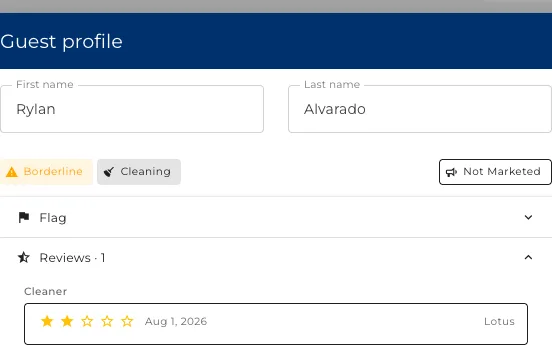
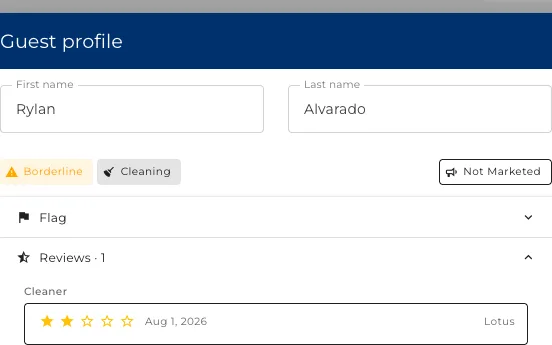
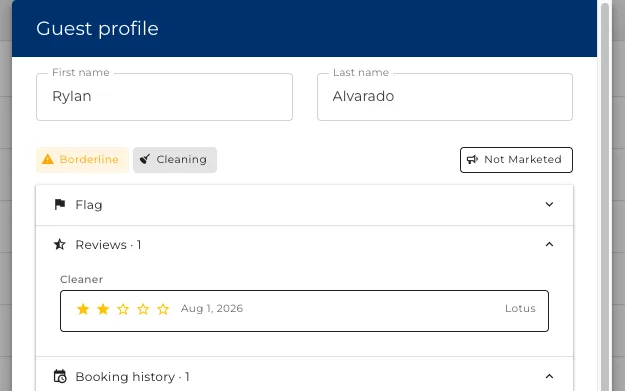
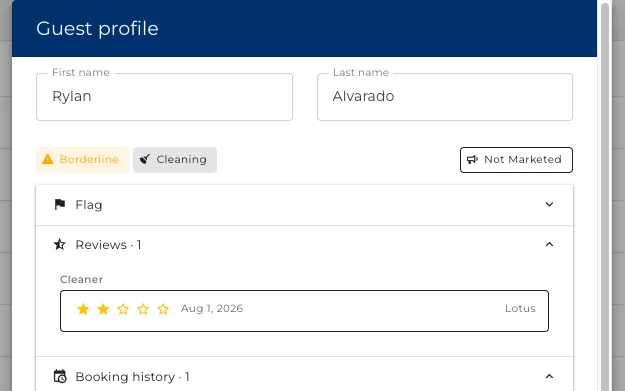
- The reviews they left, and what your cleaners said about the state they left it in.
- Notes your team wrote, which the guest never sees.
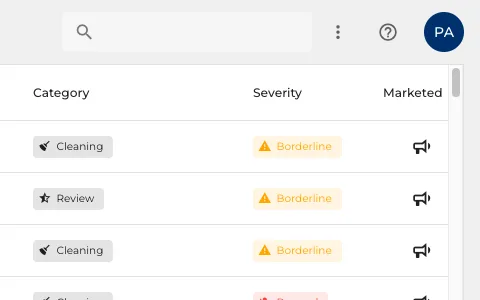
The difficult ones flag themselves
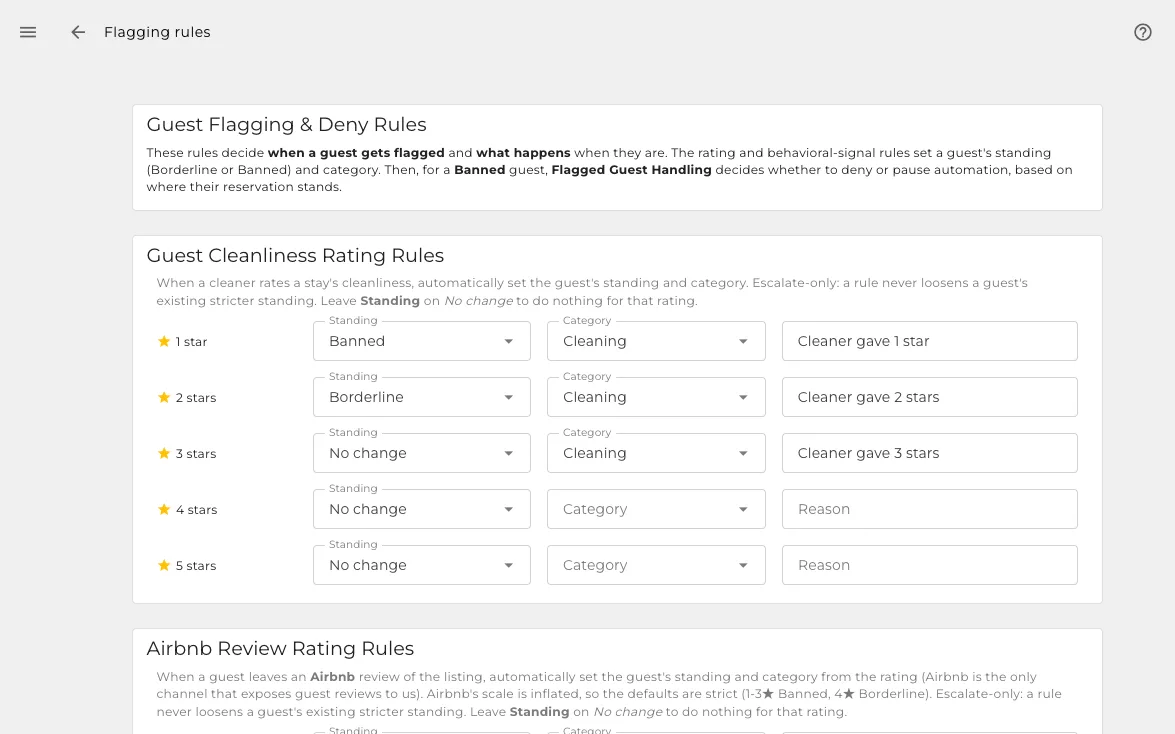
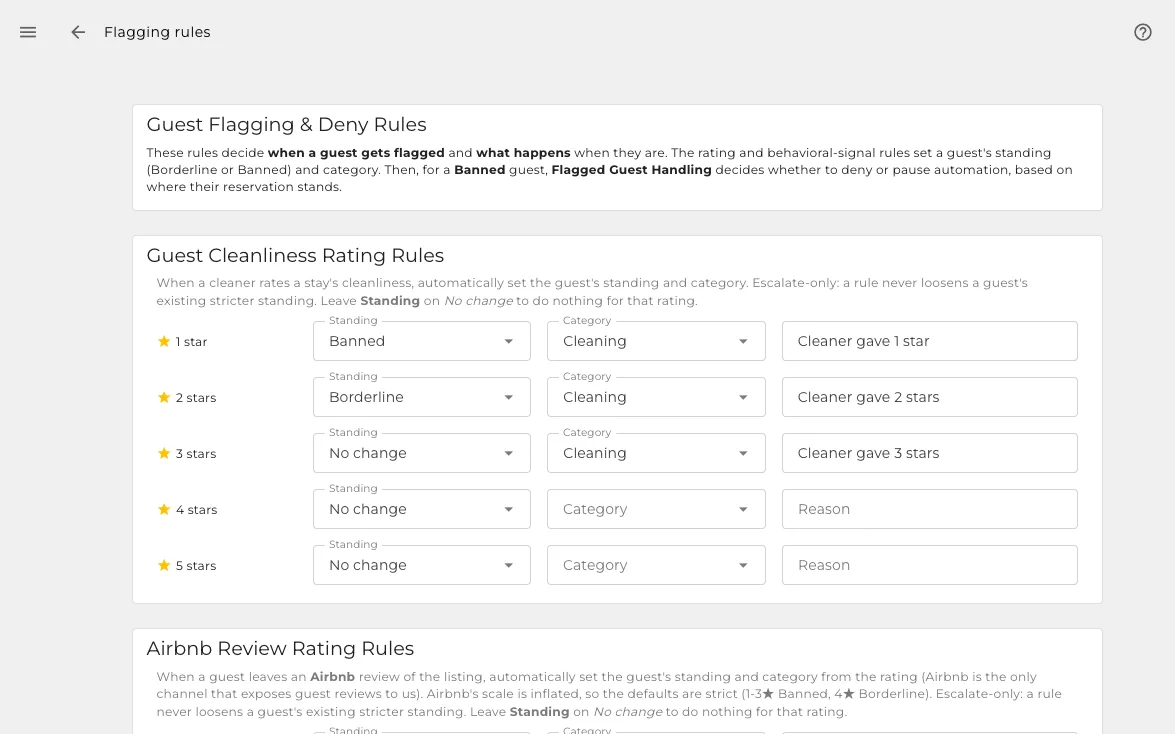
Six rules you switch on one at a time, watching for what you would otherwise have to notice yourself.
- A bad cleanliness rating from a cleaner flags the guest on its own.
- So can a poor review, a chargeback, or a declined card.
- Anything you decided by hand is never quietly overwritten.
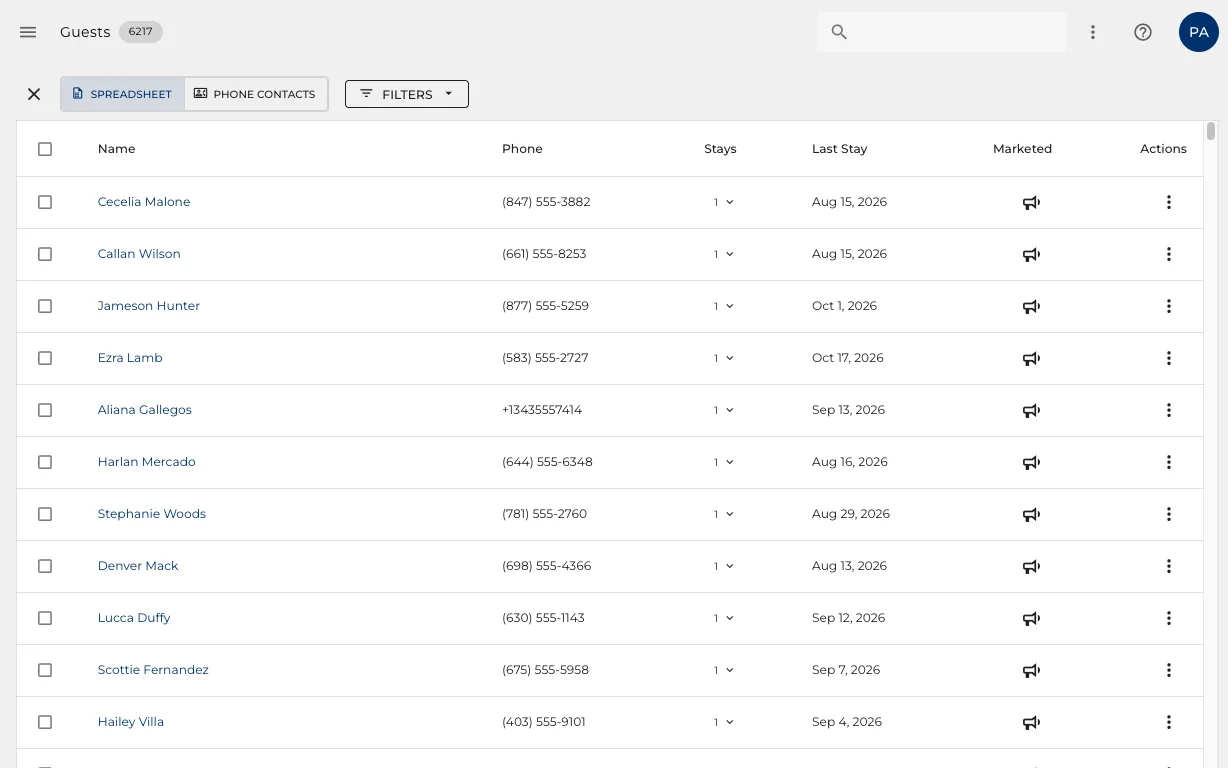
Who you may market to
A bullhorn on every row says whether that guest is in your direct-booking follow-up.
- Opt a guest in or out from the list, one click.
- Only guests with a real address, never an OTA relay.
- The follow-up is yours to send, so the next booking carries no commission.
And you can take the list with you
One profile per guest, combined across every property and every booking site.
- A spreadsheet, or phone contacts you can import straight into a phone.
- You download it. Nothing is sent on your behalf.
- You are the data controller, which is what keeps the list yours.
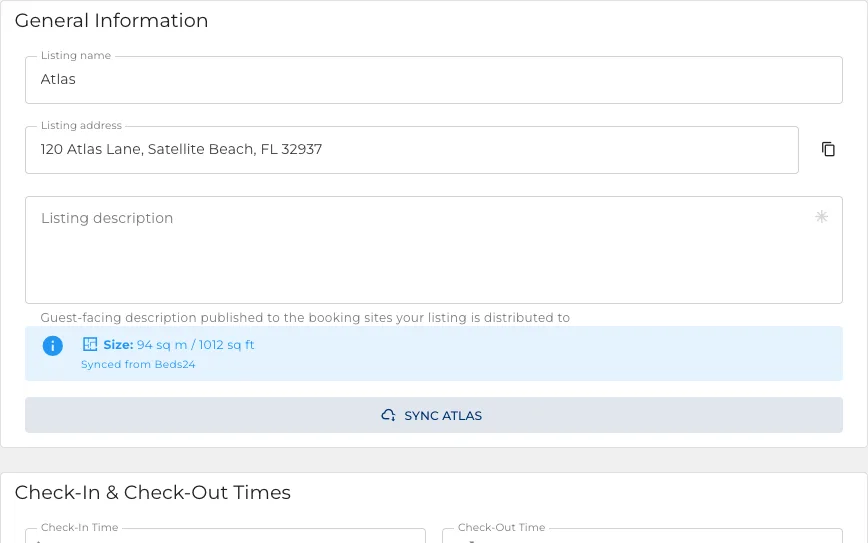
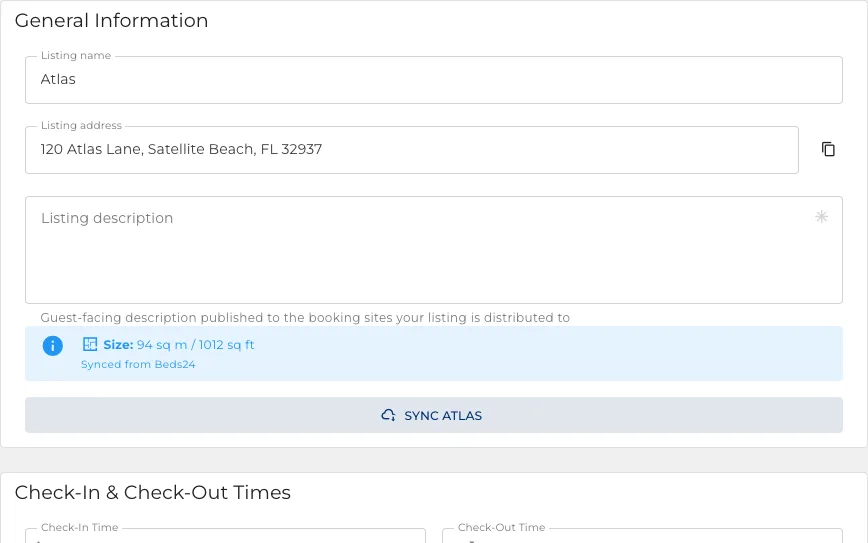
The facts every site asks for
Entered once here, sent to every booking site you publish on.
- The address, the type of place, how many it sleeps.
- What is nearby, which the sites use and guests read.
- Change it here and it goes out everywhere, rather than six times by hand.
The layout, room by room
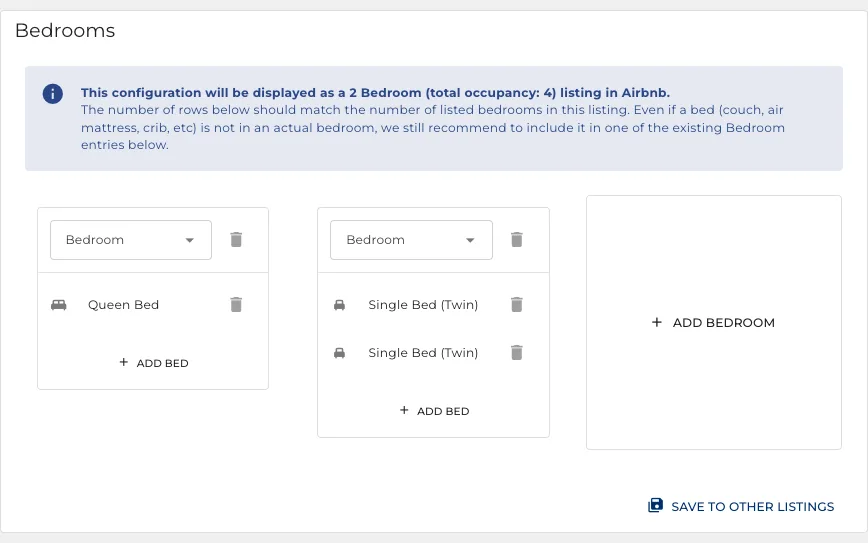
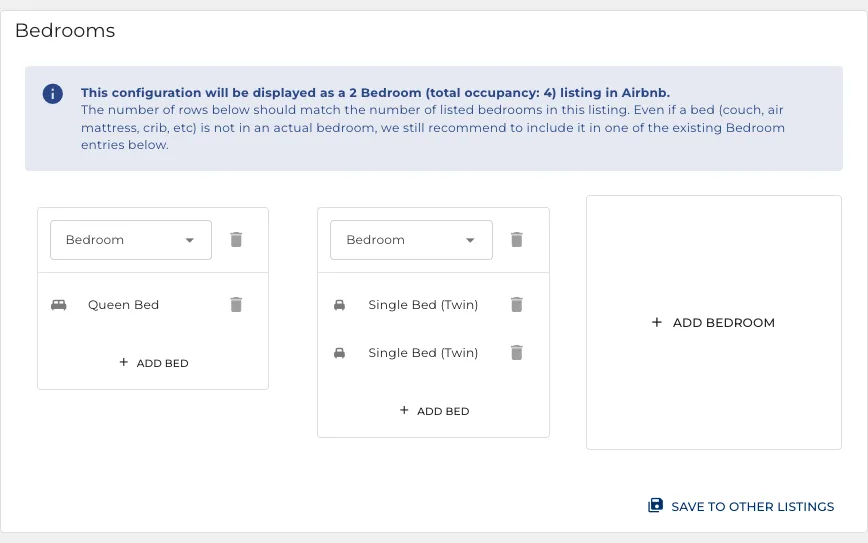
Which rooms, which beds, which bathrooms. The thing the booking sites carry worst.
- A bed setup per room, not a single number of guests.
- Guests booking for six can see where six people actually sleep.
- The assistant answers "is there a real bed in the second room" from this.
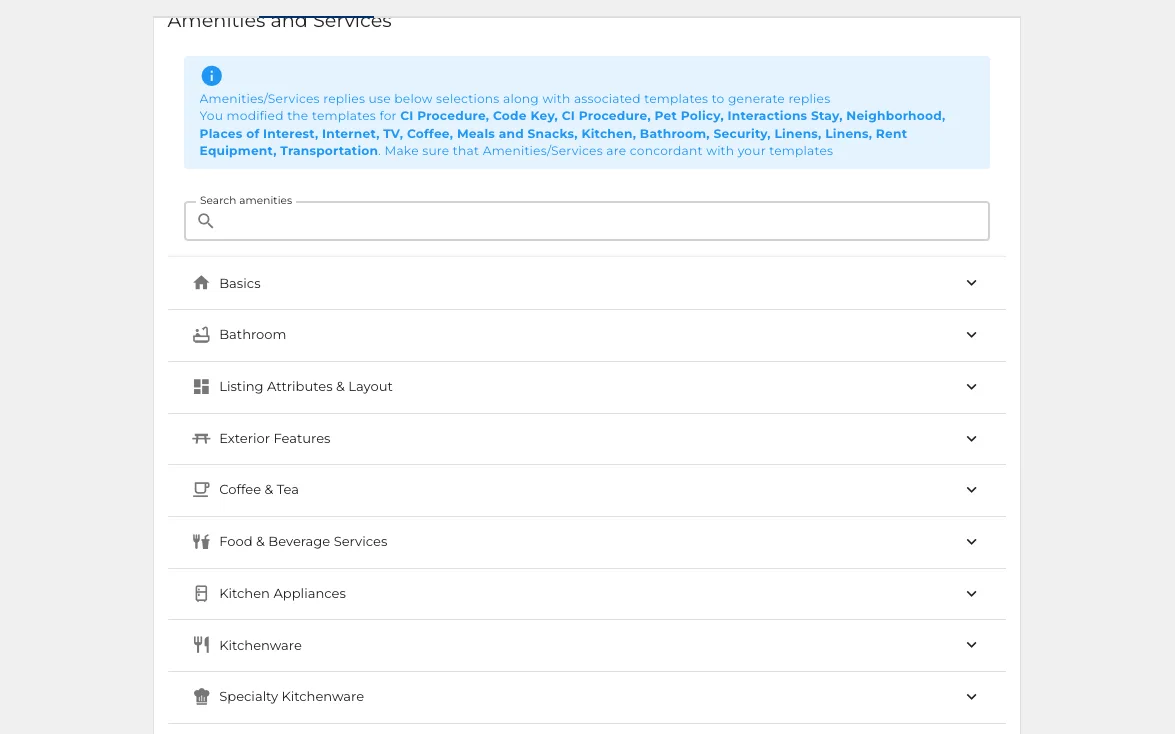
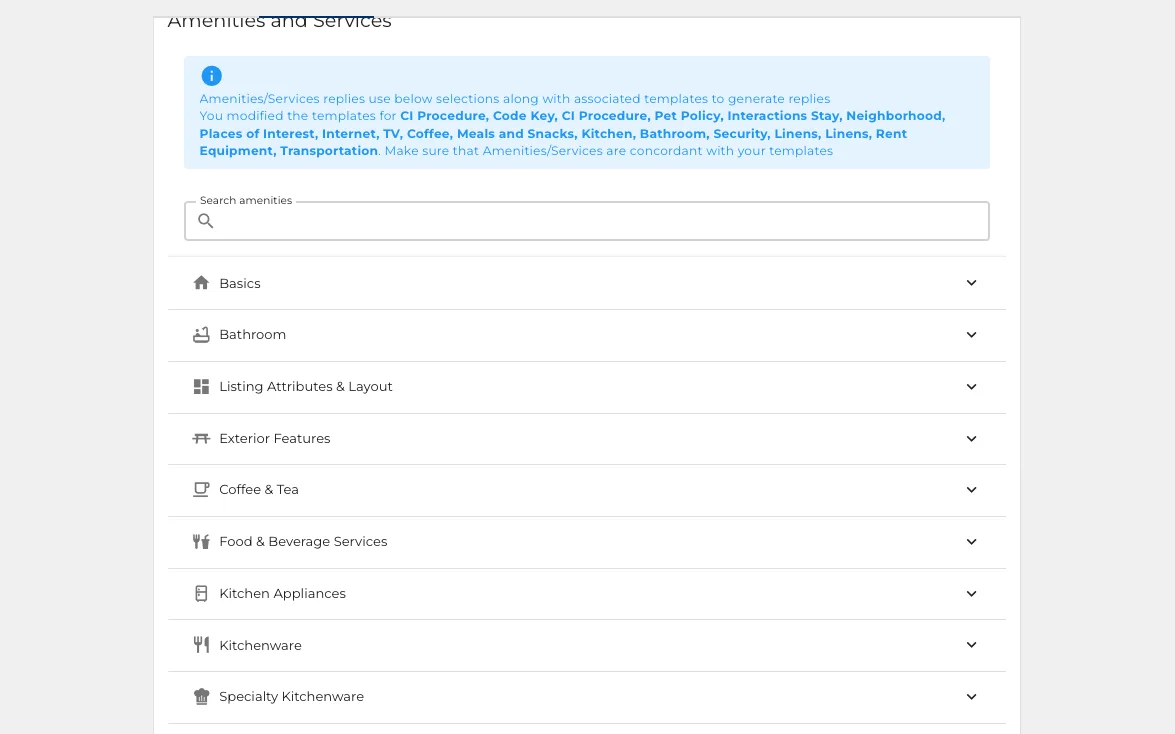
If it is not listed, it is not offered
The assistant works to one rule, which is the rule that keeps it honest with guests.
- Search the catalogue, tick what the property has, untick what it does not.
- A guest asking about something you never ticked is told it is not available.
- Save the same answer to several properties at once.
House rules with a definite answer
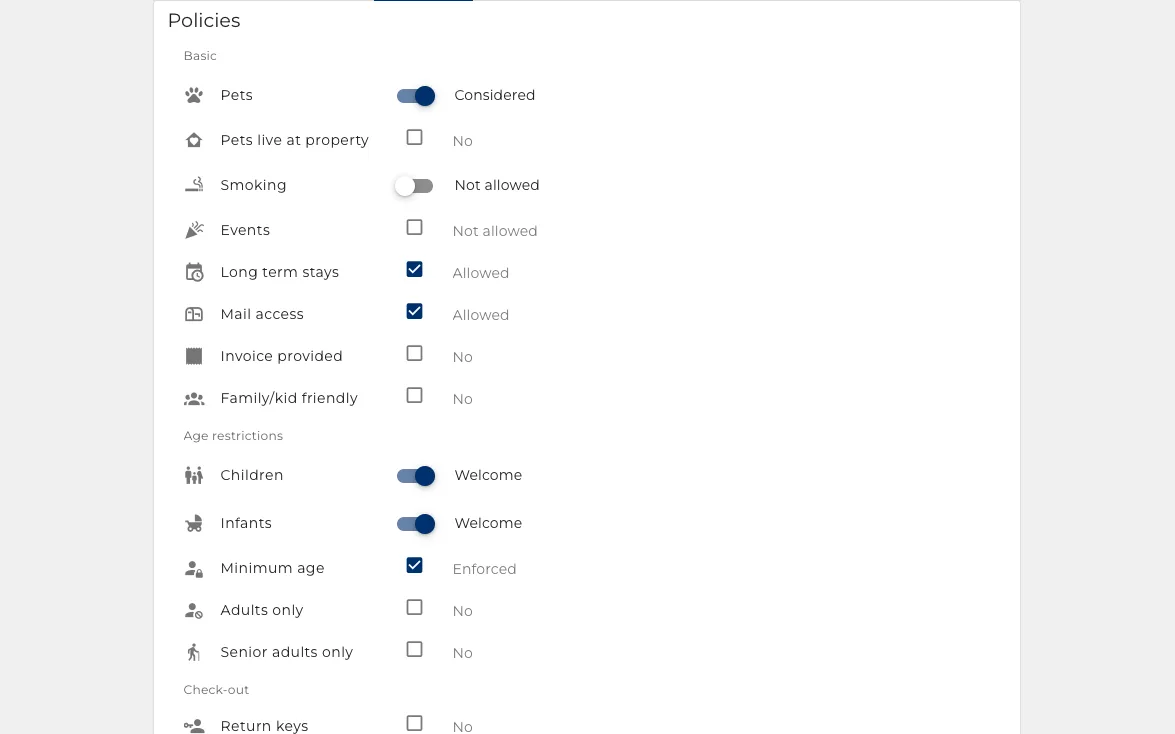
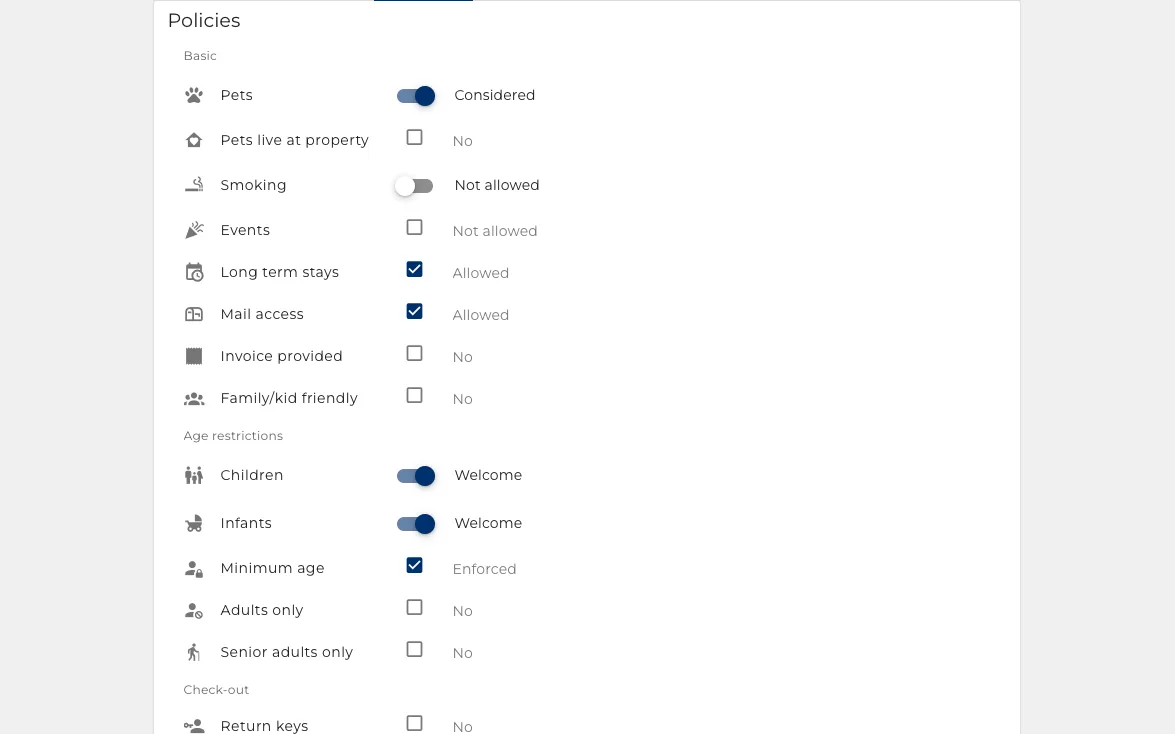
Pets are allowed or they are not. The assistant never has to guess from a blank field.
- Smoking, events, pets, children, long stays: each one settled.
- A rule you did not set is a question the assistant has to escalate.
- The sites carry these too, so the listing and the answer agree.
The details a guest asks at 9pm
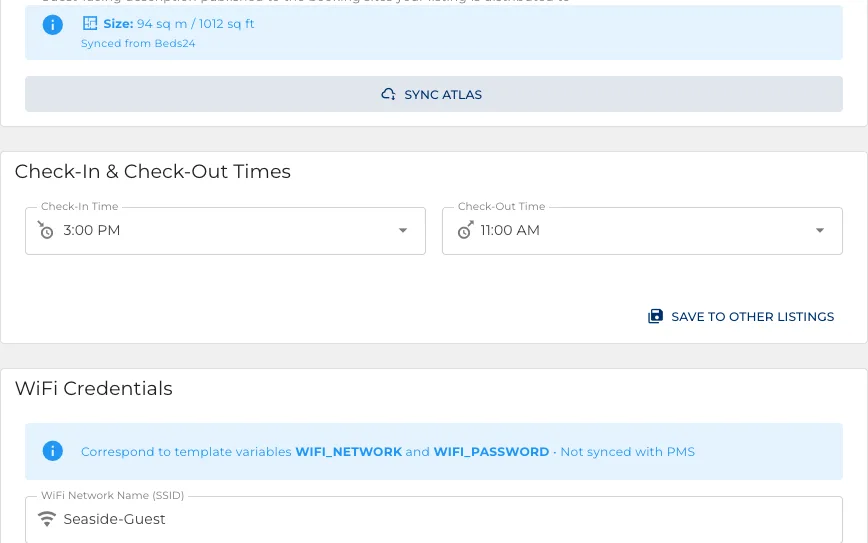
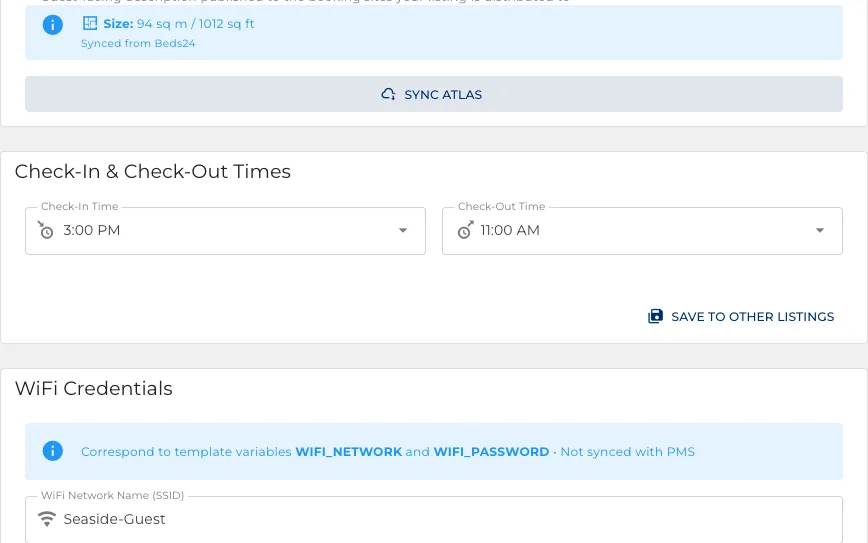
Check-in and check-out times, the cleaning fee, the wifi. Held once, answered forever.
- Times, including how early and how late you are willing to go.
- The network and password, handed over by the assistant when it should be.
- The cleaning fee, which the quote and the statement both read.
A different price per booking site
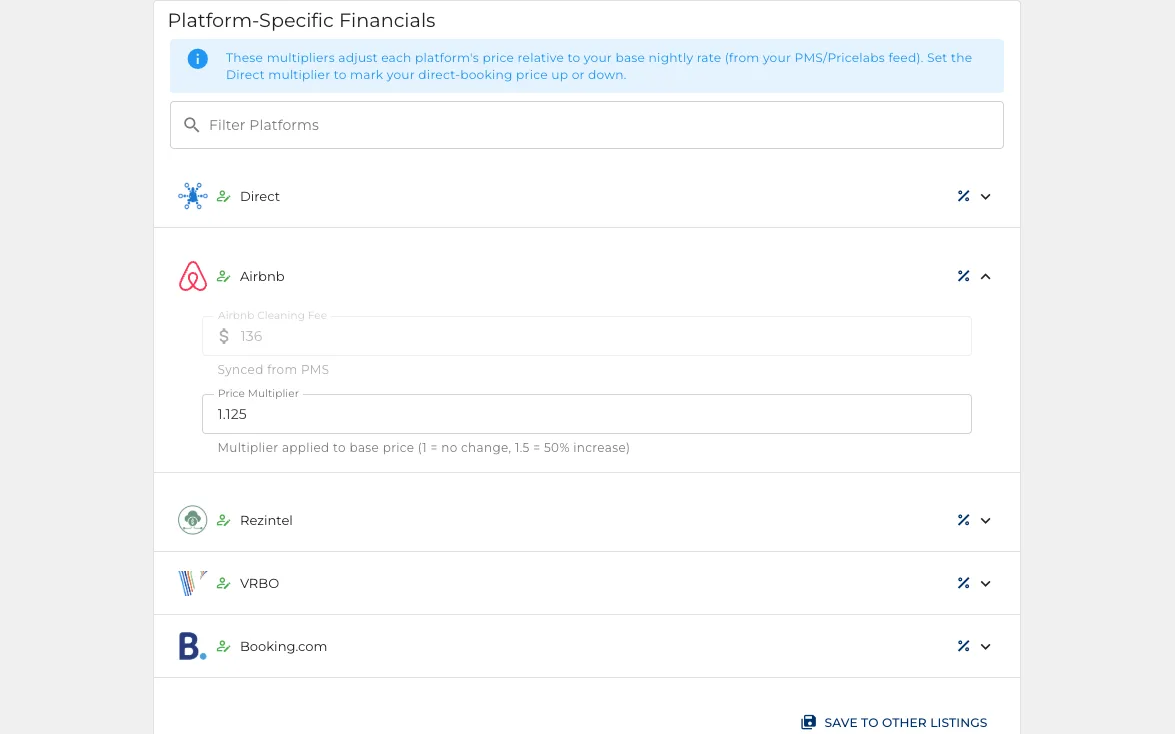
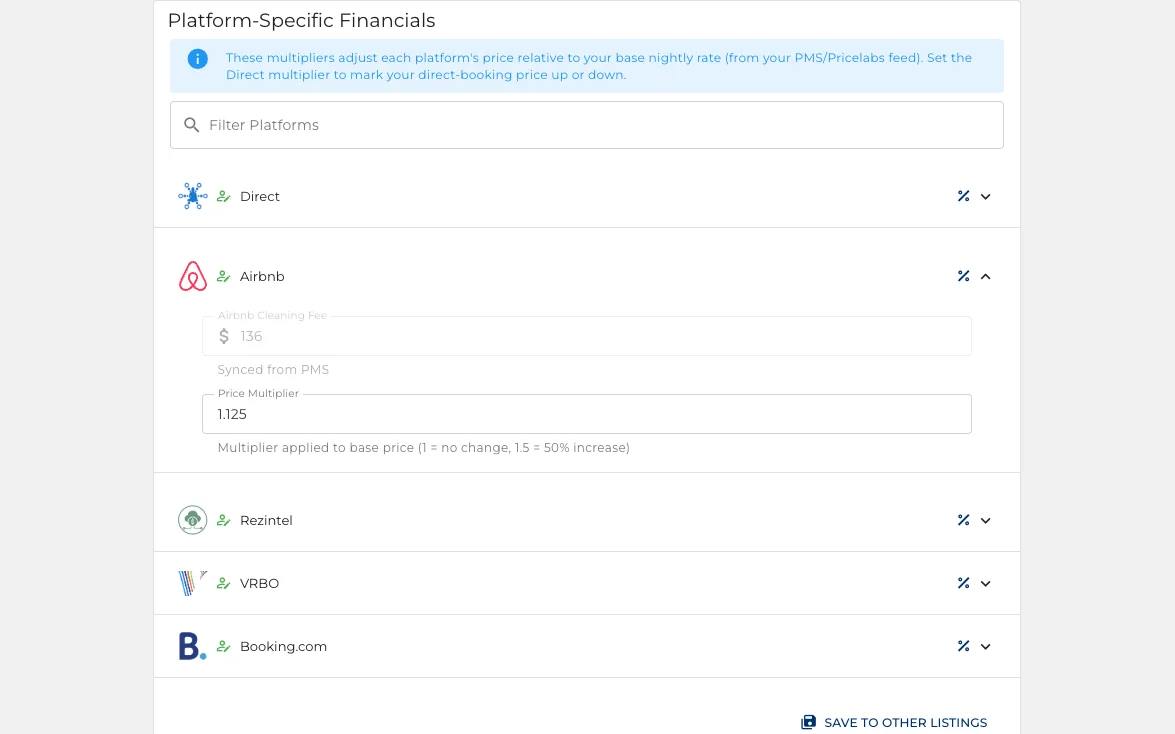
Put a site up by the commission it charges, so it does not come out of your margin.
- A multiplier per property and per booking site, set in one table.
- Keep direct bookings cheaper than the sites that charge you.
- Quotes and price checks use the multiplier for whichever site you are quoting.
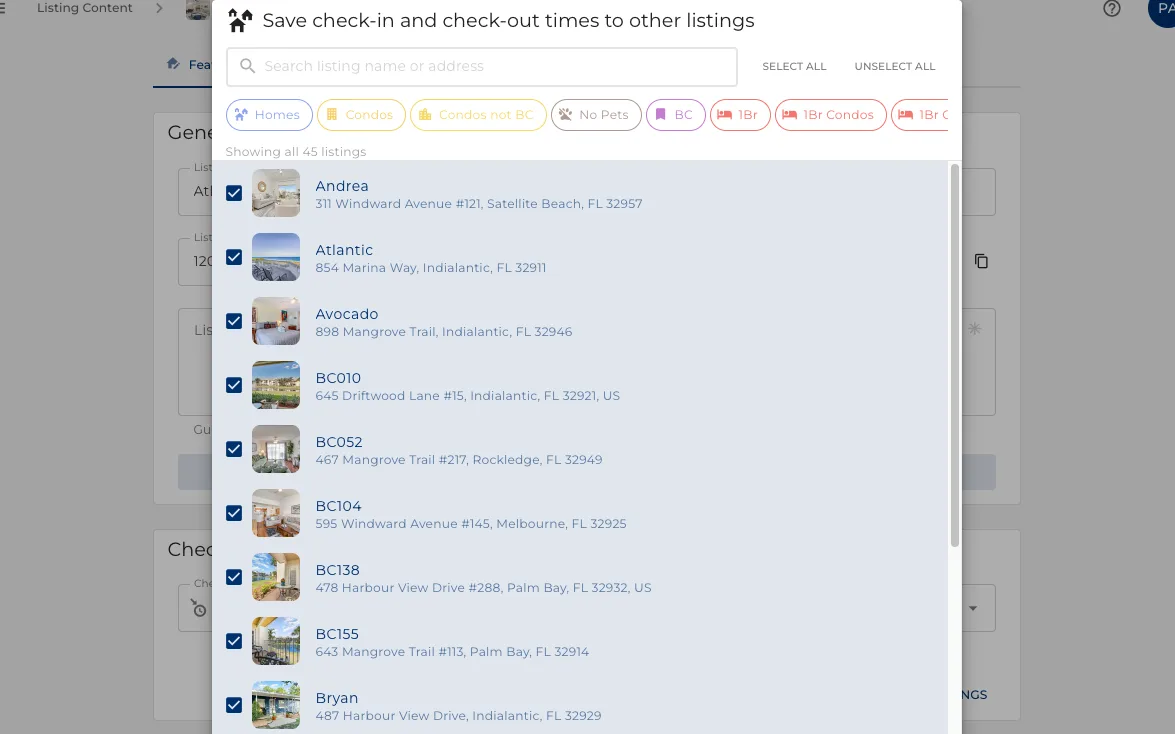
Then copy it to the rest
The second property should not cost what the first one did.
- Copy a setting, or a whole page of them, to any other properties.
- Works across the assistant, the content, and the staff assignments.
- Onboarding forty properties is one setup and thirty-nine copies.
A door code per booking
Every stay gets its own code, and the assistant hands it over at the right moment.
- Works with the locks you already have: Schlage, Yale, August, Kwikset and more.
- The code exists for that stay and stops working after it.
- No smart lock at all still gets you monthly backup codes.
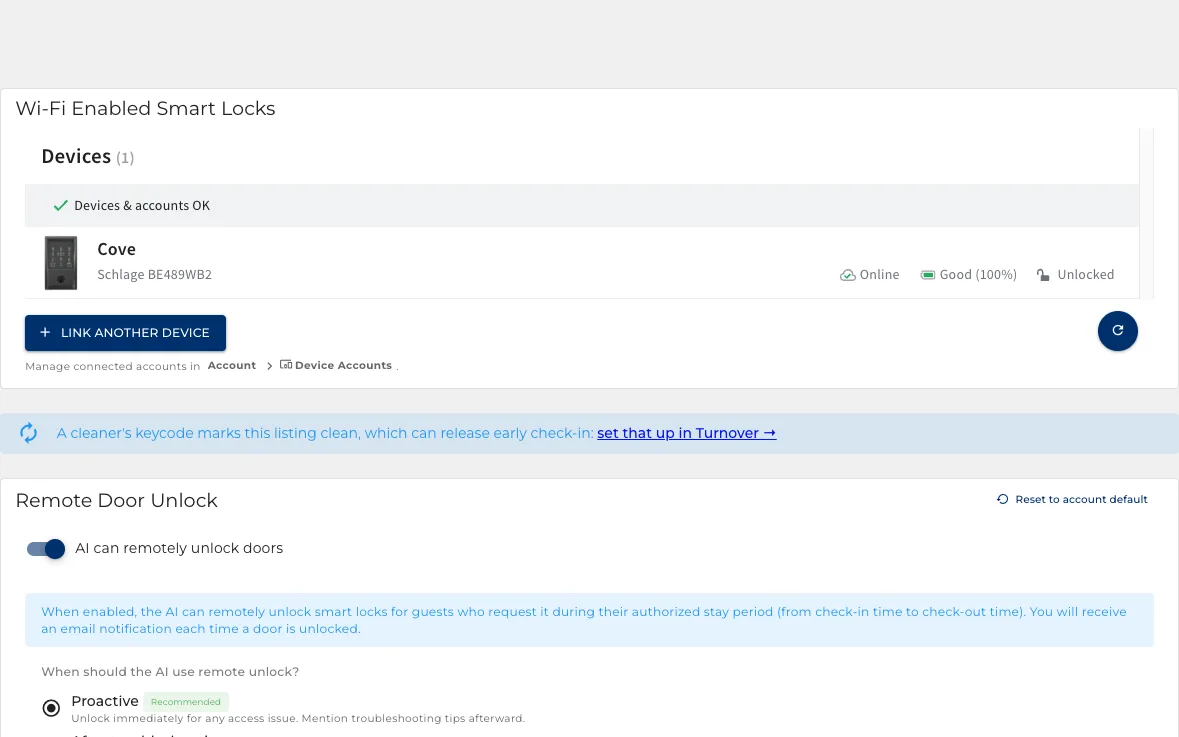
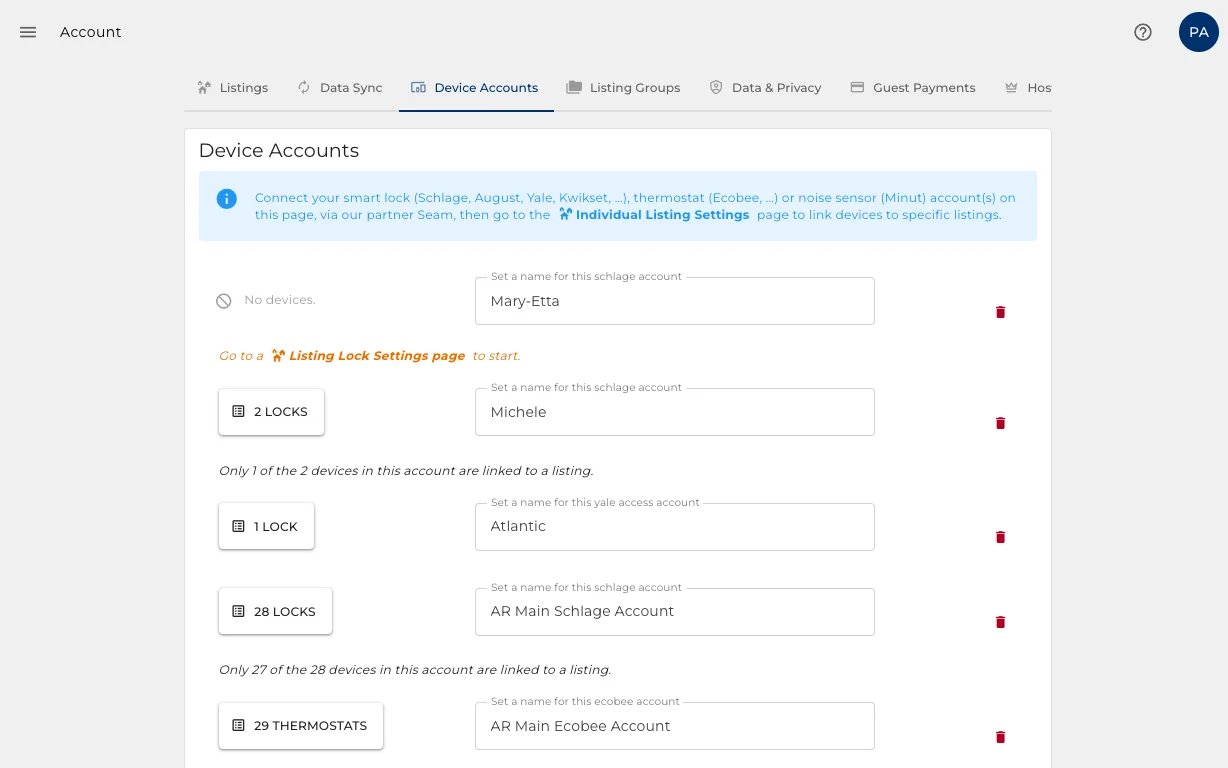
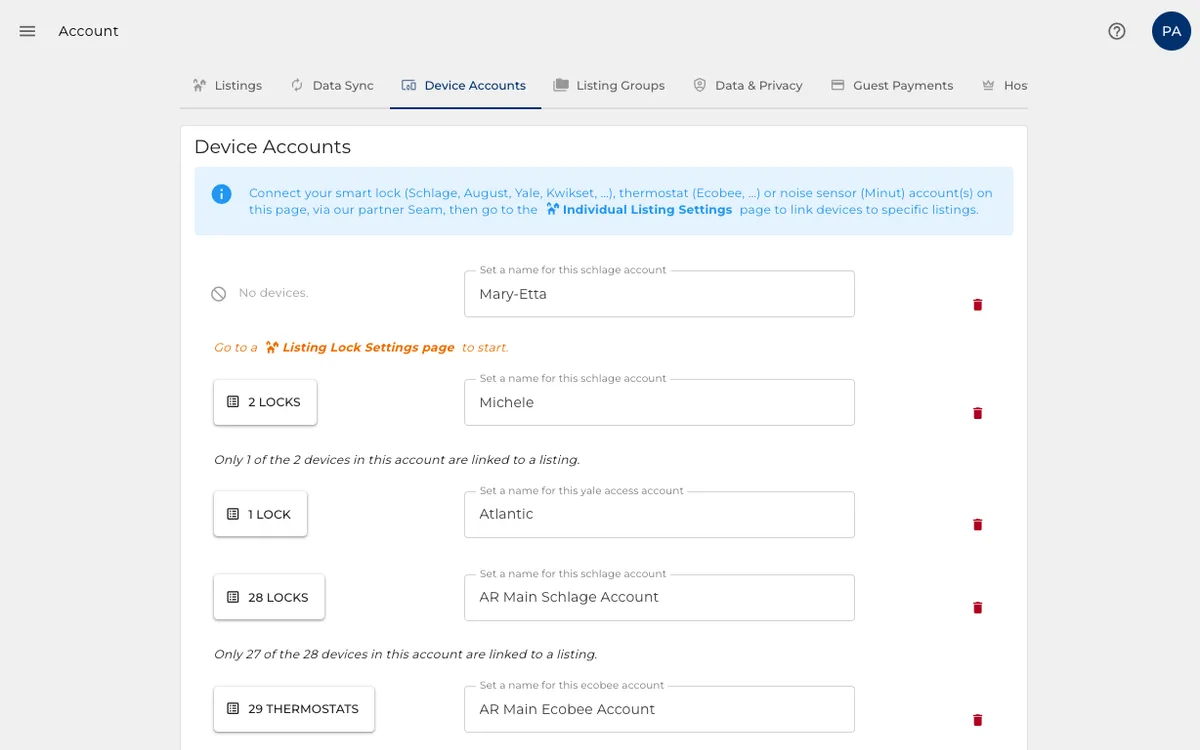
Connect the lock account once
One connection per lock brand, then link each lock to the property it opens.
- The lock accounts live at account level, not per property.
- Thermostats and noise sensors connect in the same place.
- A property inherits whatever devices you linked to it.
And it can open the door
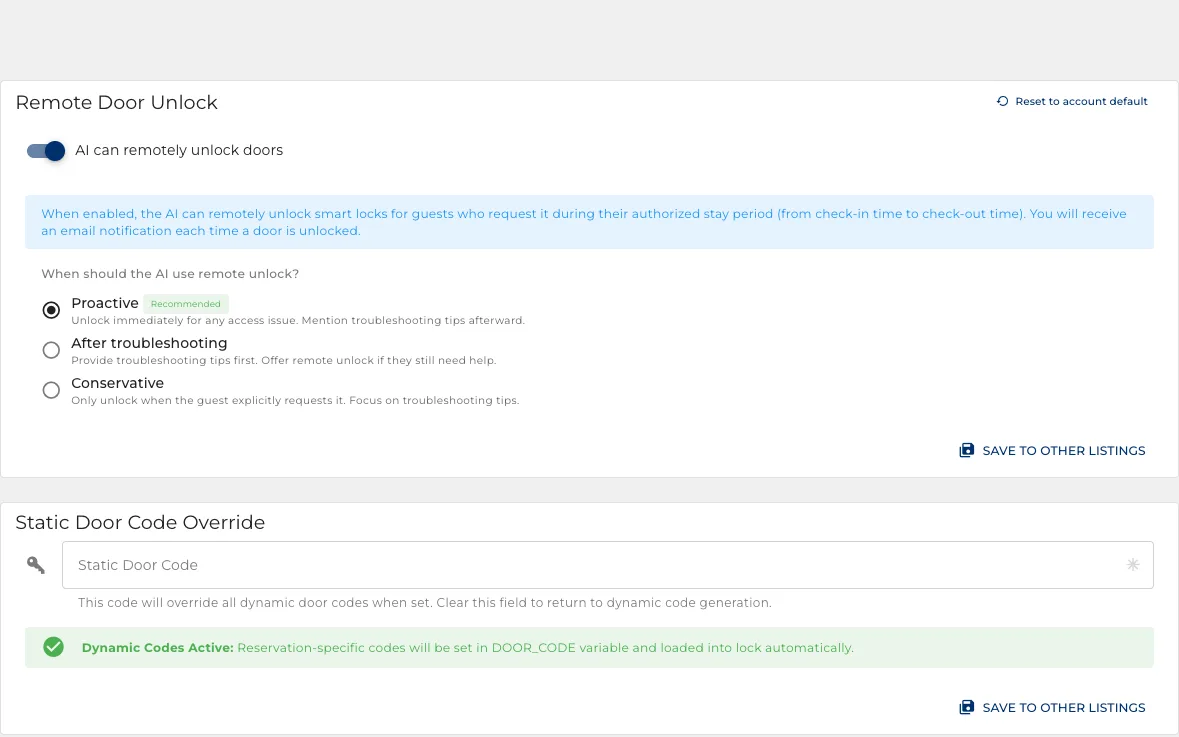
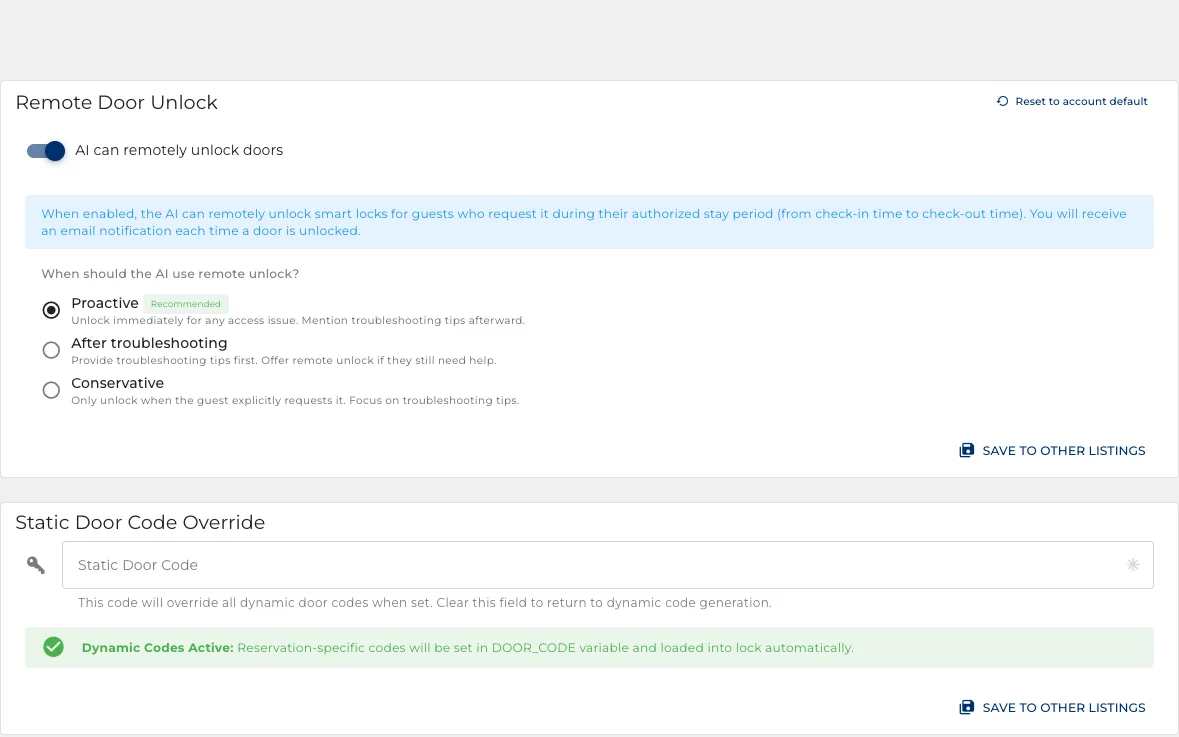
The action from section two, and the settings that bound it.
- Choose how eager it is: unlock immediately, or troubleshoot first, or only on request.
- Only inside the stay, between check-in and checkout, never for an inquiry.
- You get an email every time a door is opened this way.
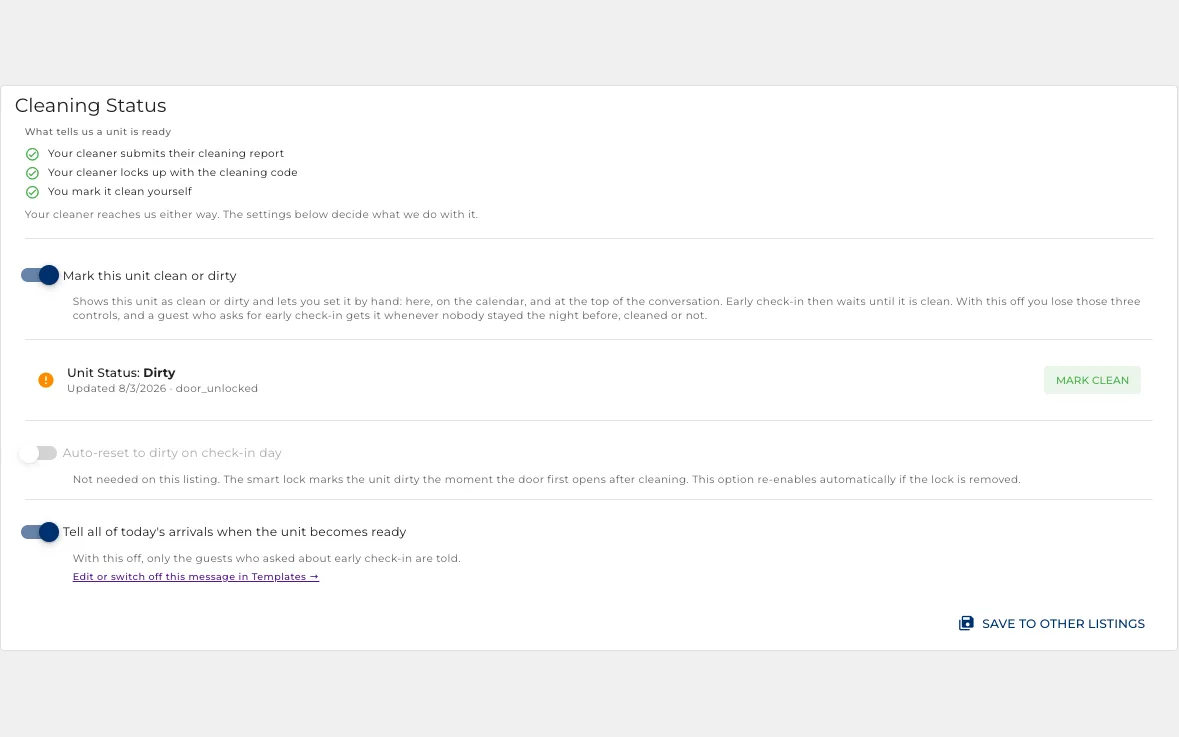
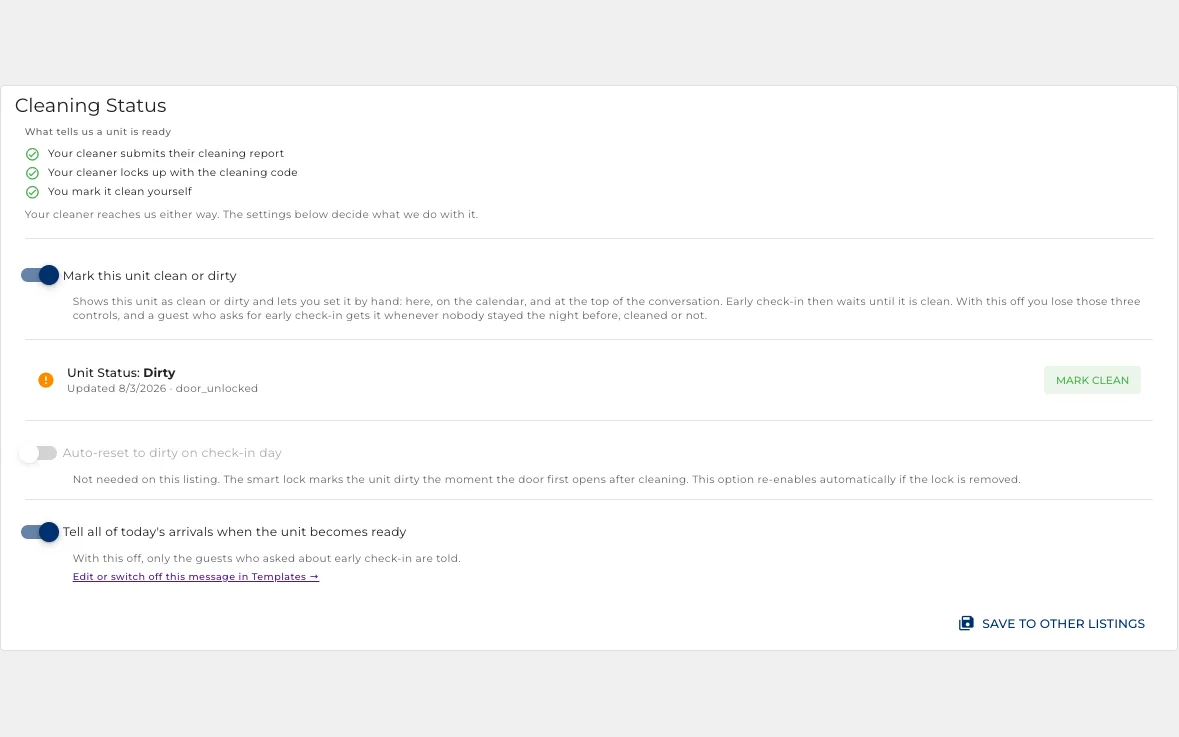
The lock tells you it is clean
Unlocking with the cleaning code starts the clean, locking it again finishes it.
- That is what fills the cleaning column on the operations board.
- A property can go back to dirty by itself after every checkout.
- A cleaner finishing early can release the property to a guest who is waiting.
Stop cooling an empty house
Comfort settings while a guest is in, saving settings while nobody is, following the bookings.
- Switches between an occupied and a vacant preset around every check-in and checkout.
- Brings the property to temperature before the guest arrives.
- Holds comfort through a same-day changeover, so cleaners are not left in the heat.
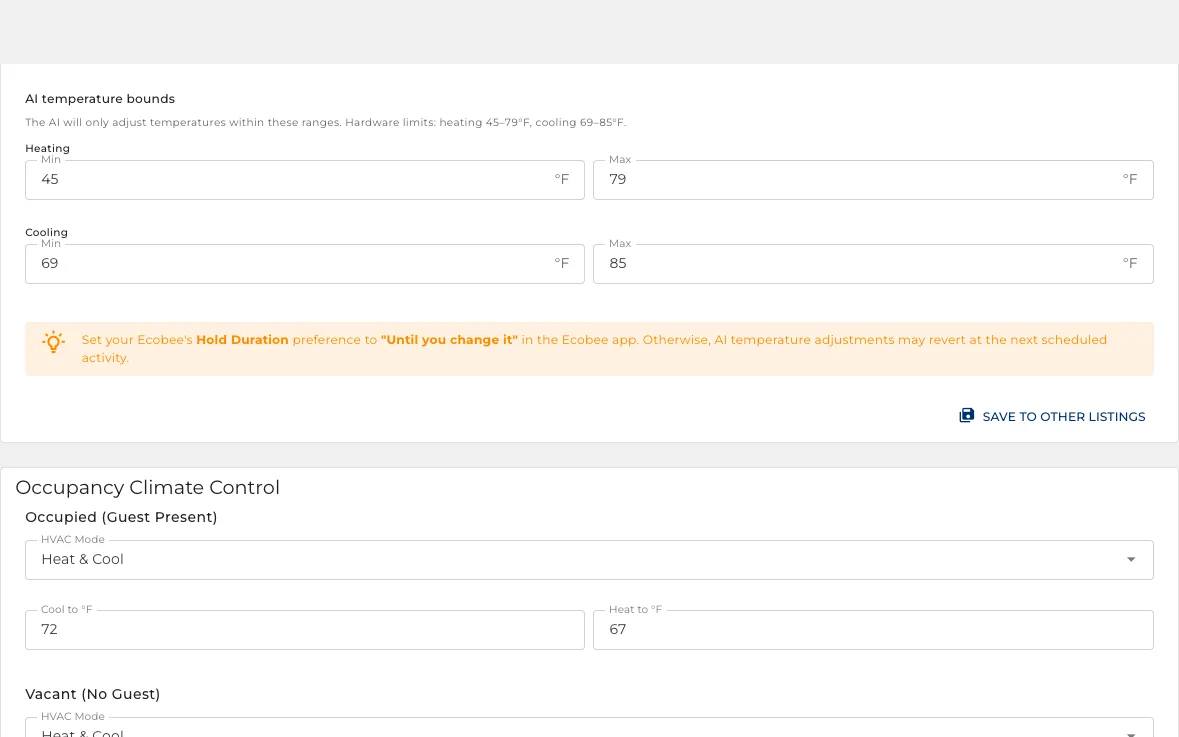
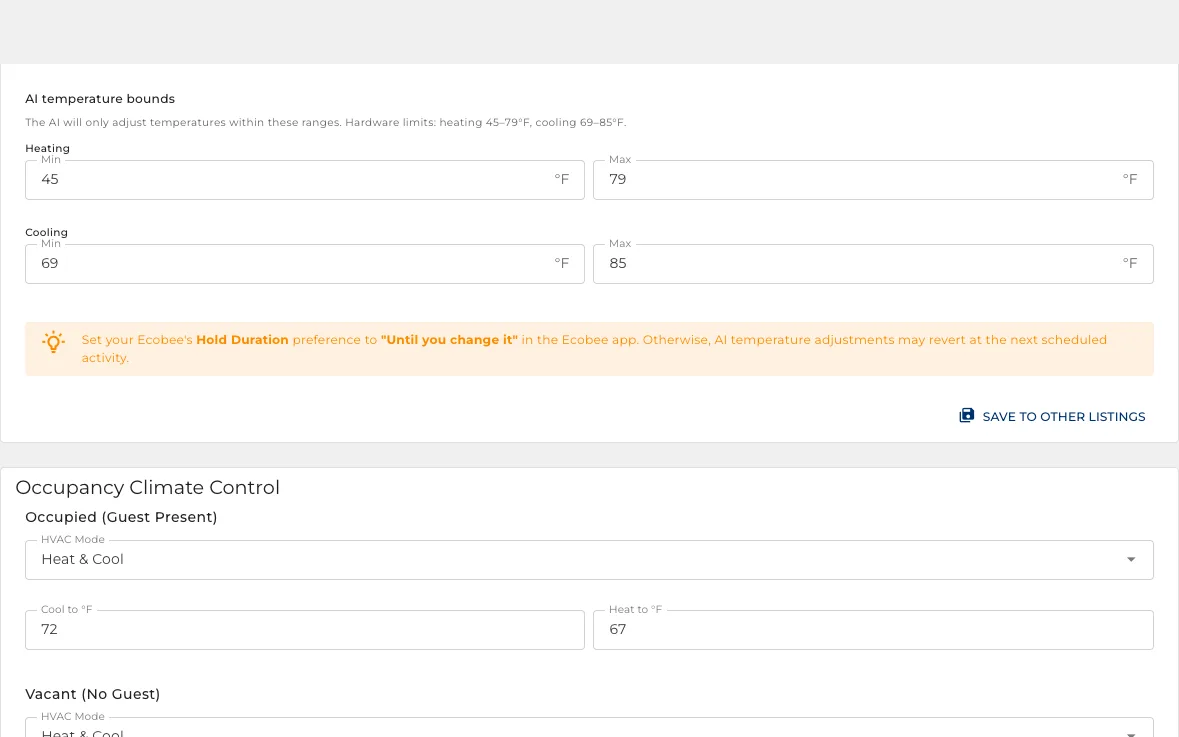
Within limits you set
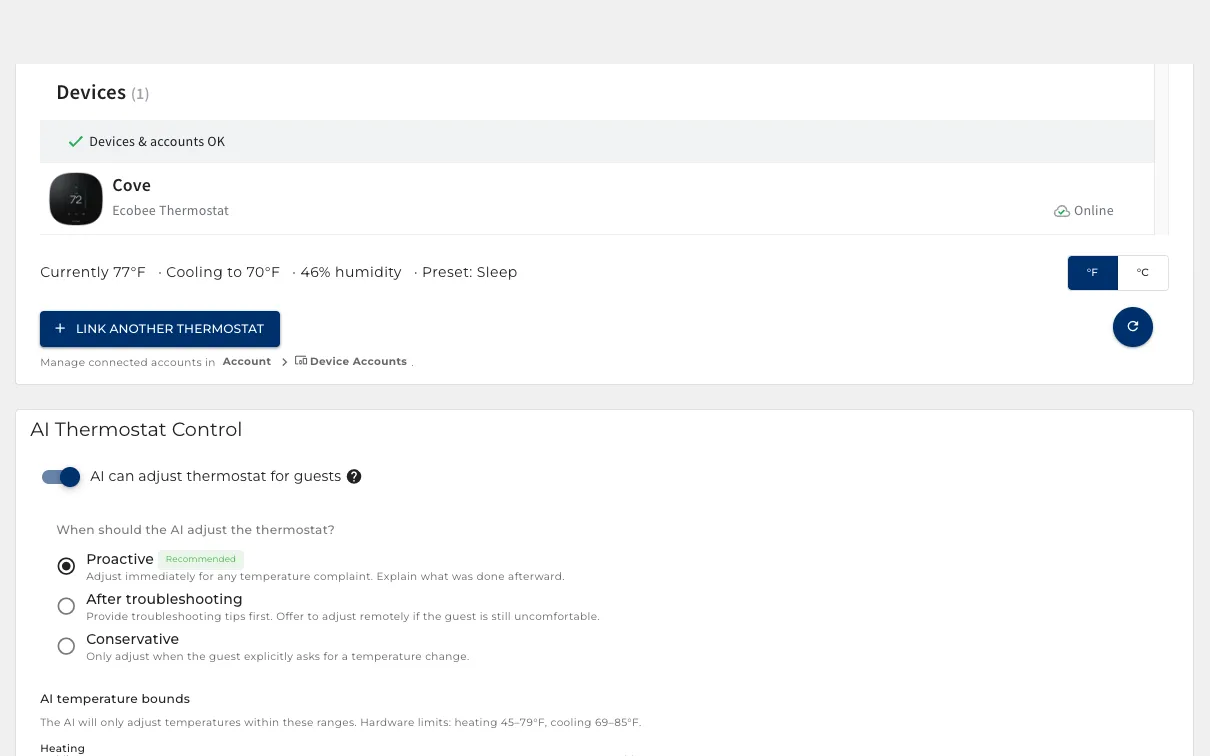
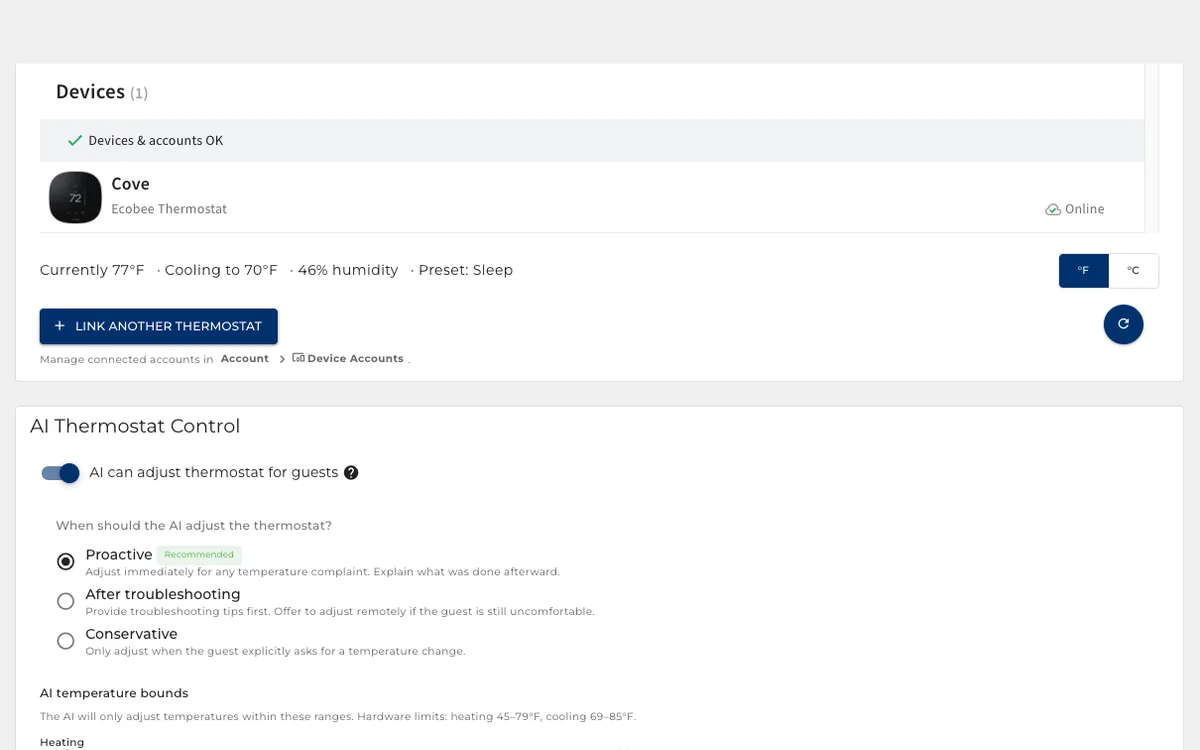
The assistant can move the temperature for a guest, but only between your bounds.
- A minimum and maximum for heating and for cooling, per property.
- A guest asking for 50 degrees gets your floor, not their number.
- Set in your own units, and existing values convert when you switch.
Know before the neighbours call
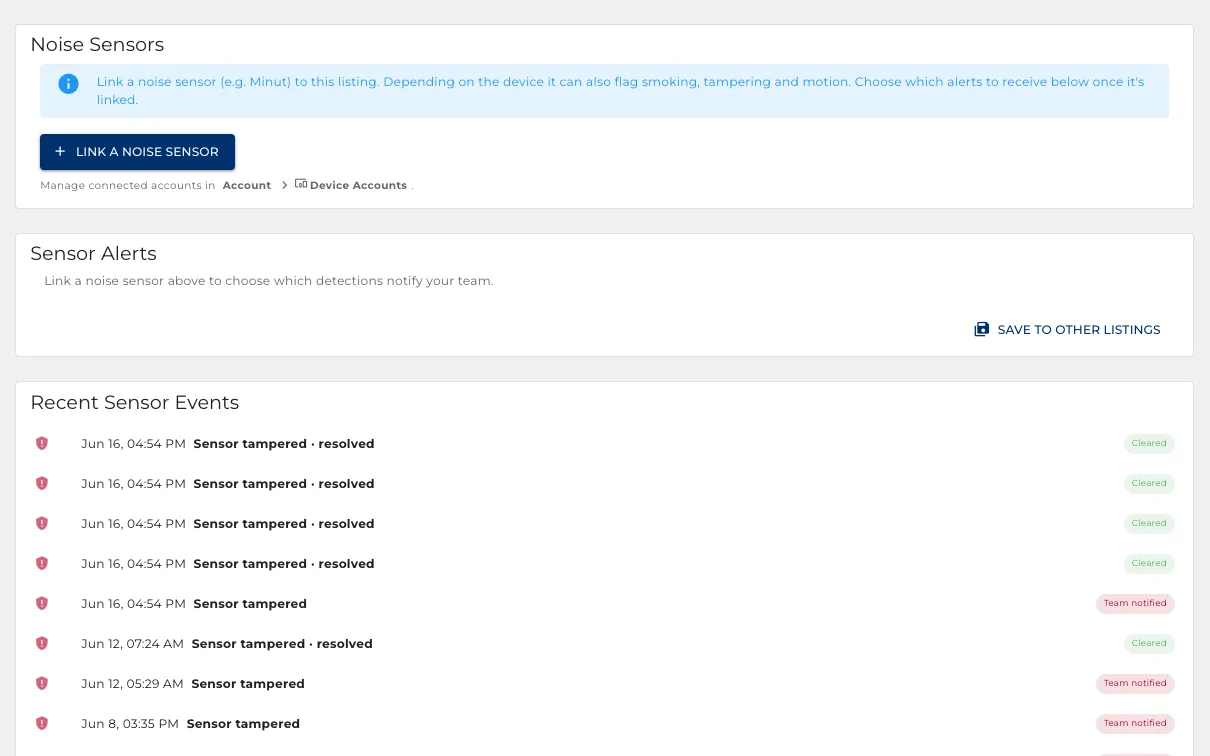
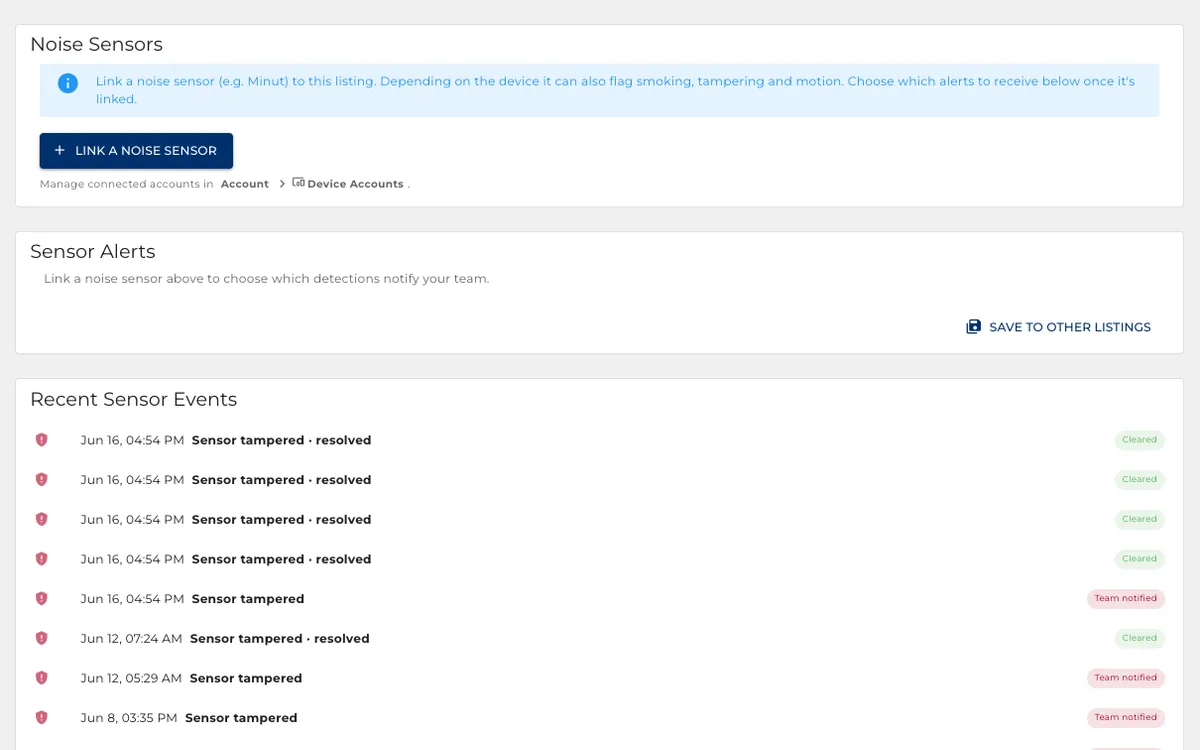
Sound levels watched around the clock, with a different answer during quiet hours.
- Warn the guest, alert your team, or both.
- Cap how many warnings one guest gets before a person is told.
- Noise in an empty property always alerts your team.
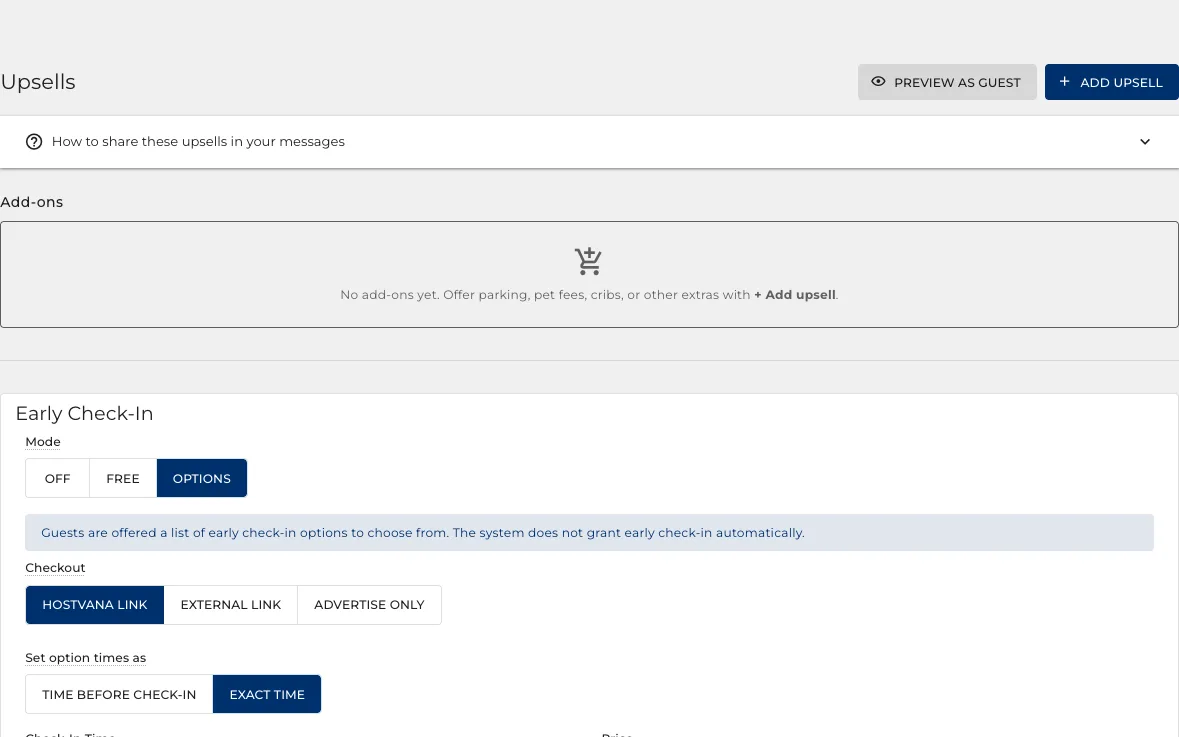
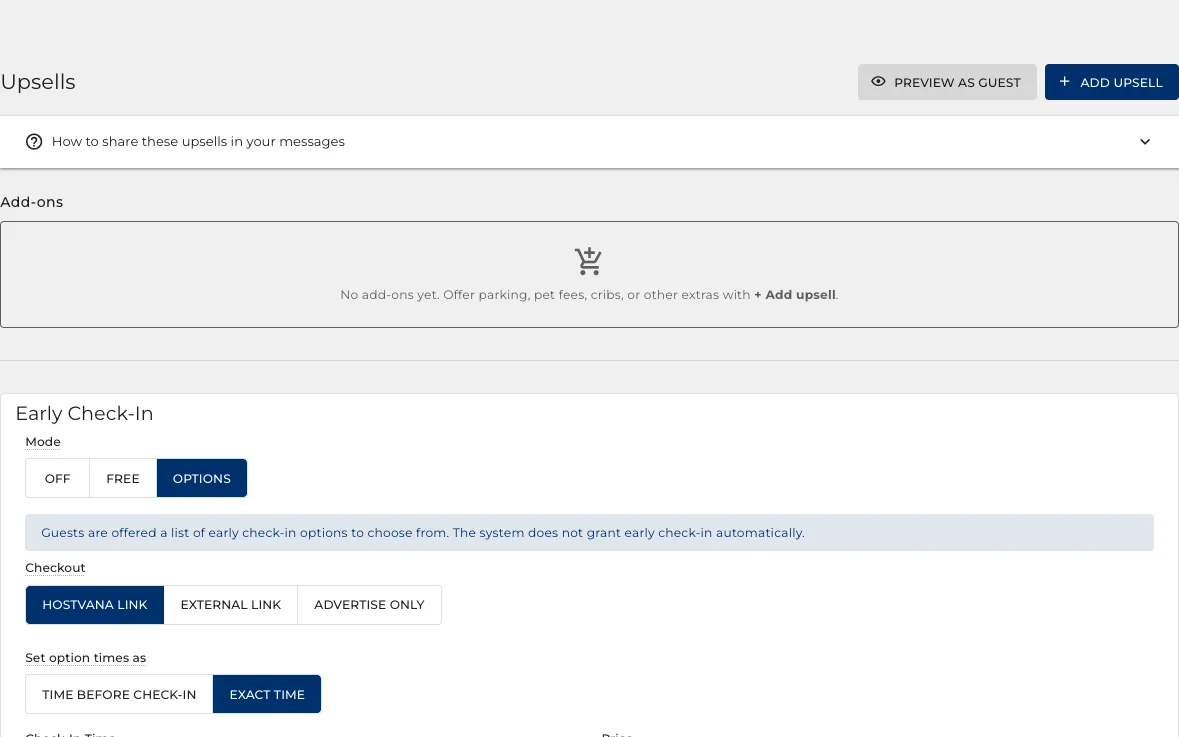
Sell the early check-in
Charge for a longer head start, or hand it over free when the property is already clean.
- Free hands it over the moment nobody is checking out and the place is ready.
- Or offer a list, so two hours early and four hours early cost different amounts.
- The door code follows whichever the guest picks, with nobody reissuing it.
And the same at the other end
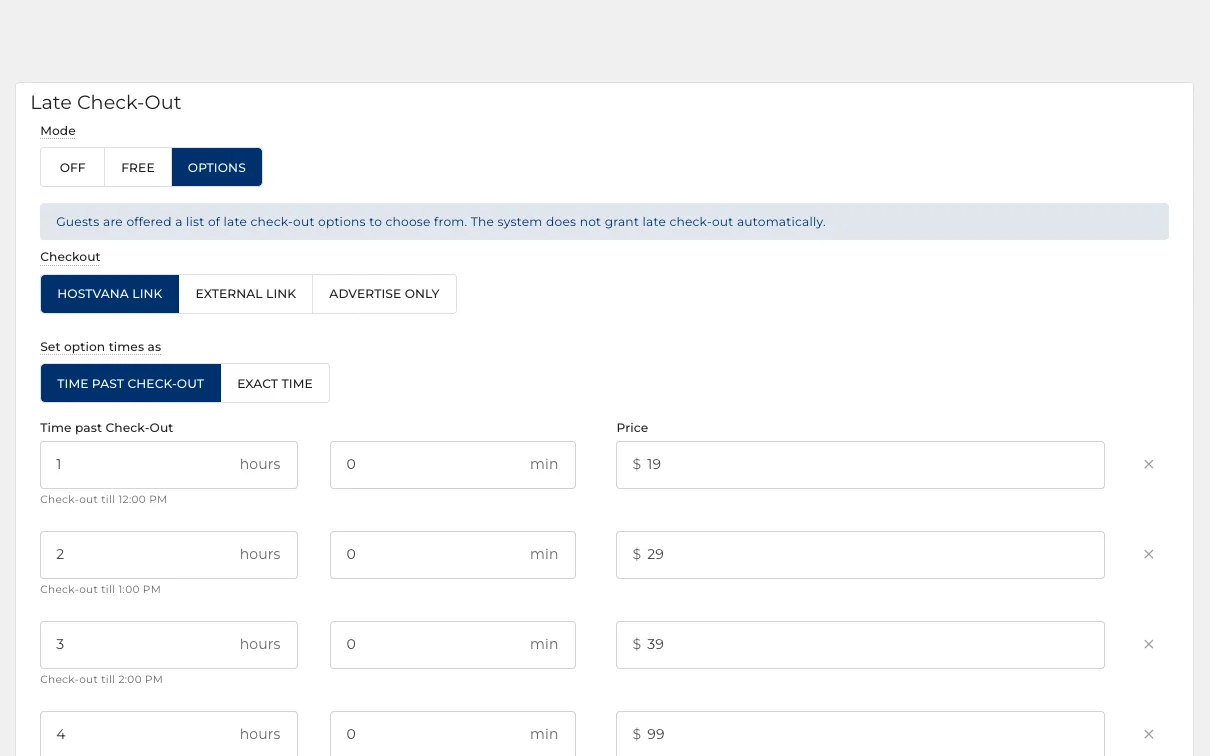
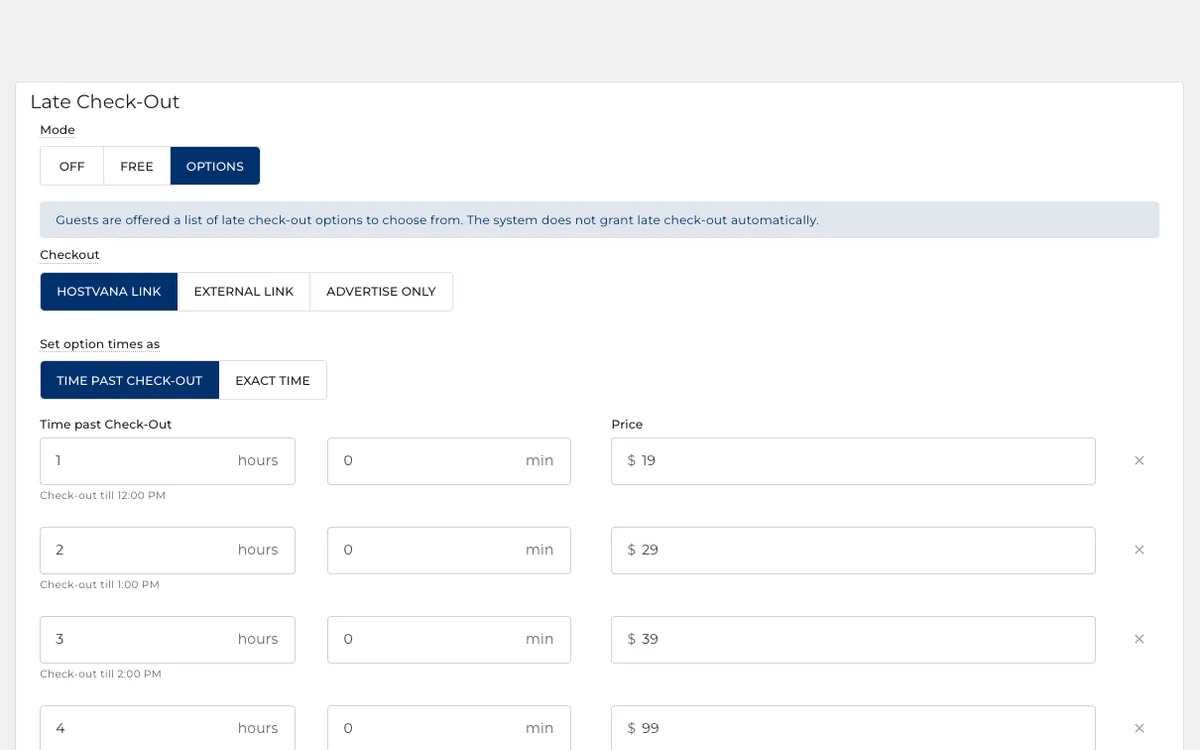
Late checkout is sold, advertised or quietly granted by the same rules.
- Free, a fixed price, or a list of times to choose from.
- Advertise it in your messages, or keep it quiet and grant it on request.
- Parking, cribs and mid-stay cleans work the same way.
Anything you want to sell, on a link
The extras are a list you write, and the list has an address you can send anyone.
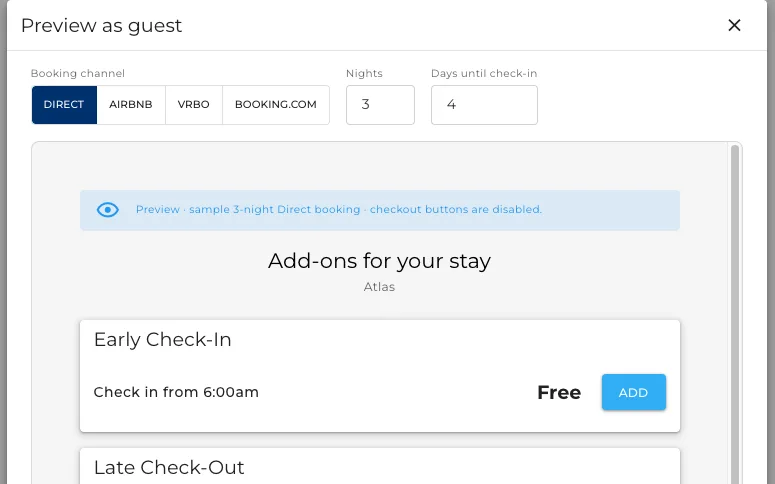
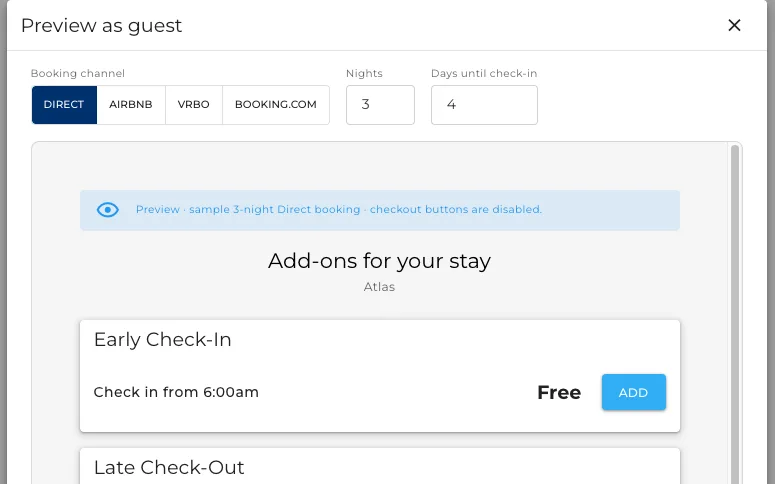
- Early check-in and late checkout come built in. Parking, cribs, a bottle on arrival: you add.
- Each one carries its own price, its own window and its own rules.
- Preview it as the guest sees it, then copy the link and send it in any message.
Your payment account, your schedule
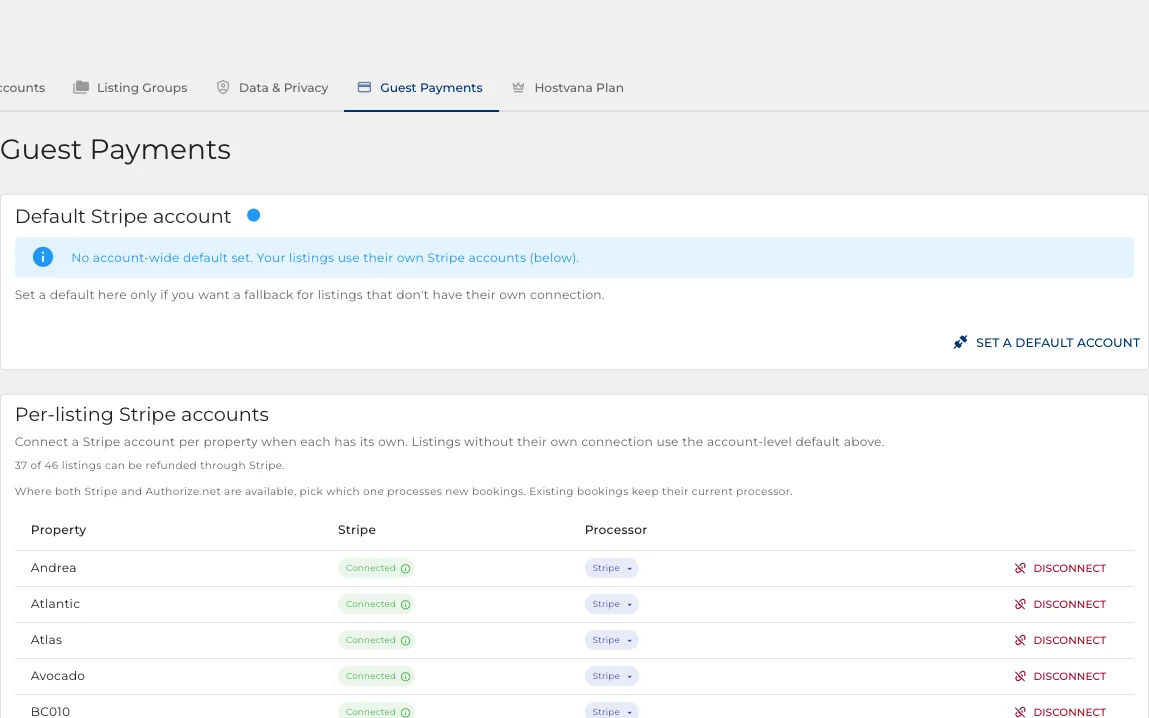
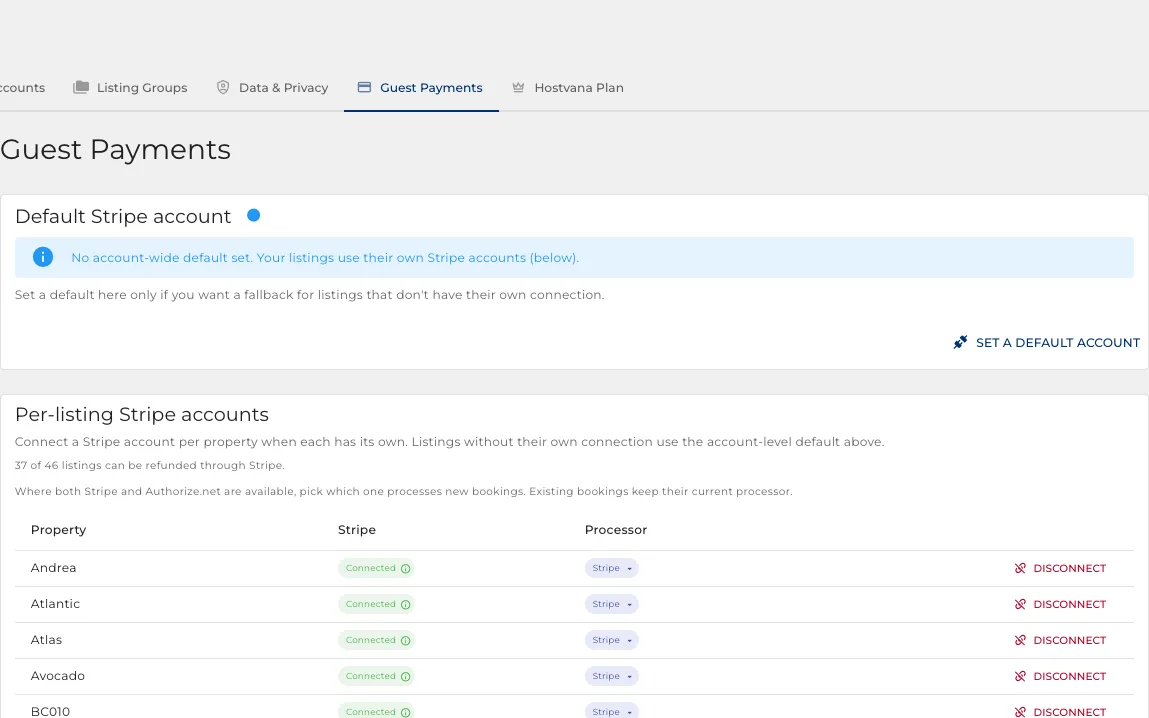
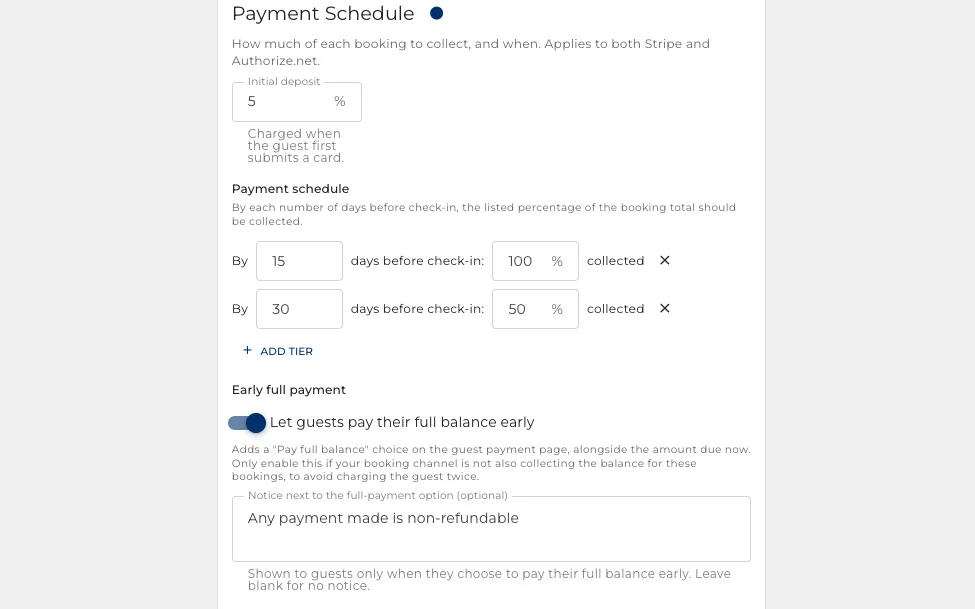
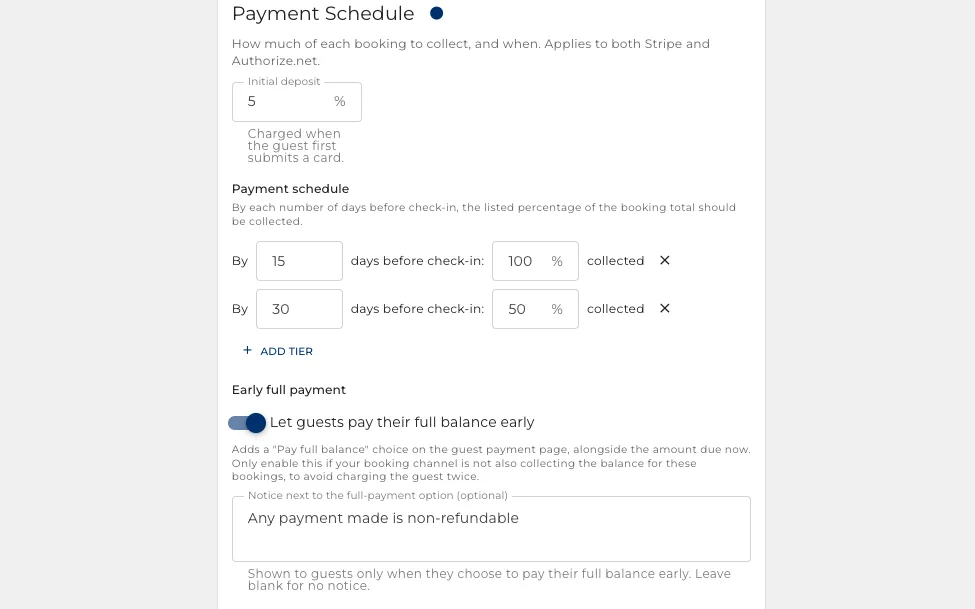
Take a deposit at booking and step it up to the full amount as the stay gets closer.
- Connect your own payment account. Your keys are never stored here.
- Take a deposit at booking and the balance closer to arrival.
- Refund from the booking itself, and the balance stays right everywhere.
How much, and when
A deposit now and the rest later, or the whole thing up front. Per property.
- Set what proportion is taken at booking.
- The balance is collected automatically as the stay approaches.
- A guest can settle the balance early from a link, if they would rather.
Text and WhatsApp, in the same inbox
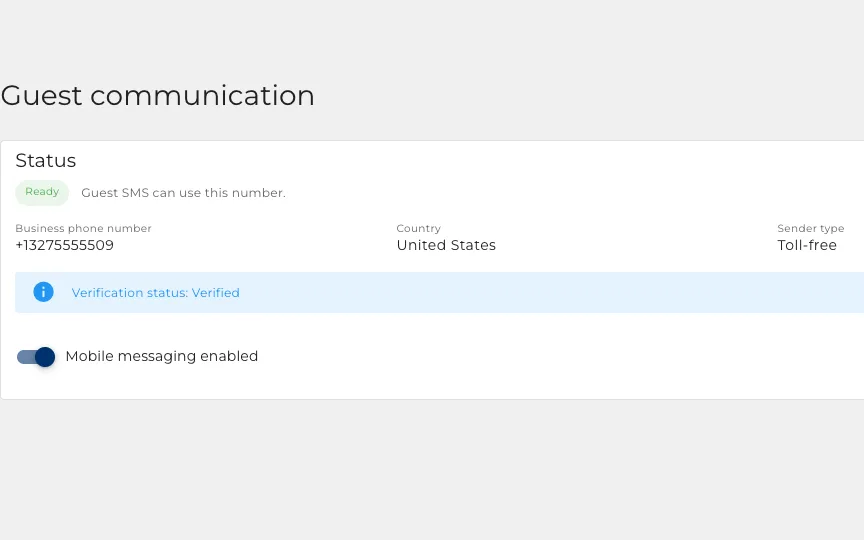
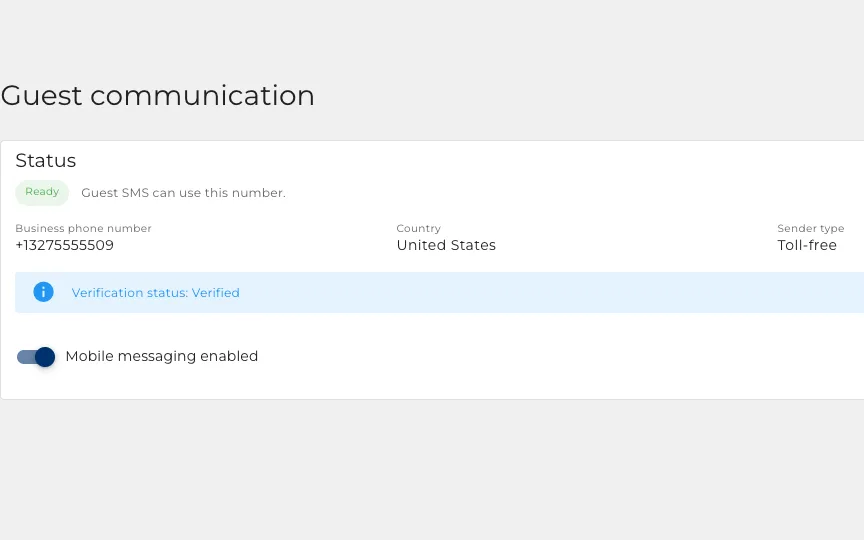
Your own business number, so a guest who never opens the booking site app still hears from you.
- A reply always goes back on whatever the guest wrote on.
- You set the order to try: text, then the booking site, then email.
- It all lands in the same thread as everything else.
The consent record, kept for you
Texting guests is regulated, so nothing goes to a number that has not agreed to it.
- Consent is held per person on the booking, with when and how it was given.
- Guests from a booking site start opted out, because the sites do not pass consent on.
- A guest replying STOP is opted out immediately and permanently.
Revenue you actually keep
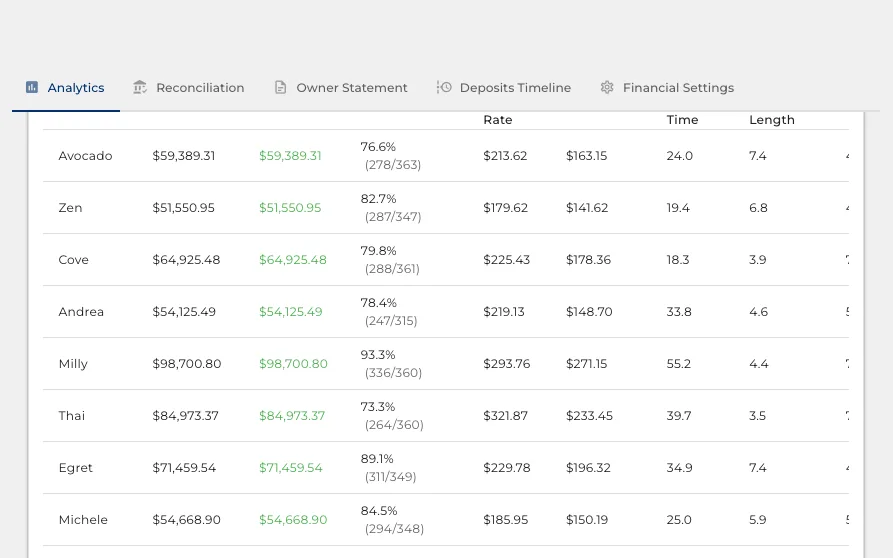
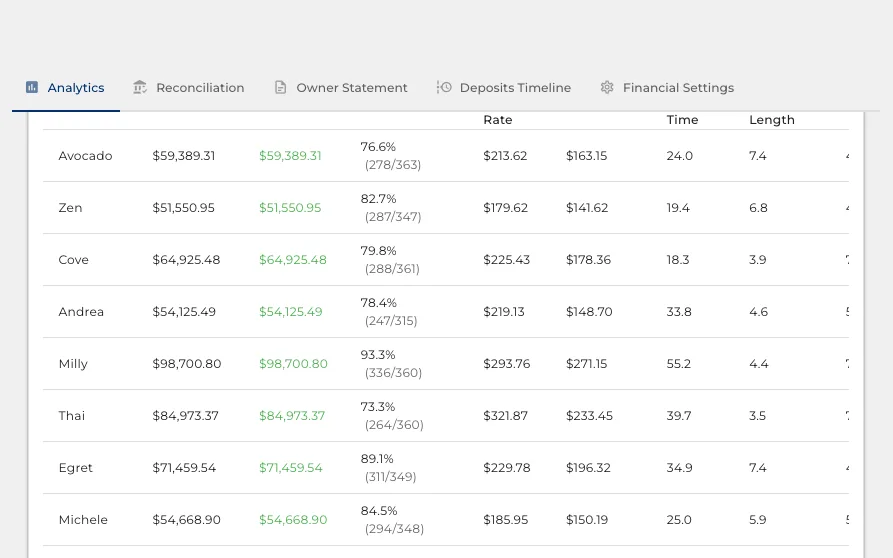
Gross bookings flatter everyone. These numbers are the ones you can bank.
- Every figure is what you keep, after fees, commission and taxes.
- Revenue, nightly rate, occupancy and lead time, per property or pooled.
- This year against last, counting only the properties you had both years.
Where the bookings come from
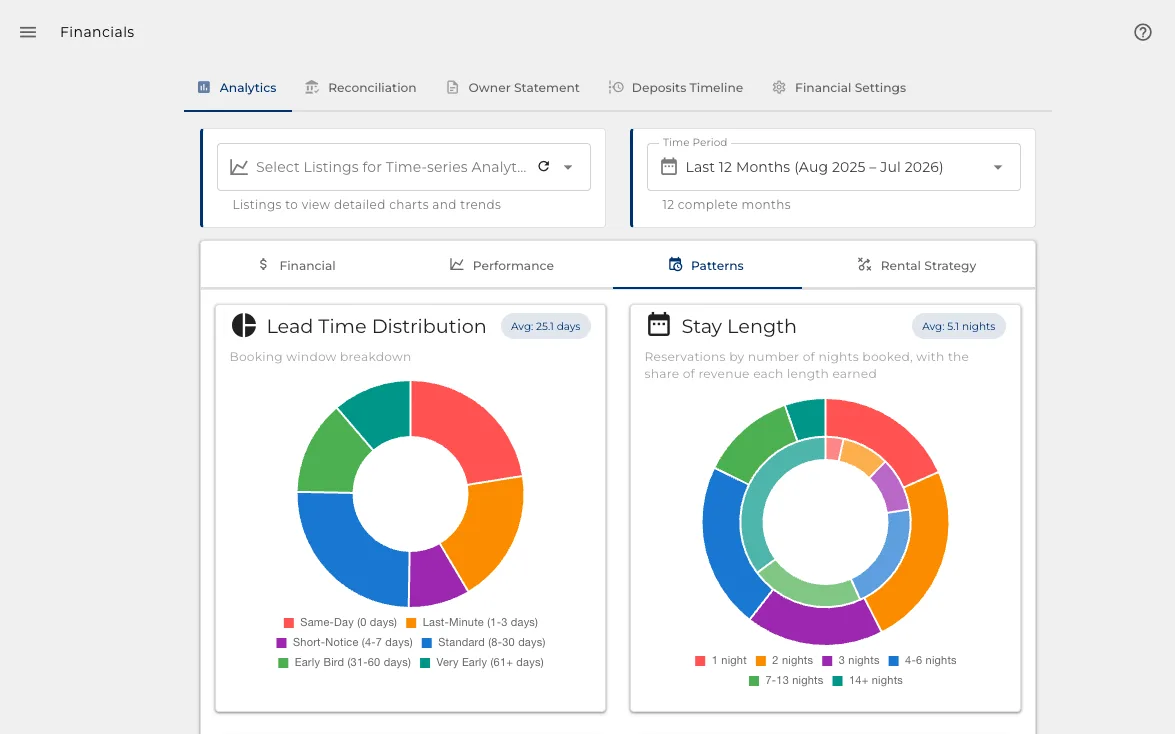
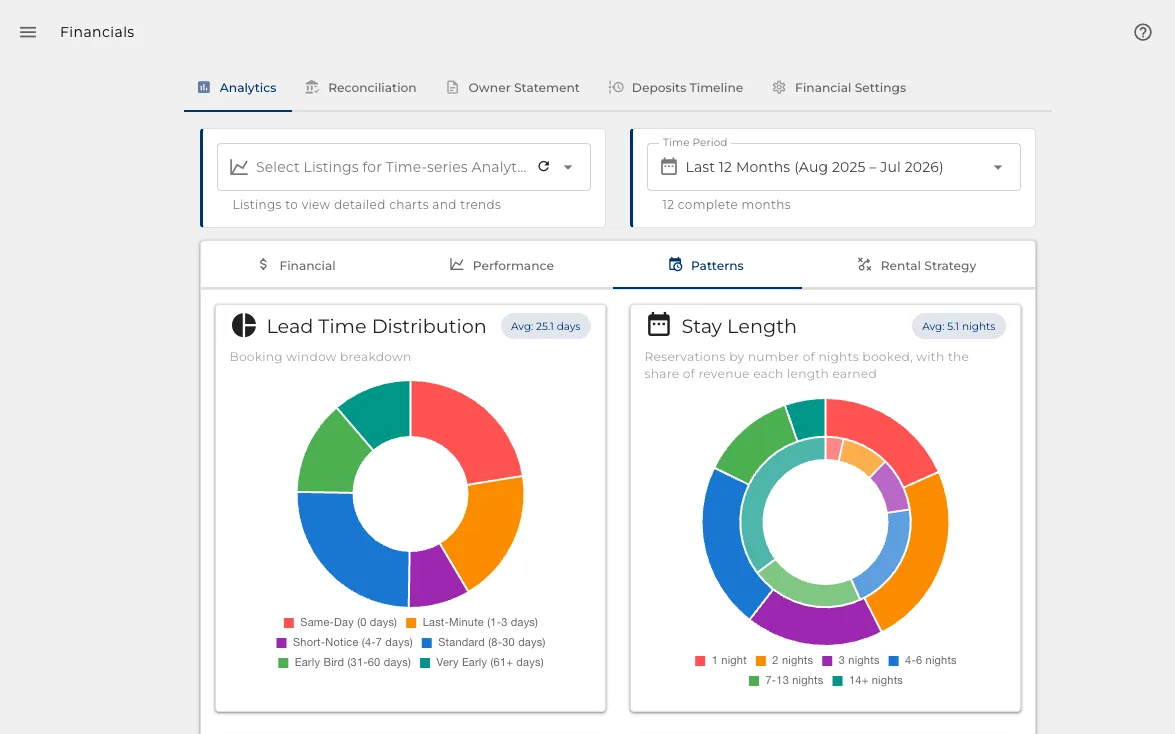
How far ahead people book, and which site they booked on.
- Lead time as a share of your bookings, not an average that hides the shape.
- The split across Airbnb, Vrbo, Booking.com and direct.
- Enough to know which site to push, and how early to open the calendar.
Short stays or long ones
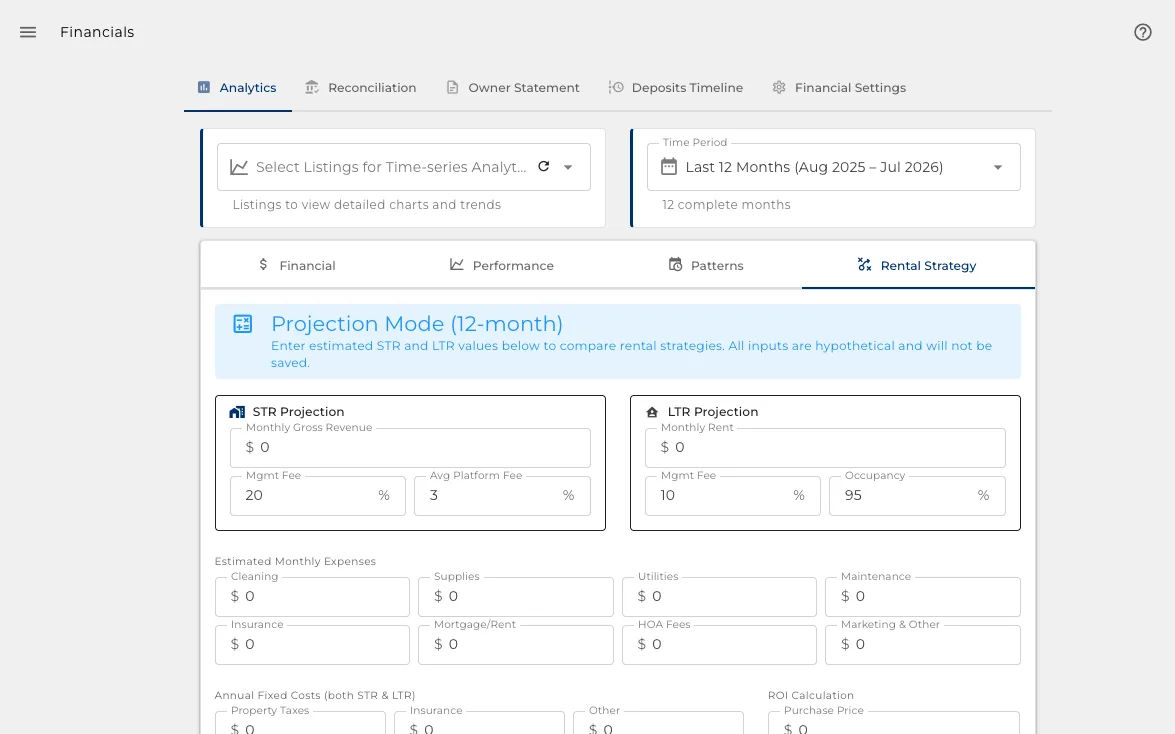
What different lengths of stay are actually worth once the cleaning is paid for.
- Compare what a night earns across stay lengths.
- See whether a minimum-night rule is making you money or costing it.
- Per property, because the answer is rarely the same for all of them.
Start from the bank, not the bookings
Import the month's statement and every deposit is matched to the reservation that produced it.
- A CSV from your bank, read once.
- Each deposit tied to a real booking, so income is evidence rather than an estimate.
- What it cannot match, it shows you, instead of quietly rounding it away.
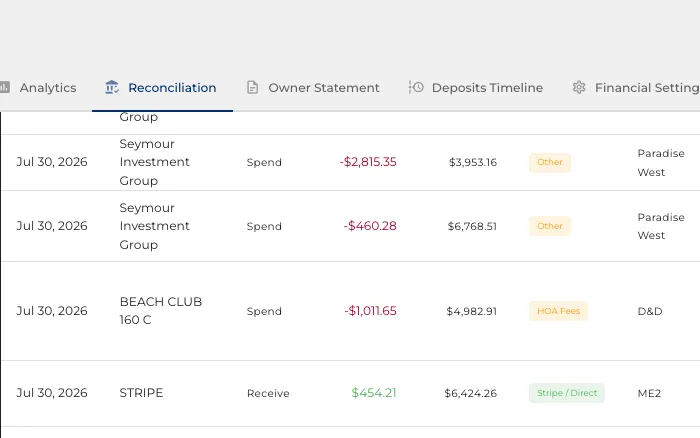
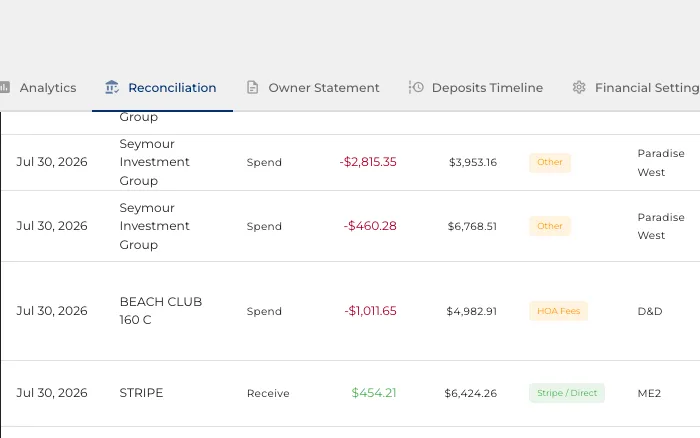
Every line, accounted for
The ledger behind the month: what came in, what went out, and what it belongs to.
- Deposits matched to bookings, expenses to properties.
- Rules you set once handle the recurring ones from then on.
- Anything unmatched stays visible until a person decides.
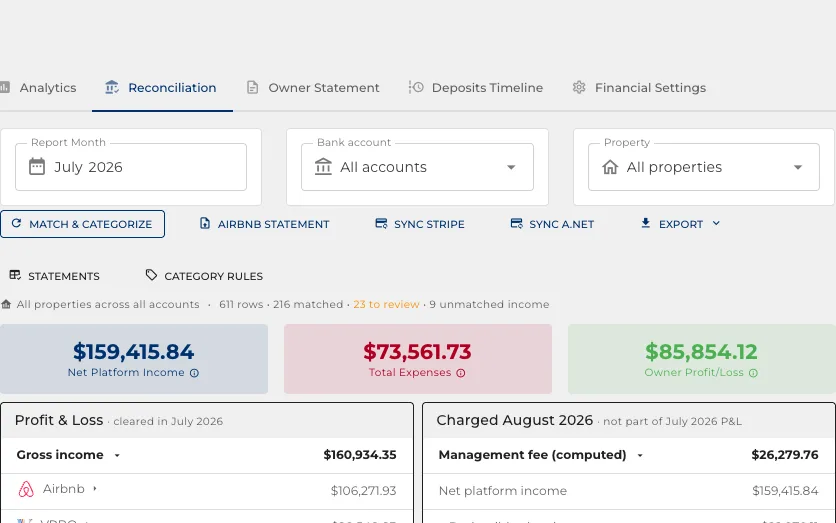
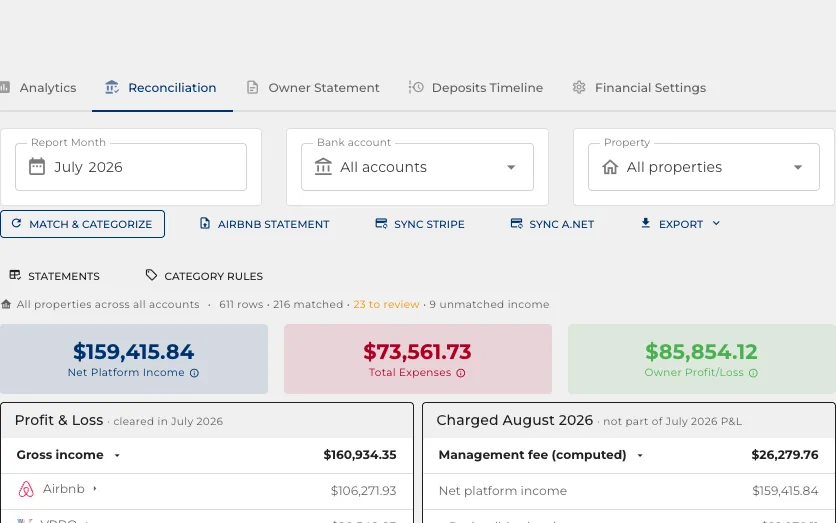
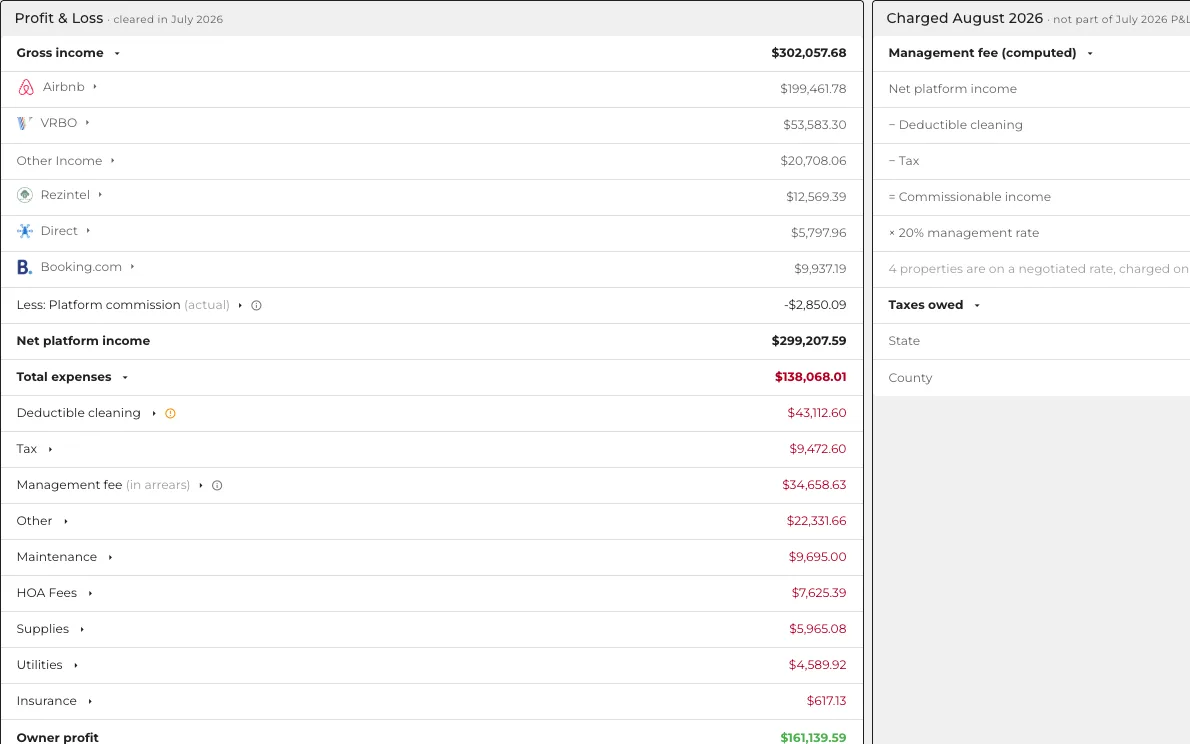
A profit and loss that ties to your bank
The output of the month, built from statements rather than from what the booking sites claim.
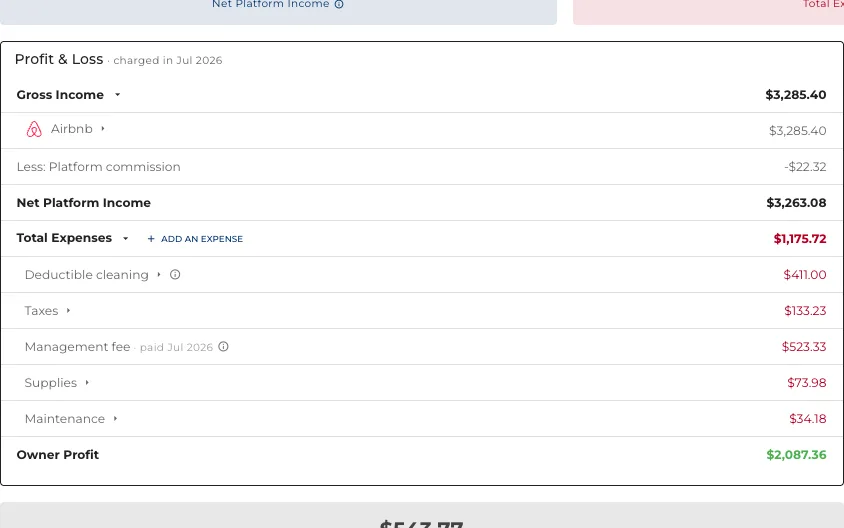
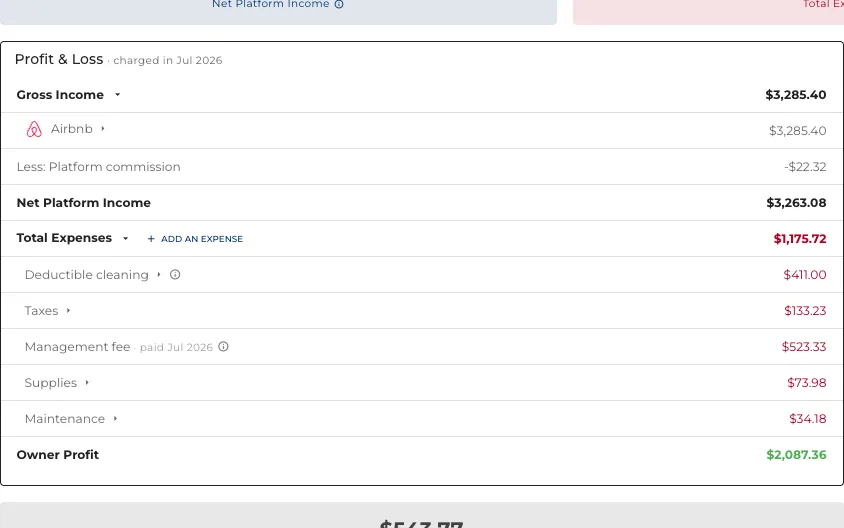
- Income, commission, taxes, card fees and expenses, per property or pooled.
- The rates behind every figure come from your settings, not from a guess.
- This is what the owner statement is then published from.
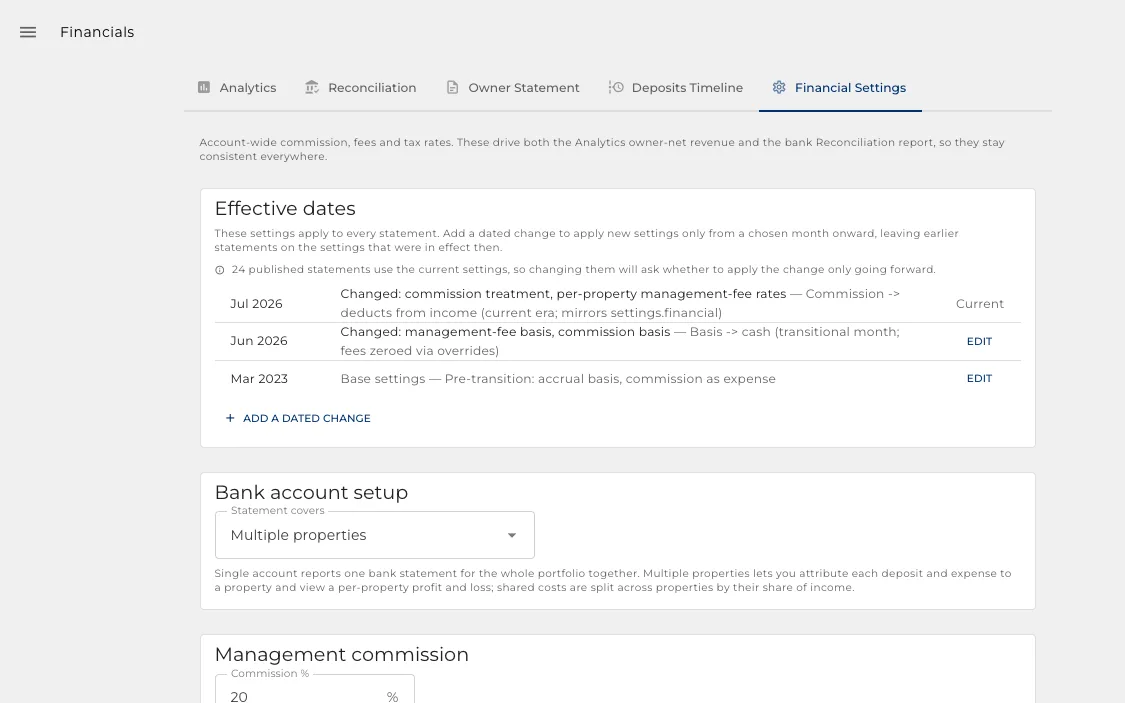
The rates behind every figure
Your commission, your taxes, your cleaning deduction. Set once, applied everywhere.
- Management commission, tax rates and processing fees in one place.
- Change a rate and every report that uses it follows, rather than six spreadsheets.
- This is where the arithmetic on an owner statement comes from.
One clear month per owner
Publish a finished document an owner can read without ringing you about it.
- The profit and loss, the payout, and how one became the other.
- Frozen when you publish, so the figures never move under the owner.
- Download the PDF, or let the owner sign in and read it.
And what actually gets paid
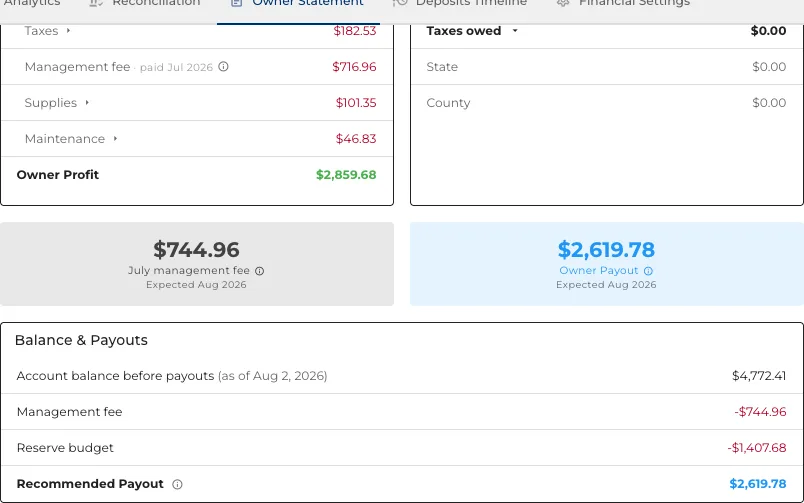
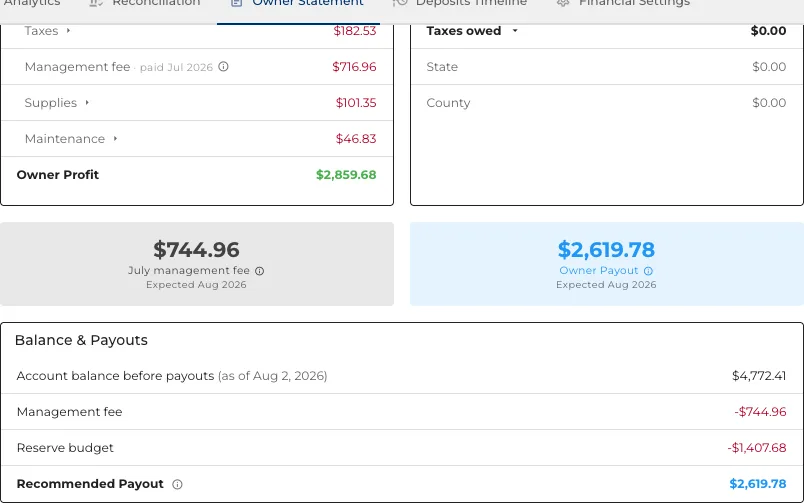
Profit is not payout. The statement shows both, and the distance between them.
- What is owed, what is held back, and what transfers.
- A month settles just after the balance date, so nothing has cleared at publish time.
- The owner sees the same arithmetic you do.
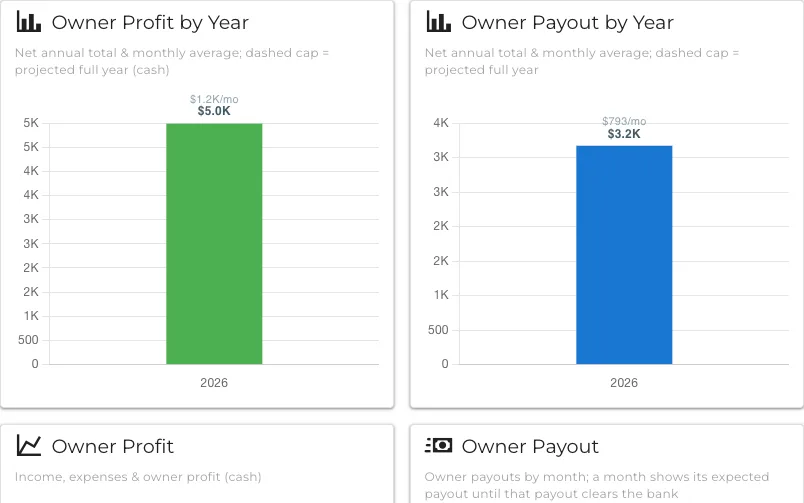
An owner can see their own year
Not just this month: profit and payout across the year, from the statements already published.
- Every transaction behind the month, if they want to look.
- They read it themselves, which is a call you do not take.
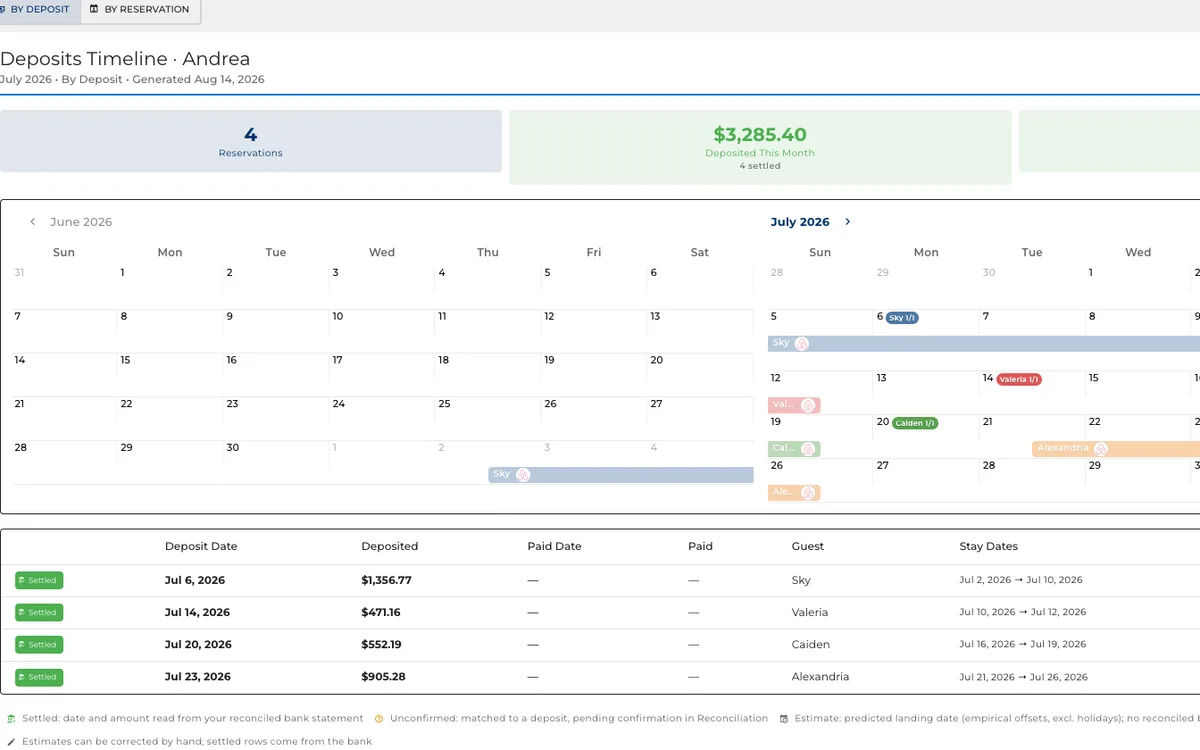
When the money actually lands
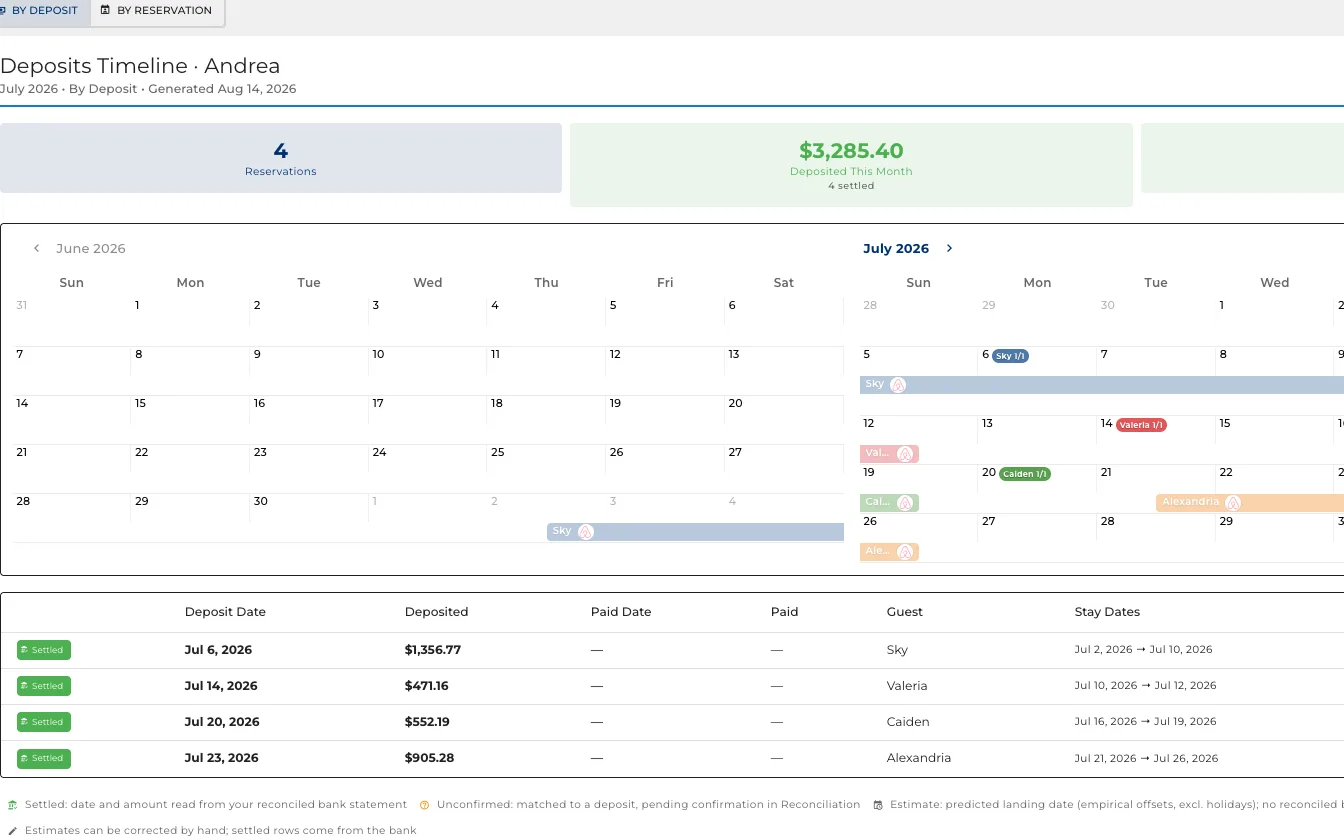
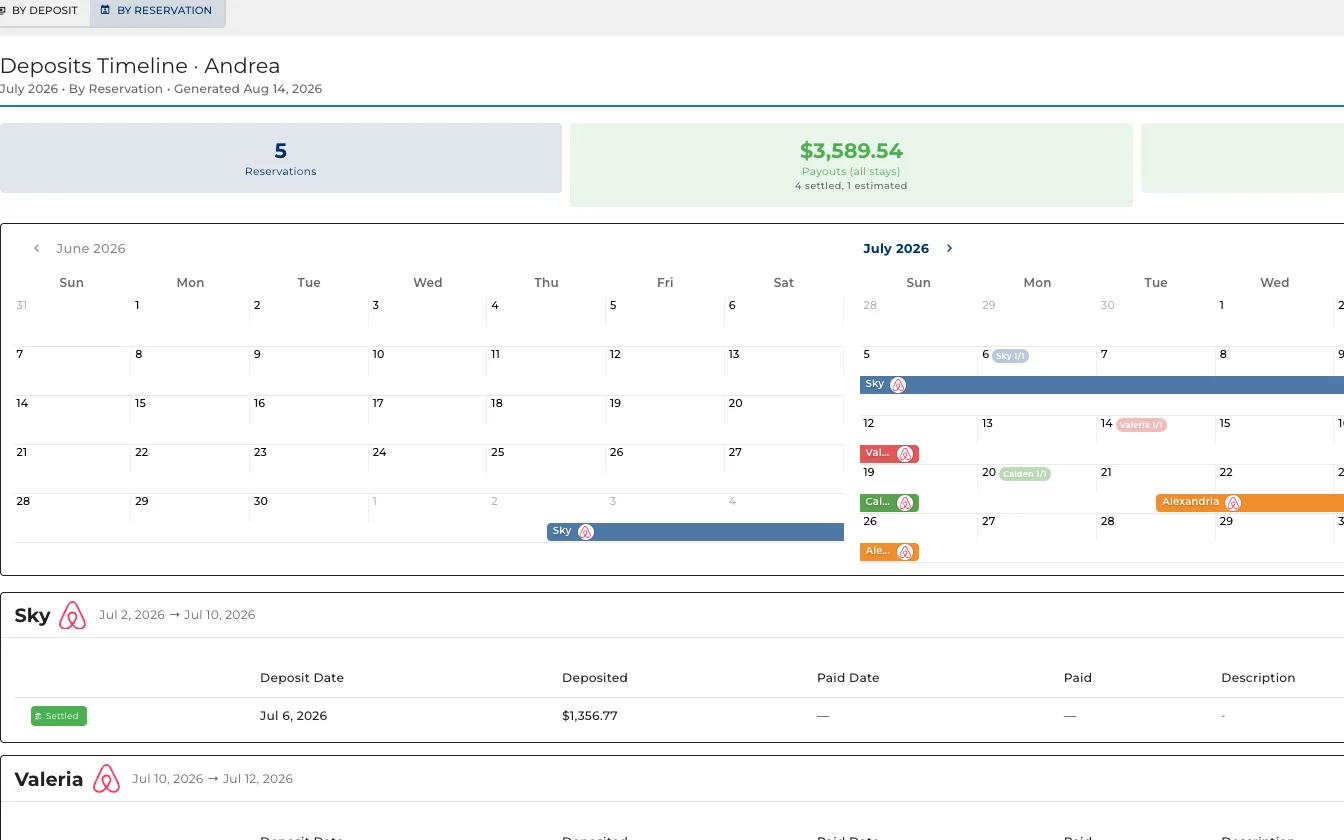
The question the other reports do not answer: when does this booking pay me.
- A month laid out by the day each payment is expected.
- What has arrived, and what is still outstanding.
- Read it by booking when you are chasing one, or by deposit when you are checking the bank.
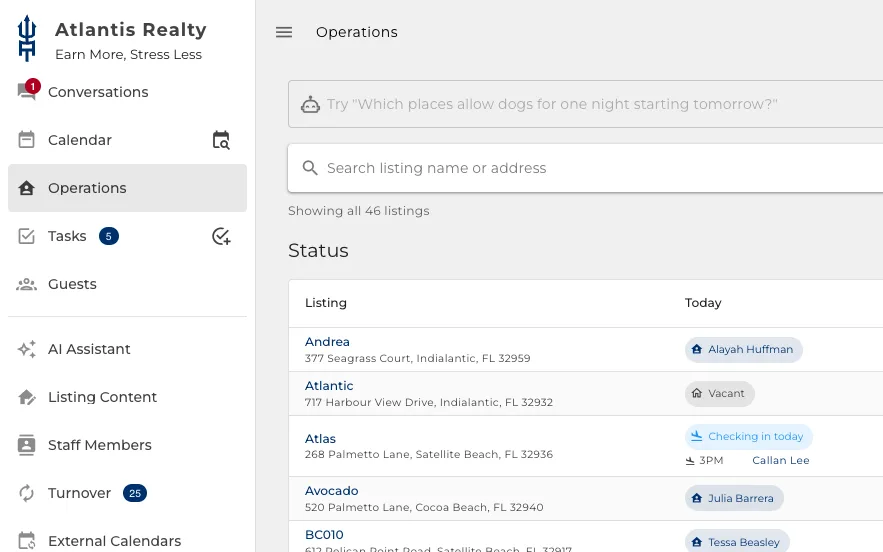
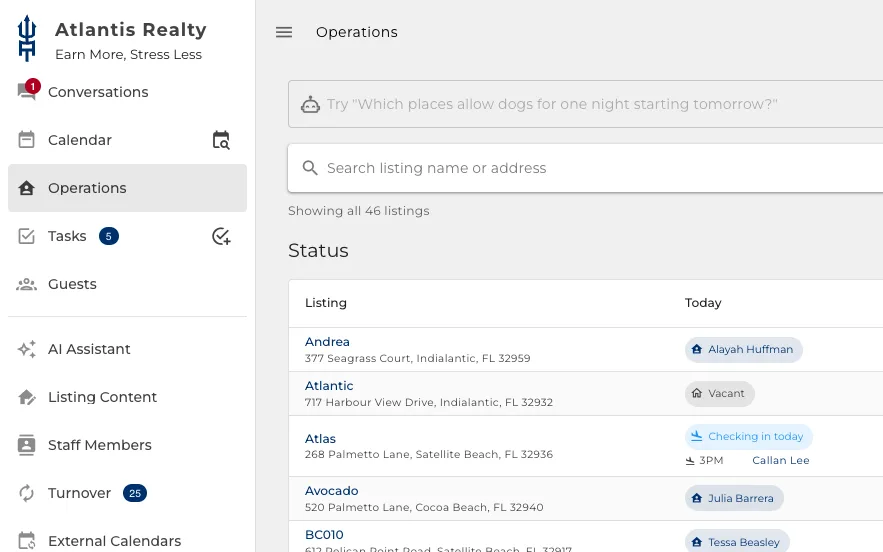
It can carry your name, not ours
Your brand, your colours and your logo, everywhere your team and your owners look.
- Owners and staff sign in to your business, not to a supplier.
- The screens in this book are a live install, branded to the operator running it.
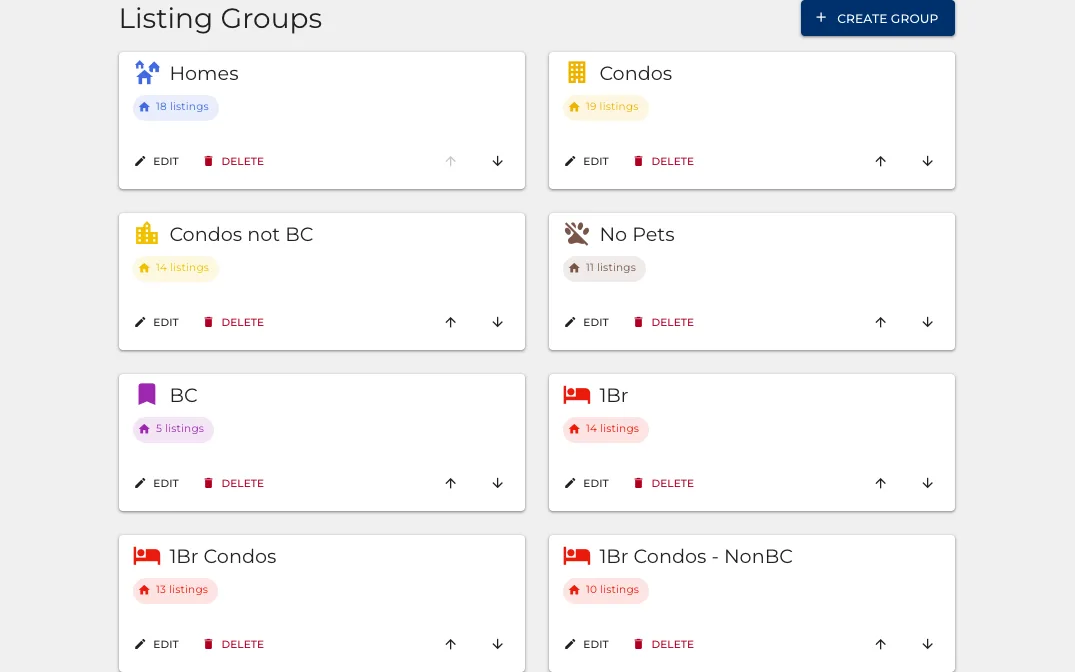
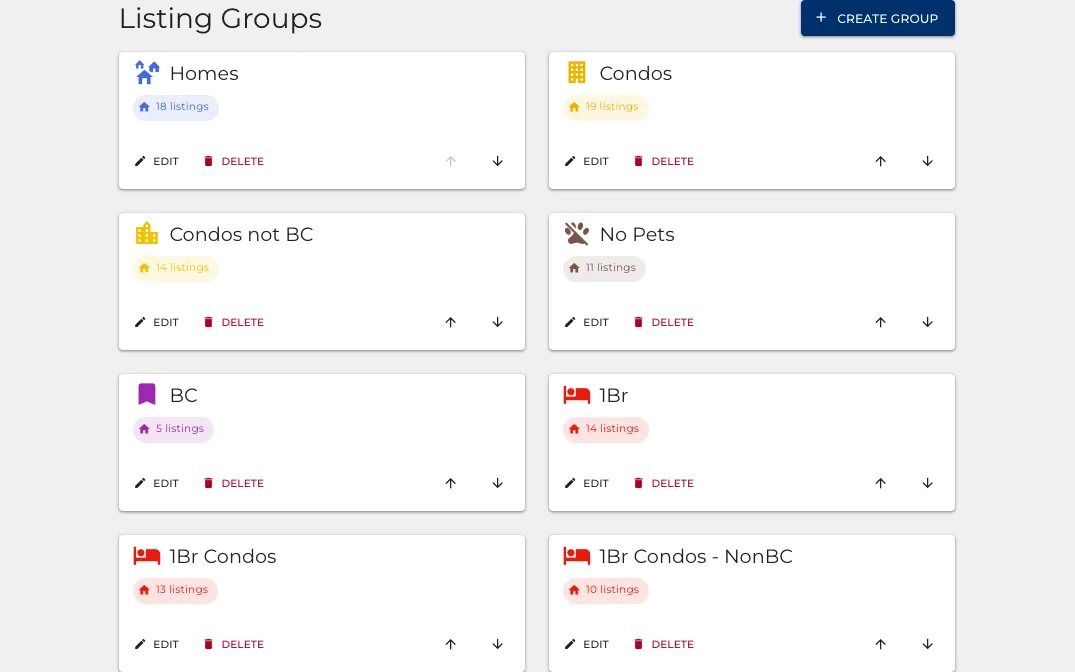
Group the ones that belong together
Set a group up once, then search it, change it and report on it as one thing.
- Group by building, by bedroom count, by whether pets are allowed. However you think about them.
- Apply a setting to the group instead of to eleven properties one at a time.
- Filter the board, the calendar and the financials down to a single group.
- A property can sit in several groups at once.
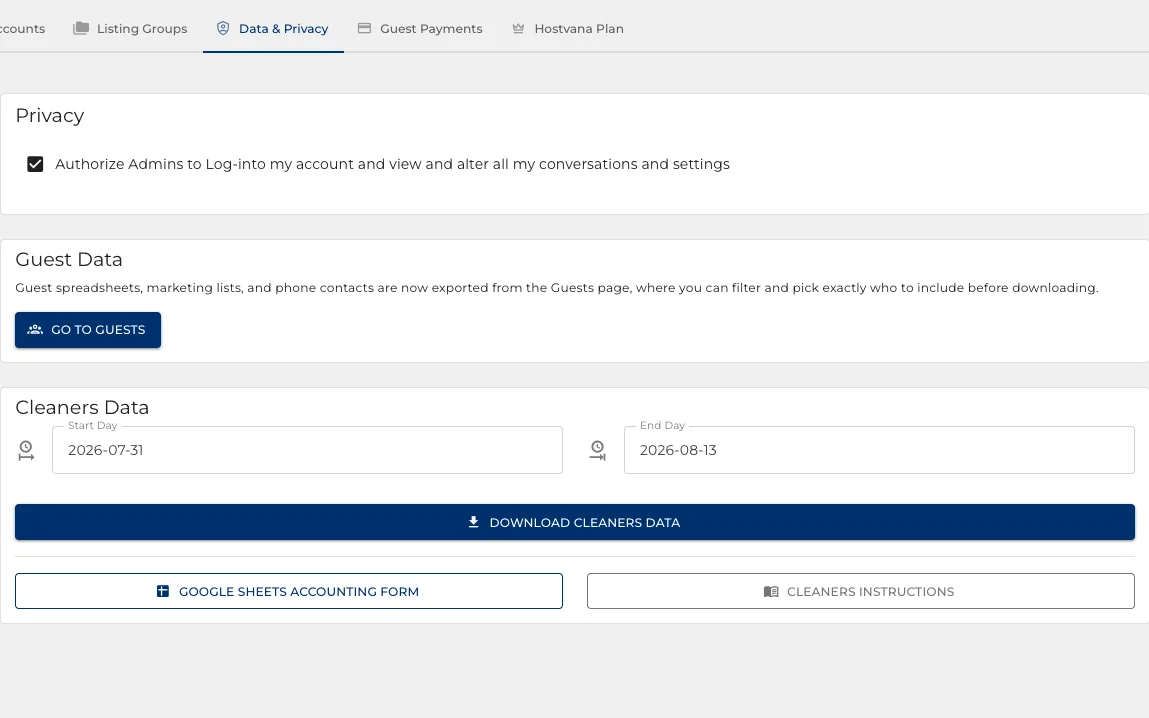
Your data stays yours
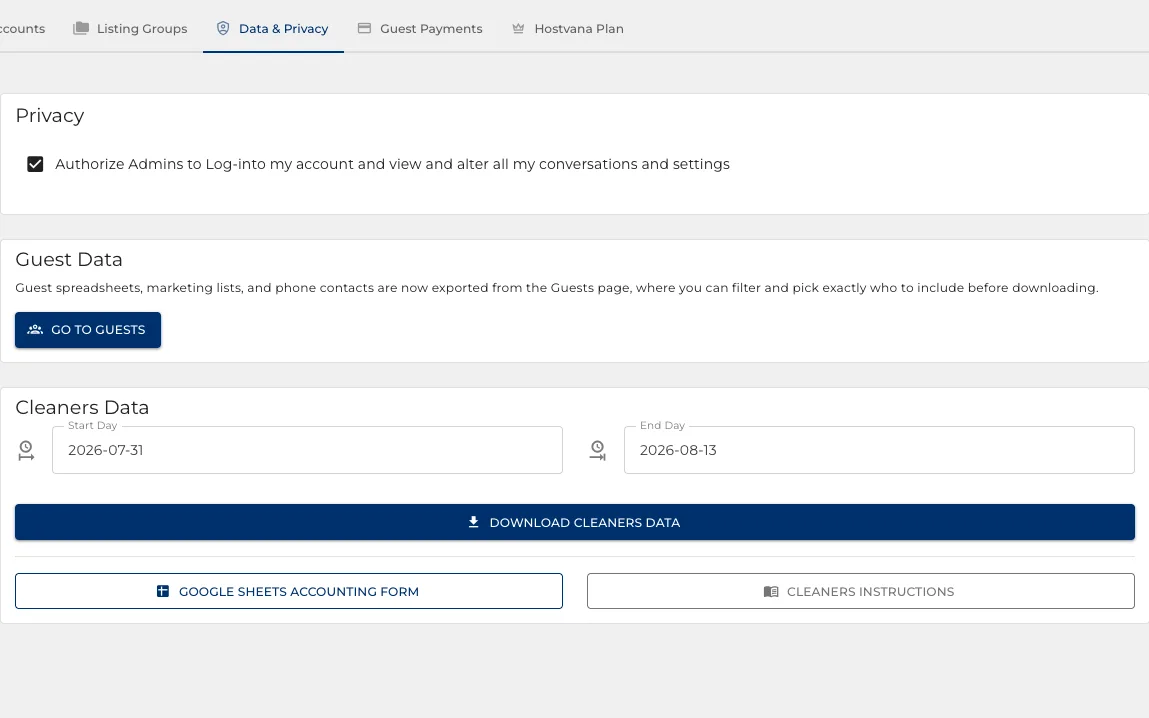
Take what the account holds whenever you want it, and decide who else may look.
- Download the cleaning record for any date range as a file you keep.
- Guest lists come off the Guests page, filtered to exactly who you choose.
- One switch decides whether Hostvana support may open your account at all.
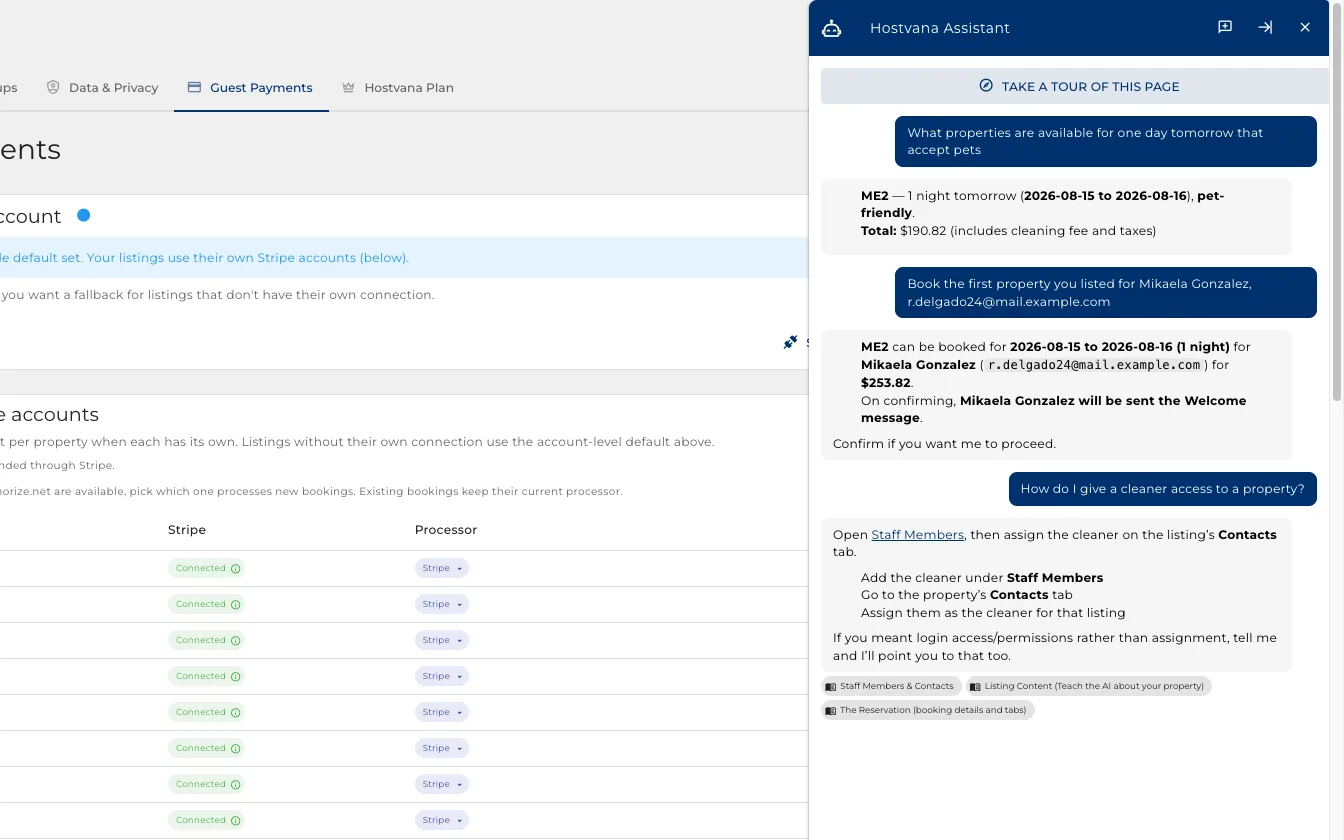
Nobody has to learn it alone
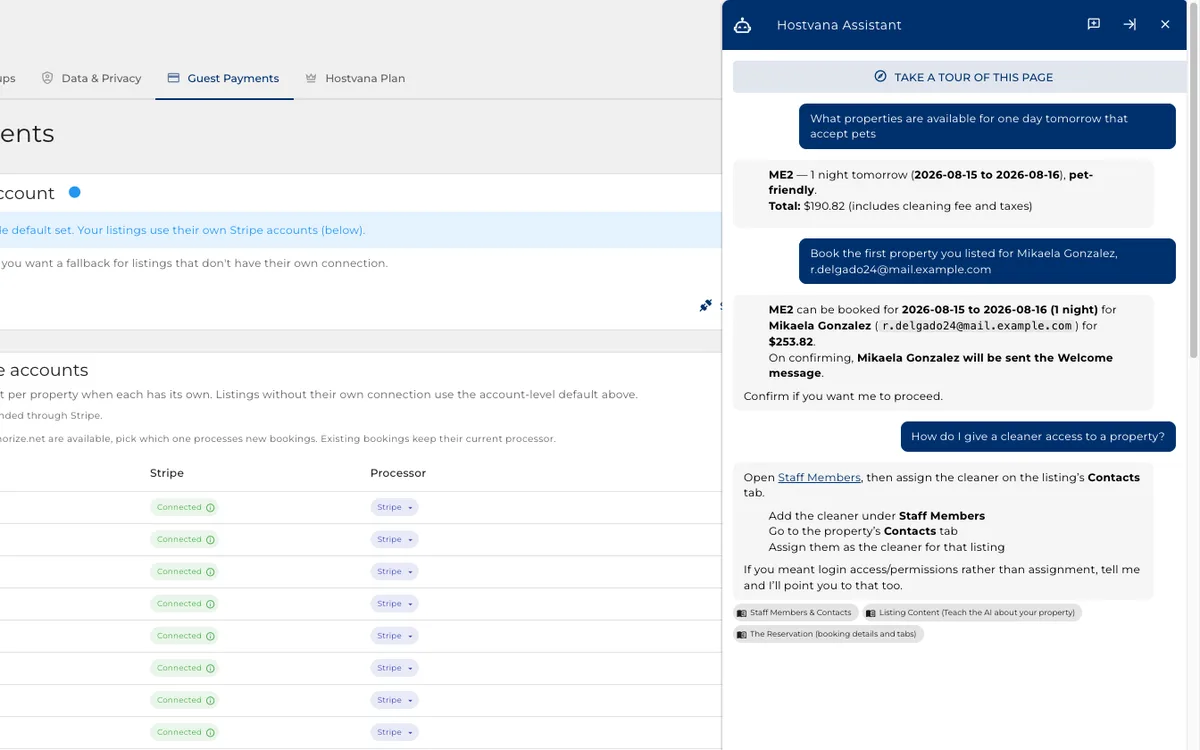
The assistant answers questions about Hostvana itself, from wherever you are stuck.
- Ask how to do something and it answers for this product, with the steps in order.
- It links straight to the screen you need, and names the pages it answered from.
- It is in the bar on every page, so nobody goes hunting for a manual.
- New staff ask it instead of asking you.
Already running something else?
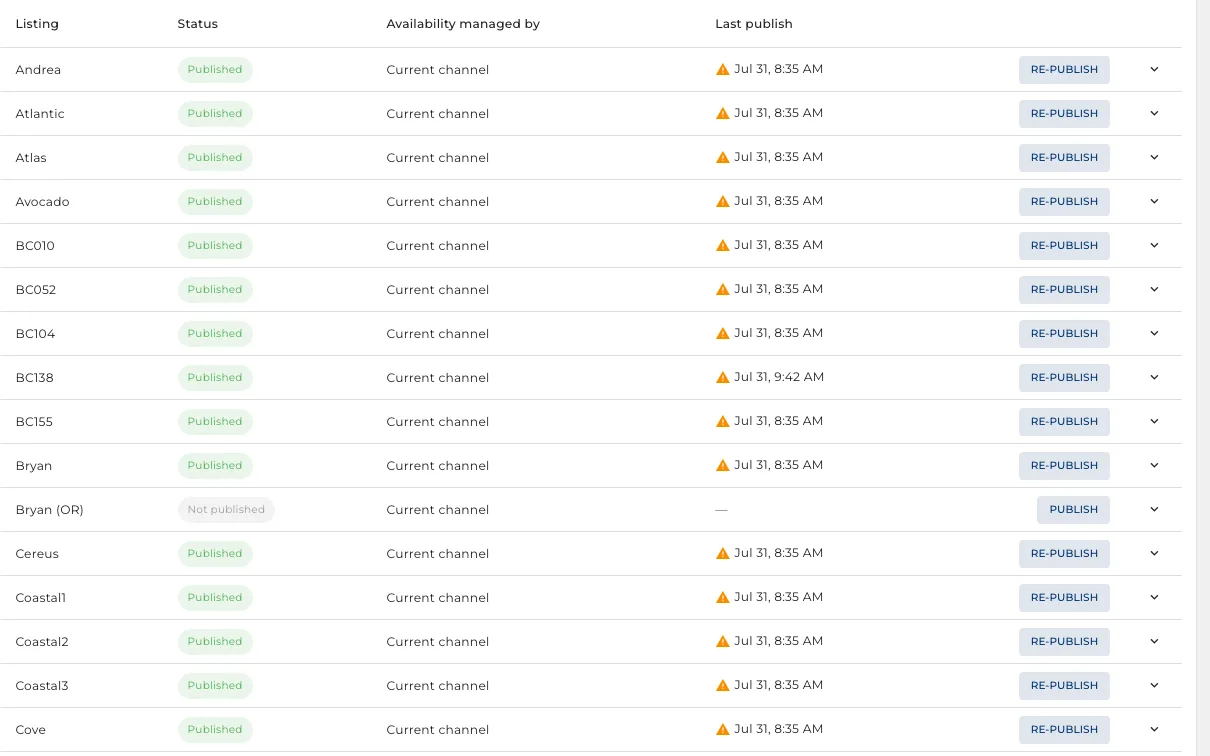
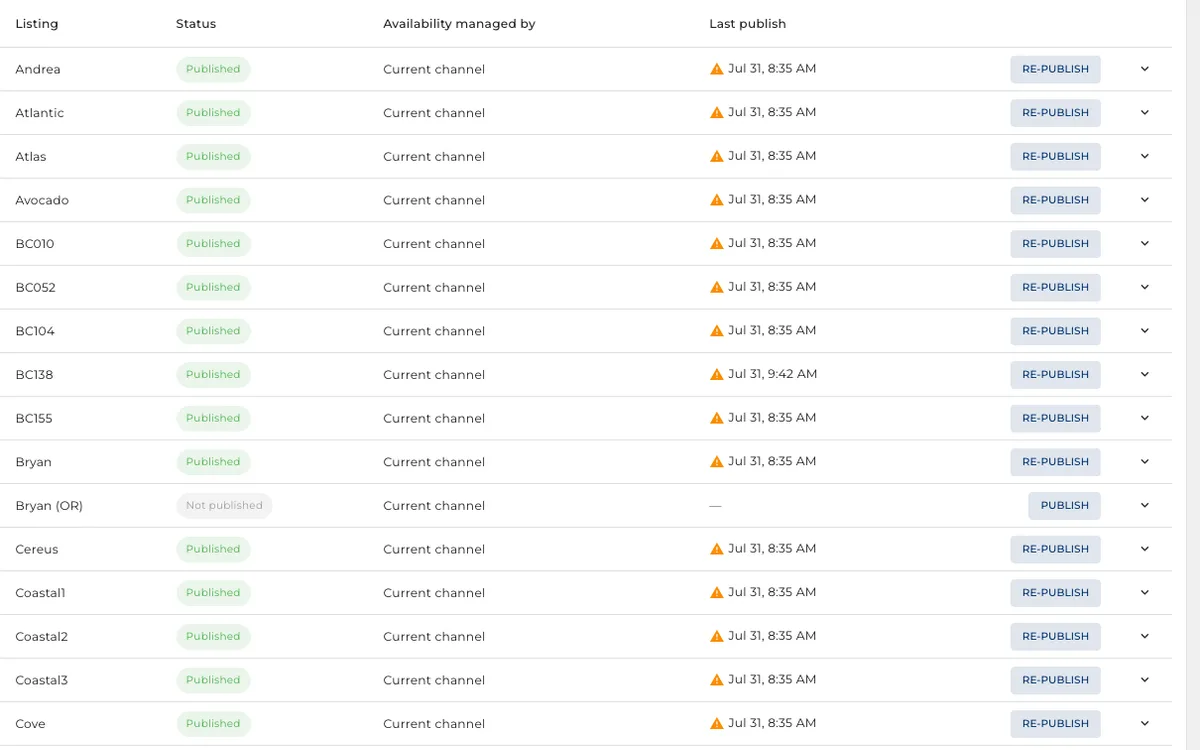
Hostvana publishes to the booking sites itself, and still talks to whatever you run today.
- Your listings go out to the sites from here. There is no second channel manager to pay for.
- It also reads the system you are on today, so you move across at your own pace.
- Move one property, see how it goes, then move the rest.